
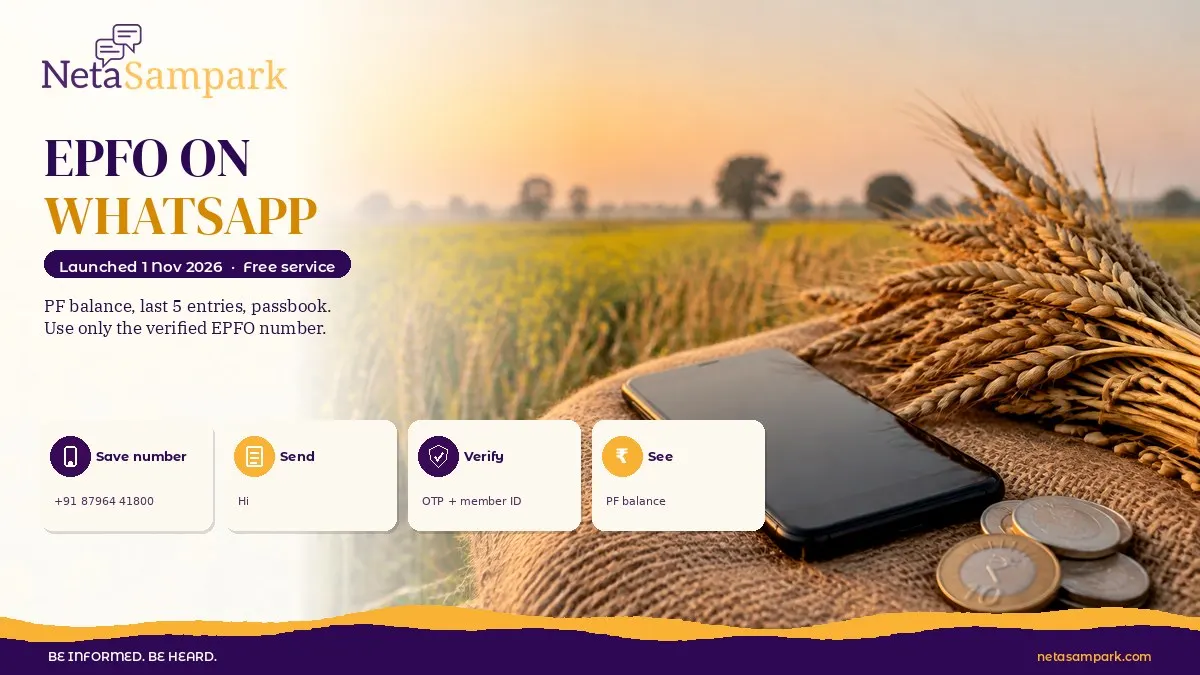
EPFO launched its services on WhatsApp on 1 November 2026. If your mobile number is registered with your UAN, you can now check your PF balance, your last five transactions and passbook details by chatting with EPFO's verified WhatsApp account. You verify with an OTP, pick your member ID, and the details come in the chat.
Updated 2 November 2026
Quick facts
| Item | Details |
|---|---|
| Official portal | EPFO and the Member e-Sewa portal |
| Helpline | EPFO toll-free 14470; grievances on EPFiGMS |
| Fee | Free. EPFO never charges for balance or passbook |
| Deadline | None. Service live from 1 November 2026 |
| Documents | Active UAN, mobile number registered with UAN, WhatsApp on that same number |
| What you get | PF balance, latest 5 transactions, passbook info, help with PMVBRY requirements |
| Related posts | Download your EPFO passbook, Activate UAN on UMANG |
What exactly did EPFO launch on 1 November 2026?
At EPFO's 74th Foundation Day in New Delhi, Labour Minister Dr Mansukh Mandaviya launched EPFO services through WhatsApp. As per the official PIB release, EPF subscribers can get:
• Their PF balance
• The latest five transactions
• Passbook information
• Guidance on completing PMVBRY-related requirements (the employment-linked incentive scheme)
The idea is simple. Most workers already use WhatsApp every day. Instead of logging into a portal, remembering a password and fighting captchas, you just chat.
EPFO also announced on the same day that small inoperative accounts with up to ₹1,000 will now be settled automatically. We've explained that separately in our post on the new auto-settlement rule.
Who can use EPFO on WhatsApp?
You can use it if all three are true:
1. You have an active UAN (Universal Account Number)
2. Your mobile number is registered against that UAN
3. You use WhatsApp on that same mobile number
If you changed your number years ago and never updated it with EPFO, the OTP will go to the old number. Fix that first on the member portal or through your employer.
How do I check my PF balance on WhatsApp, step by step?
1. Save EPFO's WhatsApp number in your phone. The number shared in EPFO's launch material and media reports is +91 87964 41800. Before chatting, open the profile and check it shows EPFO's name with the green verified tick. If there's no tick, don't share anything.
2. Send "Hi" to the number on WhatsApp from your UAN-registered mobile.
3. Choose your language from the menu.
4. Pick the service you want: check balance, last five transactions or passbook.
5. Type the OTP that comes to your UAN-registered mobile. Never share this OTP with anybody else; type it only in the EPFO chat.
6. Pick your member ID. If you've worked in more than one company, you'll see more than one member ID (one per PF account). Choose the one you want.
7. Wait for the reply. It usually comes in the same chat within a minute or so.
8. Read the reply. Take a screenshot if you need it for a loan form or to argue a mismatch with your employer.
What should I check once I see the balance?
Don't just look at the total. Use the last five transactions to check three things:
• Is your employer depositing every month? If a month is missing, ask HR for the challan details
• Does the employee share match 12% of your basic plus DA? From 2026, the wage ceiling changed, so read our explainer on the EPF wage ceiling of ₹25,000
• Is the pension share going in? The pension (EPS) part shows separately in the passbook
If something's off, you now have proof in a screenshot.
What if EPFO WhatsApp is not working?
On launch day, some users reported the chat not responding or OTPs failing. That's normal for a brand-new service with crores of members. Try these:
No reply after "Hi". Wait a few hours and try again. Check you're messaging the verified account, not a lookalike.
OTP not received. Your UAN mobile may be outdated. Log in to the member portal and update it, or ask your employer.
"UAN not found" or KYC error. Your Aadhaar may not be seeded or verified. Complete KYC on the member portal.
Balance looks too low. Interest is credited once a year, so recent interest may not show yet. Also check if a past company's PF wasn't transferred.
Meanwhile, the older options still work:
• Missed call: Give a missed call to 9966044425 from your UAN-registered mobile. You'll get an SMS with your balance
• SMS: Send "EPFOHO UAN ENG" to 7738299899 (replace ENG with your language code, like HIN)
• UMANG app: Check passbook and raise claims. See our guide on activating UAN on UMANG
• Passbook portal: Log in at passbook.epfindia.gov.in with UAN and password
How do I stay safe from fake EPFO WhatsApp accounts?
New services attract scammers fast. Expect fake "EPFO helpdesk" numbers within days. Keep these rules:
• EPFO will never ask for your bank PIN, card number, CVV or UPI PIN
• EPFO will never ask you to pay a fee to release PF
• The only OTP you enter is in the official chat or the EPFO portal, never on a call
• Don't click APK files or links sent by "EPFO agents"
If you've been cheated, call 1930 immediately and file on cybercrime.gov.in.
How do I complain if my PF problem isn't solved?
WhatsApp is for information. For real problems like a missing contribution, a wrong name or a stuck claim, file a grievance on EPFiGMS. Our step-by-step EPFiGMS guide shows how to file, track and escalate. You can also call 14470.
Real-life examples
A factory worker in Surat. Ravi never managed to log into the portal. On 2 November 2026 he sends "Hi", picks Gujarati, chooses "last five transactions", types the OTP and sees that August 2026's contribution is missing. He shows the screenshot to his supervisor and gets the challan corrected.
A software tester in Pune. Anjali has three member IDs from three jobs. On WhatsApp she checks each one, and realises her first company's PF never moved to her current UAN. She files a transfer claim online the same evening.
A retired driver in Lucknow. Shaukat's son checks his father's balance on WhatsApp before helping him file final settlement with Form 19 and Form 10C.
Documents checklist
☐ UAN number written down
☐ Mobile registered with UAN, with WhatsApp active
☐ Aadhaar seeded and KYC verified on the member portal
☐ Member IDs of past jobs, if any
☐ Salary slips to match monthly PF deductions
Final reminder
Use EPFO on WhatsApp for quick checks, not as your only record. Every few months, download the full passbook and match it with your salary slips. If your employer deducts PF but doesn't deposit it, act early. And if you want your MP to raise worker issues in Parliament, find them on NetaSampark's Know Your Neta.
Frequently asked questions
What is EPFO's WhatsApp number?
The number shared at launch is +91 87964 41800. Always check for the green verified tick and EPFO's name before chatting.
Can I withdraw PF through WhatsApp?
No. At launch, WhatsApp gives balance, the last five transactions, passbook information and PMVBRY guidance. Claims are still filed on the member portal or UMANG.
Do I need my UAN password for WhatsApp?
No password. You chat from your UAN-registered mobile and verify with the OTP sent to it.
Why does WhatsApp show a different balance from my salary slip?
Interest is credited once a year, and employer deposits can lag. Check the last five transactions and ask HR if a month is missing.
Is EPFO WhatsApp free?
Yes. EPFO doesn't charge for any balance or passbook service.
What if my mobile number isn't linked to my UAN?
Update it on the member portal using Aadhaar OTP, or ask your employer to help.
Sources
• PIB, 1 November 2026: EPFO 74th Foundation Day, EPFO services through WhatsApp (PRID 2331157)