
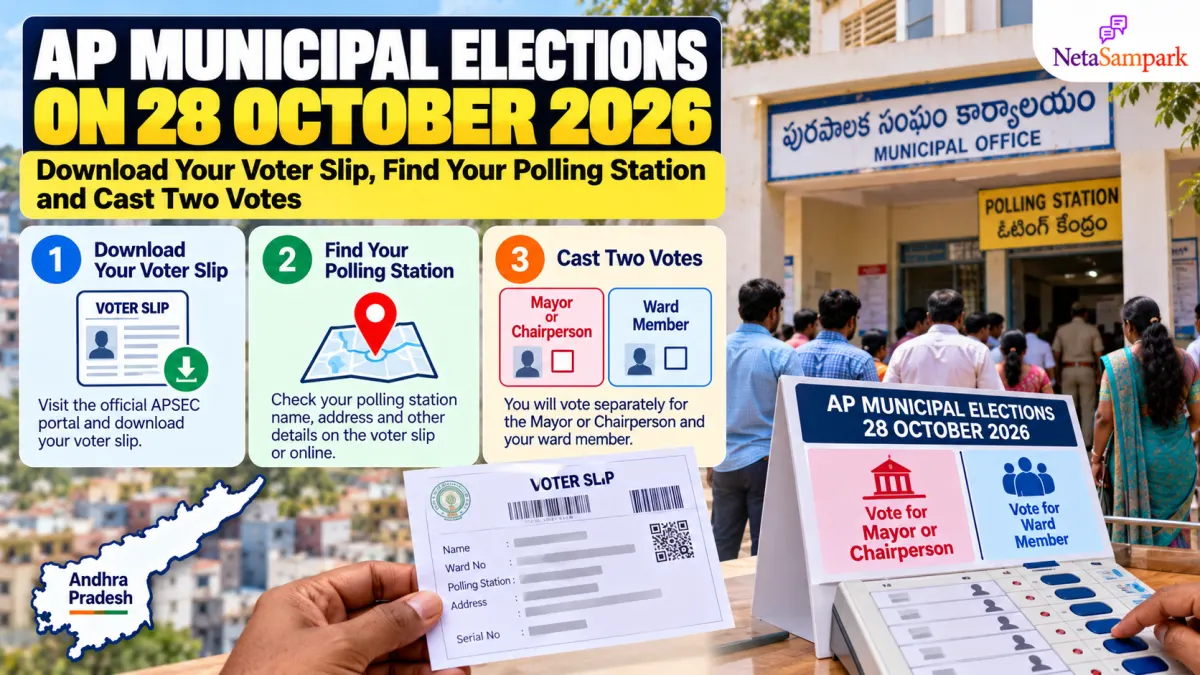
Updated 23 October 2026: The AP State Election Commission rescheduled the urban local body (municipal) elections on 22 October 2026, after a Supreme Court order of 21 October 2026. Polling is now on 1 November 2026 (7 AM–5 PM) and counting on 3 November 2026 (from 8 AM). Fresh nominations are open on 23 and 24 October 2026 in listed wards of Kadapa, Tirupati, Rajampet and Mydukur, and the final candidate list comes after 3 PM on 25 October 2026.
Andhra Pradesh voters in the scheduled urban local-body elections will go to the polls on Sunday, 1 November 2026 (rescheduled from 28 October 2026). The election covers 100 Urban Local Bodies (ULBs), including 13 municipal corporations, 77 municipalities and 10 nagar panchayats.
Eligible voters will cast separate votes for their Mayor or Chairperson and Ward Member. Before polling day, check your name in the electoral roll, download your voter slip and confirm the polling station assigned to you.
The official source for these details is the Andhra Pradesh State Election Commission (APSEC) Voter Portal.
1 How to download your AP municipal election voter slip
Follow these steps to check whether your voter slip is available online.
- Open the APSEC Voter Portal.
- Select Download Your Voter Slip.
- Enter the details requested by the portal, such as your voter or electoral-roll information.
- Submit the details and check the matching record.
- Download or print the voter slip if the option is available.
If you cannot find your slip, use the portal’s voter-search facility or contact your local election office for assistance.
Important: A voter slip helps you identify your polling details, but it is not a substitute for an accepted voter identification document. Carry your EPIC voter ID or another identification document permitted by the election authorities.
2 How to find your polling station
Do not assume that your polling station is the same one you used in a previous election. Check the latest details for this election.
- Visit the APSEC Voter Portal.
- Select Know Your Polling Station.
- Enter the requested electoral details.
- Check the polling station name and address.
- Confirm the ward or electoral-roll details before travelling.
You can also use the portal’s Search Your Name in Electoral Roll facility to check your voter entry.
If your name is missing, the address is incorrect or the polling station details do not match, contact the relevant election official promptly. Being registered in a city does not automatically mean you can vote at any booth in that city.
3 Why are there two votes?
Under Andhra Pradesh’s revised municipal election framework, voters directly elect the Mayor of a municipal corporation or the Chairperson of a municipality or nagar panchayat, alongside their Ward Member.
| Vote | What you are choosing |
|---|---|
| Vote 1 | Mayor or Chairperson, depending on your urban local body |
| Vote 2 | Ward Member representing your ward |
A municipal corporation has a Mayor. A municipality or nagar panchayat has a Chairperson.
These are separate contests. Check the official candidate list for your local body and ward so you know which candidates are standing for each position.
The applicable voting method and instructions will be provided by the election officials. Follow the directions at your polling station and cast each vote as instructed.
Official rules: AP Municipalities and Nagar Panchayats Election Rules, 2026.
4 AP municipal election dates to remember
The announced schedule for the 100 urban local bodies is:
| Election activity | Date |
|---|---|
| Election notification | 14 October 2026 |
| Nominations filed | 16–18 October 2026 |
| Scrutiny of nominations | 19 October 2026 |
| Last date to withdraw candidature | 21 October 2026 |
| Final list of contesting candidates | After 3 PM on 25 October 2026 (revised) |
| Polling day | 1 November 2026 |
| Possible re-poll, if required | 2 November 2026 |
| Counting and results | 3 November 2026, from 8 AM |
Dates and arrangements may differ for urban local bodies covered by separate notifications or affected by pending legal proceedings. Check the latest APSEC notice for your particular municipality or corporation.
Source: APSEC official portal.
5 How to check the candidates contesting in your ward
Before polling day, use the Know Your Contesting Candidates option on the APSEC Voter Portal.
Check the candidates for both contests:
- Mayor or Chairperson of your urban local body.
- Ward Member for your specific ward.
Make sure you have selected the correct ward. Candidate lists from neighbouring wards may contain different names, even when the wards belong to the same municipality.
If you need clarification about a candidate’s name, symbol or status, consult the final list published by the Returning Officer rather than relying on an unofficial social media graphic.
6 What should you carry on polling day?
Use this quick checklist before leaving home.
- Confirm that your name appears in the electoral roll.
- Download or save your voter slip, if available.
- Check the polling station address and ward details.
- Carry your EPIC or another identification document accepted by the election authorities.
- Check the official candidate list for both contests.
- Follow the polling officials’ instructions and the voting procedure displayed at the booth.
Polling is scheduled for 7 AM to 5 PM, according to the announced programme. Check your local election notice for any updated instructions.
7 What if your voter slip is unavailable?
A missing downloadable slip does not by itself establish that you are ineligible to vote. First, search for your name in the electoral roll and check the polling station assigned to you.
If you cannot find your details:
- Recheck the spelling and other information you entered.
- Use the voter-search option on the APSEC portal.
- Contact your local election office or the relevant election official.
- Confirm your registration and accepted identification requirements before polling day.
Do not rely solely on an old voter slip or a previous election’s polling-station address.
Frequently asked questions
When are AP municipal elections in 2026?
Polling for the 100 urban local bodies covered by the announced schedule is now on 1 November 2026. Counting is scheduled for 3 November 2026.
Where can I download my voter slip?
Use the APSEC Voter Portal and select “Download Your Voter Slip.”
How do I find my polling station?
Choose “Know Your Polling Station” on the APSEC portal and enter the requested voter details.
Do I vote for both Mayor or Chairperson and Ward Member?
Eligible voters in the scheduled urban local-body elections vote separately for the relevant Mayor or Chairperson contest and their Ward Member contest.
Can I vote with only my voter slip?
Do not assume so. Carry your EPIC or another identification document accepted by the election authorities. The voter slip is primarily a reference for your polling details.
When will the results be declared?
Counting is scheduled to begin at 8 AM on 3 November 2026. Check APSEC for official results and any changes to the programme.
Final takeaway
Before 1 November 2026, check your name in the electoral roll, download your voter slip if available, confirm your polling station and review the final candidate list for both contests.
Start with the official APSEC Voter Portal. Use official election notices for the latest instructions, and remember that your voter slip is not a substitute for accepted identification.