
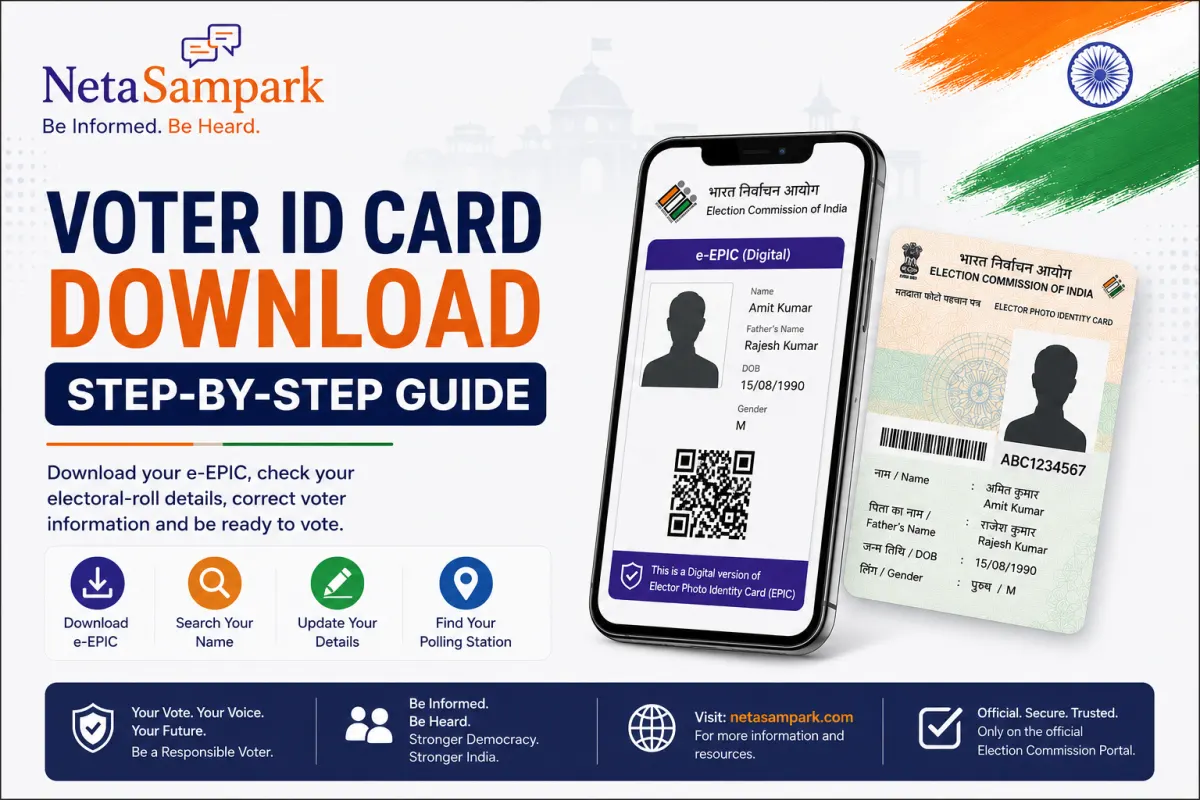
Your Voter ID is no longer limited to a physical card.
The Election Commission of India provides an e-EPIC, the electronic version of the Elector Photo Identity Card, which eligible registered electors can access digitally through the official Voters' Service Portal. (Election Commission of India)
If you're looking for a simple answer to “How do I download my Voter ID online?”, here's the step-by-step process.
What Is an e-EPIC?
e-EPIC stands for Electronic Elector Photo Identity Card.
It is the digital version of your EPIC/Voter ID card.
The Election Commission currently lists “Download E-EPIC” as an official voter service and provides the facility through the Voters' Service Portal. (Election Commission of India)
You can access the official download service here:
Official E-EPIC Download — Election Commission of India
Before You Start
Keep these details ready:
- Your EPIC number, if available
- Your registered mobile number or email
- Access to the OTP sent for verification
- Internet access
The current ECI login page accepts a registered mobile number, email ID or EPIC number along with captcha verification. (Voter Services)
Step 1: Open the Official Voter Service Portal
Go only to the official Election Commission voter portal:
On the portal, look for:
E-EPIC Download
The Election Commission's current portal lists this as an available voter service. (Voter Services)
Step 2: Sign In or Create an Account
If you already have an account, sign in.
If you don't, select Sign-Up and create your account.
The current ECI portal provides login using:
Registered Mobile No. / Email ID / EPIC No.
followed by captcha and OTP verification. (Voter Services)
Step 3: Go to E-EPIC Download
After signing in, select:
E-EPIC Download
You can also access the dedicated service directly:
The Election Commission describes e-EPIC as the digital version of your Electoral Photo Identity Card. (Voter Services)
Step 4: Enter Your EPIC Number
If you already have your Voter ID/EPIC number, enter it when requested.
The ECI's voter-service information also indicates that e-EPIC can be downloaded using an EPIC number or reference number. (Election Commission of India)
If you don't know your EPIC number, don't panic.
You can first use the official voter-search facility to find your electoral details.
Search Your Name in the Electoral Roll
Step 5: Verify Your Mobile Number
The Election Commission's guidance states that e-EPIC download involves verification using an OTP sent to the registered mobile number. (Voter Services)
Enter the OTP when prompted.
Important:
If you no longer have access to the mobile number associated with your voter record, you may need to update your details before you can complete the download process.
Step 6: Download Your e-EPIC
Once your details have been verified, follow the portal's instructions to download your electronic EPIC.
You will then have a digital copy of your Voter ID available for access when needed.
The Election Commission currently lists e-EPIC download alongside other voter services such as electoral-roll search, application tracking and voter-detail updates. (Voter Services)
Step 7: Store It Securely
Once downloaded, keep your e-EPIC somewhere secure.
You can store it on your device or in a secure digital-document location for convenient access.
However, don't upload your voter document publicly or share personal details unnecessarily.
Your Voter ID contains personal information.
What If You Don't Have an EPIC Number?
If you've forgotten your EPIC number, first search for your name in the electoral roll through the official voter services.
The Election Commission's portal provides “Search Your Name in Voter List” and allows citizens to check polling-related information. (Voter Services)
This is also a good opportunity to confirm that your electoral details are correct.
What If Your Name Isn't in the Voter List?
This is important.
Downloading a Voter ID should not be confused with being registered to vote.
Your name needs to be present in the electoral roll for the relevant constituency.
The Election Commission provides separate services for:
- New voter registration
- Searching the electoral roll
- Correcting voter details
- Shifting residence
- Replacing/updating EPIC
- Tracking applications (Voter Services)
If you're a new eligible voter, the current portal uses Form 6 for registration. (Voter Services)
What If Your Voter ID Details Are Wrong?
Suppose your:
- Name is misspelled
- Address has changed
- Other electoral-roll details are incorrect
- EPIC needs replacement
The current ECI portal provides Form 8 for correction of entries and for applicable replacement/updating of EPIC. (Voter Services)
Don't simply download an old document and assume everything is correct.
Check your electoral details first.
What If You Have Lost Your Physical Voter ID?
You don't necessarily need to panic.
The Election Commission provides an e-EPIC download facility for registered electors. (Voter Services)
For replacement of an existing EPIC, the current voter portal directs electors to the applicable Form 8 process. (Voter Services)
So losing the physical card doesn't necessarily mean losing access to your voter identity information.
Can I Download Voter ID From a Mobile Phone?
Yes, the Election Commission provides voter services through its digital platforms, including e-EPIC services.
The ECI also provides mobile access through its citizen-service ecosystem. (Voter Services)
The important point is to use official ECI services, not an unknown third-party website claiming to download your Voter ID.
Is the Downloaded e-EPIC the Same as the Physical Voter ID?
The e-EPIC is the electronic version of your EPIC.
It provides digital access to your voter identity document.
But remember:
e-EPIC ≠ electoral-roll registration.
Your name being correctly included in the electoral roll remains fundamental to your ability to vote.
The ECI separately provides services to search the electoral roll and check polling information. (Voter Services)
Don't Wait Until Election Day
One of the biggest mistakes voters make is checking everything at the last minute.
Instead, before an election:
Check your name
Is your name present in the electoral roll?
Check your details
Is your name, address and other information correct?
Check your polling station
Do you know where you're supposed to vote?
Download your e-EPIC
Keep your digital voter identity accessible.
Track pending applications
If you've recently applied for registration or correction, check its status.
The ECI portal currently provides application tracking and polling information alongside e-EPIC services. (Voter Services)
Beware of Fake Voter ID Websites
This is especially important.
You may encounter websites or social-media messages saying:
“Download Voter ID instantly.”
or:
“Update Voter ID for ₹99.”
Don't automatically trust them.
Use the official Election Commission portal.
Official Election Commission Voter Portal
The official ECI portal currently provides voter registration, correction, application tracking, electoral-roll search and e-EPIC download. (Voter Services)
Quick Guide
What you needWhat to useDownload digital Voter IDE-EPIC DownloadFind your EPIC/detailsVoter SearchCheck your name in voter listElectoral Roll SearchRegister as a new voterForm 6Correct voter detailsForm 8Update after movingForm 8Replace/update EPICForm 8Track an applicationApplication StatusFind polling informationVoter Service Portal
These services are currently available through the ECI's official voter-service ecosystem. (Voter Services)
The Most Important Thing to Remember
Downloading your Voter ID is useful.
But don't stop there.
A responsible voter should know three things:
1. My name is on the electoral roll.
2. My voter details are correct.
3. I know where I need to vote.
Your e-EPIC makes your voter identity easier to access.
Your electoral-roll entry is what connects you to the electoral process.
So before the next election, don't just ask:
“Where is my Voter ID?”
Ask:
“Am I correctly registered, and am I ready to vote?”
Check. Download. Verify. Be ready.
Be Informed. Be Heard.