
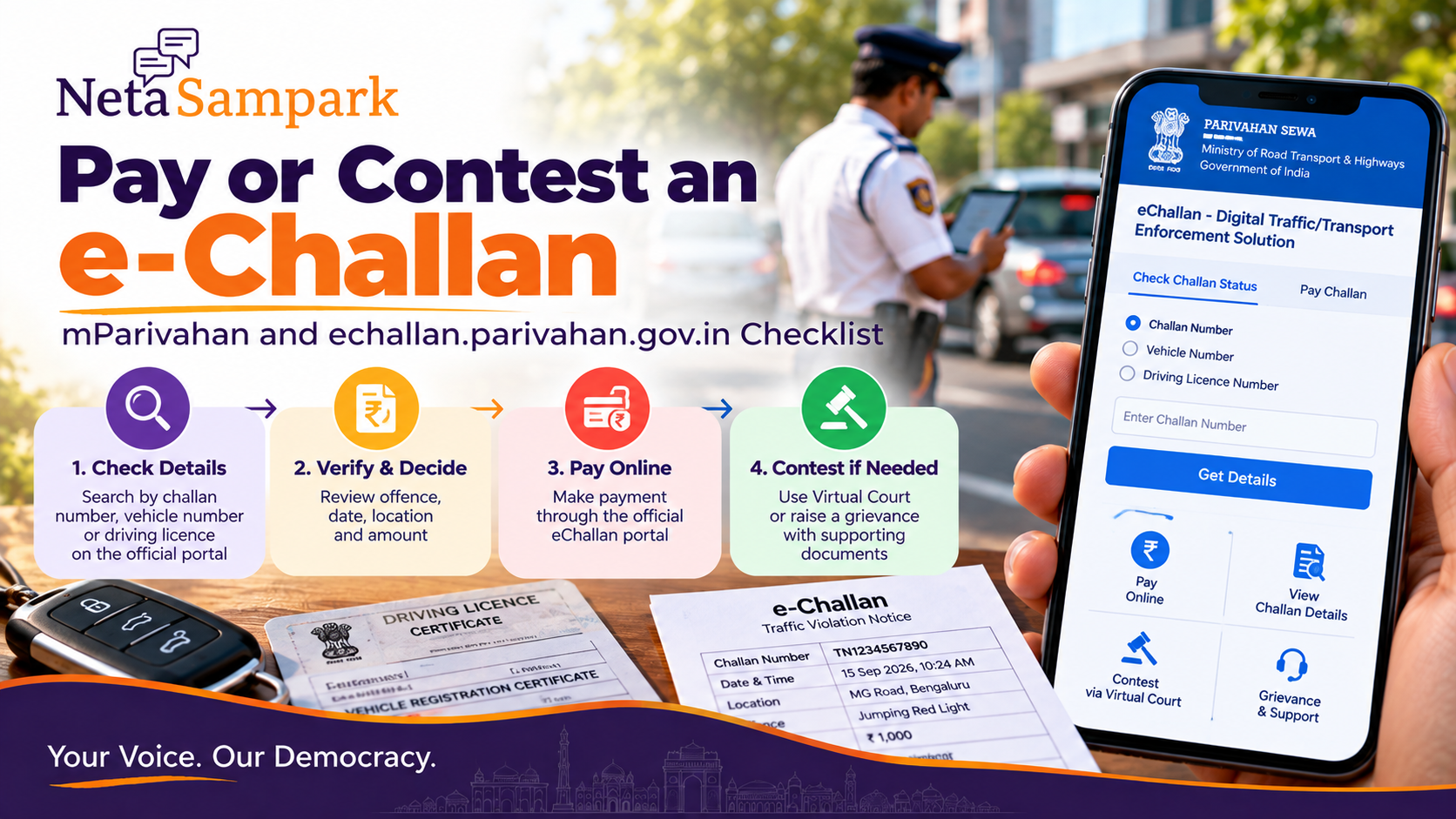
Quick take: If you receive a traffic e-Challan, first verify it through the official MoRTH eChallan portal rather than paying from an SMS/WhatsApp link. You can search using the challan number, vehicle number or driving-licence number, inspect the offence and amount, then either pay through the official flow or, where the case is eligible, use Virtual Courts to request a contest. The official eChallan system also provides payment-verification and grievance facilities. (Parivahan Sewa)
This is a verify → decide → pay or contest → save proof guide. It is not a guide to avoiding a legitimate traffic penalty.
First rule: don't pay from the SMS link
Fraudulent e-Challan websites and apps are common enough that the official portal itself warns users about impersonation.
Start from the official eChallan service:
eChallan — Ministry of Road Transport & Highways
The official system says it will not ask for your password, OTP, payment details or sensitive information through calls, emails, messages or links. (Parivahan Sewa)
If an SMS says:
“Pay immediately or your licence will be suspended”
don't tap its payment link.
Open the official portal yourself and check the challan.
What to keep ready
Before starting, keep:
- Vehicle registration number
- Driving licence number, if relevant
- Challan number, if you have it
- Registered mobile phone
- Vehicle documents if you need to dispute the allegation
- Any relevant photo/video evidence
You don't necessarily need all of these. The portal provides multiple search routes. (Parivahan Sewa)
Step 1 — Check whether the challan actually exists
Open the official eChallan portal and select Check Challan Status.
The system supports searches using:
- Challan number
- Vehicle number
- DL number
depending on the service flow. (Parivahan Sewa)
Enter the details and captcha.
Then inspect the returned record.
Read the challan before paying
Don't jump directly to the payment button.
Check:
Vehicle number
Does it actually belong to you?
Challan date and time
Were you using the vehicle at that time?
Location
Does the location make sense?
Offence
What exactly has been alleged?
Amount
Is the amount consistent with the displayed offence?
Status
Is it pending, paid, forwarded to court, or otherwise disposed?
Take a screenshot before doing anything else.
Vehicle number wrong? Stop
If the challan concerns a vehicle you don't own or a vehicle that was not with you, don't pay simply because the message looks official.
Record the:
- Challan number
- Date
- Location
- Vehicle details
- Alleged offence
Then use the applicable grievance/contest route.
The official eChallan system has a Raise Grievance facility for supported states and issues. (Parivahan Sewa)
If the challan is legitimate and you accept it
Pay through the official payment flow.
The eChallan system provides online payment and transaction-verification facilities. (Parivahan Sewa)
After payment:
Don't close the page just because your bank says “payment successful.”
Save:
- Challan number
- Transaction ID
- Payment date
- Amount
- Receipt
The official system specifically provides payment verification and records the transaction ID. (Parivahan Sewa)
Payment succeeded but challan still says pending?
Don't pay again immediately.
First check the official pending transaction / payment verification facility.
The eChallan portal provides a mechanism to verify a transaction using the challan/transaction information. (Parivahan Sewa)
This matters because:
Bank debit ≠ automatically safe to make a second payment.
Verify the first transaction first.
When you believe the challan is wrong
There are several possible situations:
Wrong vehicle
The registration number doesn't correspond to your vehicle.
Wrong person/time
The vehicle was not under your control at the stated time.
Incorrect offence
You believe the recorded violation does not match what happened.
Technical/payment problem
You paid, but the portal has not reflected it.
Evidence issue
You have photographs, dashcam footage or other material relevant to the allegation.
Don't invent an explanation. State the factual issue and attach whatever evidence the applicable grievance/contest process accepts.
Grievance vs contesting the case
These aren't always the same thing.
A grievance can concern issues such as:
- incorrect details
- technical problems
- payment problems
- portal-related issues
The eChallan portal provides a grievance mechanism and directs users to the relevant state/traffic authority depending on the challan. (Parivahan Sewa)
A contest is different: you're asking for the matter to be adjudicated rather than simply accepting and paying the fine.
For cases routed to Virtual Courts, the official Virtual Courts system provides a Request to Contest option. (Virtual Courts)
If the challan has gone to Virtual Court
Don't panic when you see a court-related status.
Open the official Virtual Courts portal:
Virtual Courts — eCourts
Virtual Courts allows searches using:
- Mobile number
- CNR number
- Party name
- Challan/vehicle number (Virtual Courts)
Once you locate the case, the official FAQ says you can view the case details and choose between Pay Fine and Request to Contest, with OTP verification. (Virtual Courts)
If you choose “Request to Contest”
The official Virtual Courts process is:
Search case → View → Request to Contest → OTP verification → Submit
The system then provides an acknowledgement along with the assigned court and date. (Virtual Courts)
Keep that acknowledgement.
Do not assume that clicking “contest” simply deletes the challan.
It moves the matter into the applicable court process.
Can you pay a challan after it has been forwarded to court?
The current eChallan interface states that some challans forwarded to Virtual Court can still be paid through the eChallan system.
However, it also gives an important warning:
If you pay through one route, don't pay the same challan again through the other route. (Parivahan Sewa)
So check the status carefully before making a second payment.
If you lost the payment receipt
Virtual Courts says a paid case can be opened again and the receipt can be viewed/reprinted after OTP verification. (Virtual Courts)
The practical rule:
Never treat the SMS confirmation as your permanent record.
Save the actual receipt.
What if your mobile number is wrong?
The official eChallan system provides alternative verification flows in some circumstances, including vehicle/DL-related verification. (Parivahan Sewa)
Virtual Courts also states that where the mobile number is incorrect, users may be able to proceed using engine and chassis number verification, subject to the applicable flow. (Virtual Courts)
Use the official portal's displayed option rather than giving your OTP to someone claiming they can "fix" the number.
mParivahan: what role does it play?
mParivahan is useful for accessing vehicle and transport-related services from your phone.
But don't assume every SMS saying "mParivahan challan" is genuine.
For a payment decision, independently open the official government service and verify the challan.
The eChallan system itself lists a separate technical support contact for mParivahan: helpdesk-mparivahan@gov.in. (Parivahan Sewa)
Don't confuse three different things
SituationWhat to doLegitimate pending challanVerify → pay through official portalYou dispute the allegationUse applicable grievance/contest routeChallan is in Virtual CourtCheck Virtual Courts → pay or request contestPayment already made but status unclearVerify transaction before paying againSuspicious SMS/linkIgnore link → independently open official portal
Evidence pack if you're disputing
Keep one folder containing:
- Challan screenshot
- Challan number
- RC copy
- DL copy where relevant
- Photos/video
- Dashcam footage
- GPS/location evidence where relevant
- Payment records if you've already paid
- Grievance acknowledgement
- Virtual Court acknowledgement, if applicable
Name the files clearly.
For example:
CHALLAN_12345678_PHOTO.jpg
CHALLAN_12345678_RECEIPT.pdf
It makes a later dispute much easier to follow.
Common mistakes
Paying a fake link
The biggest avoidable mistake.
Paying twice
Especially after a bank debit followed by a portal error.
Ignoring a genuine challan
A pending challan can move into another procedural stage.
Contesting without reading the allegation
First understand exactly what is recorded.
Uploading random evidence
Use evidence that directly addresses the disputed fact.
Sharing OTP with an agent
Never do this.
Assuming “court” means you have already lost
A court/Virtual Court status means follow the applicable process; it isn't itself a finding about the merits of your dispute.
If you receive a suspicious challan message
Do this:
Don't click.
Don't call the number in the message.
Open echallan.parivahan.gov.in manually.
Search your vehicle/challan.
Compare the result.
If nothing exists on the official system, treat the message with caution and don't make a payment based solely on it.
The official eChallan site explicitly warns about fake websites and apps impersonating the service. (Parivahan Sewa)
10-minute family vehicle check
If your household has several vehicles:
1. Check each registration number.
2. Record pending challans.
3. Verify each offence/date/location.
4. Pay legitimate ones through the official portal.
5. Flag disputed ones for the appropriate grievance/contest route.
6. Save every receipt.
Do this before an urgent trip rather than discovering a problem at the worst possible moment.
Official help
For technical problems with eChallan, the official portal currently lists:
Phone: 0120-4925505
Timing: 6:00 AM–10:00 PM
Email: helpdesk-echallan@gov.in (Parivahan Sewa)
For a court-related matter, use the Virtual Courts information and the court/traffic authority details displayed for your case.
The simple decision tree
SMS arrives →
↓
Don't click the SMS link
↓
Open official eChallan portal
↓
Search challan
↓
Details correct?
YES → Accept → Pay → Verify → Download receipt
NO → Preserve evidence → Grievance / applicable contest route
↓
Already in Virtual Court?
→ Open official Virtual Courts → Review case → Pay or Request to Contest
↓
Save acknowledgement/receipt
That's the whole workflow.
How NetaSampark helps
Traffic enforcement is a government process, but citizens often encounter it through a confusing SMS, a payment screen or a local grievance desk.
Use NetaSampark to explore citizen-service guides, while keeping the actual challan verification and payment/contest process on the official government portals.
Be Informed. Be Heard.