
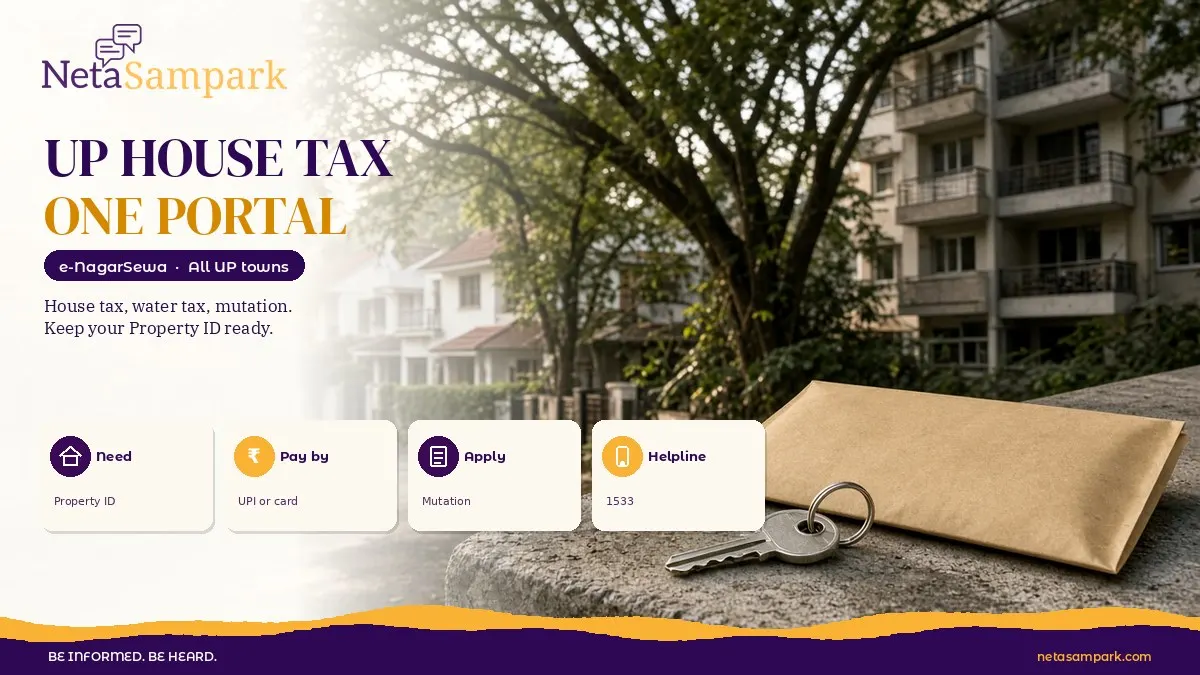
Uttar Pradesh has moved every urban local body to one portal, e-NagarSewa (e-nagarsewaup.gov.in). From there you can view and pay house tax, water tax and sewer charges, apply for property mutation and trade licences, and get birth or death certificates. You need your Property ID. Grievances go to helpline 1533.
Updated 3 November 2026
Quick facts
| Item | Details |
|---|---|
| Official portal | e-nagarsewaup.gov.in |
| Helpline | 1533 for grievances |
| Fee | Paying tax online has no extra portal fee; service fees as per your local body |
| Deadline | No single deadline. House tax is due every financial year; check your bill |
| Documents | Property ID, owner name, mobile number; for mutation, sale deed or succession papers |
| Who is covered | All Nagar Nigams, Nagar Palika Parishads and Nagar Panchayats in UP |
| Maintenance hour | Portal is usually down for maintenance from 12 am to 1 am |
What changed with e-NagarSewa?
Until 2026, many UP cities ran their own software for house tax. Lucknow had one system, Ghaziabad another, smaller towns something else or nothing at all. On 4 September 2026, the Directorate of Local Bodies, UP, ordered all urban local bodies to stop using separate software and move their records to e-NagarSewa.
The idea is simple: one login, one format of receipt, the same rules for every town. For citizens, it means you don't need to figure out which website your town uses. For the state, it means a single view of property tax collection across UP.
The changeover wasn't smooth everywhere. In September 2026, local reports said some cities, including Lucknow, had gaps of several weeks of payment data still being moved. If your recent payment doesn't show on the new portal, read the "what if" section below.
What can I do on e-NagarSewa?
The home page lists these services:
| Service | What it does |
|---|---|
| Property tax collection | View your house tax bill and pay online |
| Water tax and sewer charges | View and pay water and sewerage bills |
| Property mutation | Apply to change the owner's name after sale, gift or inheritance |
| Trade licence | Apply for or renew a shop or business licence |
| Birth and death certificates | Apply for and download certificates |
| Property ID SOP | The process to get a Property ID if you don't have one |
| Janhit Guarantee timelines | How many days each service should take by law |
| OTS Scheme 2026 | Link to the one-time settlement for old dues |
Property tax collection, trade licence and property mutation are marked as live applications on the portal.
How do I pay house tax on e-NagarSewa?
1. Open e-nagarsewaup.gov.in and go to property tax.
2. Pick your district and urban local body (your Nagar Nigam, Nagar Palika or Nagar Panchayat).
3. Search your property by Property ID. Some towns also let you search by owner name or old house number.
4. Check the bill. Look at the owner's name, address, the year, arrears and any interest.
5. Pay online by UPI, debit card, credit card or net banking.
6. Download the receipt right away. Save the PDF and the transaction ID.
If you're in Lucknow, our older guide on Lucknow house tax with House ID still helps you find your number. For Ghaziabad, see our Ghaziabad house tax post.
What if I don't know my Property ID?
This is the most common problem, especially in smaller towns. Try these in order:
• Look at your last house tax receipt or bill. The ID is usually printed near the top
• Search by owner name on the portal if your local body allows it
• Check the Property ID SOP on the portal, which explains how a new ID is created
• Visit your local body's tax department with an ID proof and your sale deed or old receipt
• Call 1533 and ask for your local body's tax section
How do I apply for property mutation online?
Mutation (often called naamantaran) is how the local body updates the owner's name in its tax records after a sale, gift or death of the owner. It doesn't decide ownership. It only updates who pays tax.
1. Log in to e-NagarSewa with your mobile number.
2. Open property mutation and pick your town.
3. Enter the Property ID of the house.
4. Pick the reason: sale, gift, inheritance, court order or partition.
5. Upload documents (see checklist).
6. Pay the mutation fee shown for your local body.
7. Track the application. Your town may issue a public notice inviting objections before approving.
What documents do I need?
For paying tax: ☐ Property ID or old receipt ☐ Mobile number for OTP
For mutation: ☐ Registered sale deed or gift deed ☐ Death certificate and legal heir or succession certificate (inheritance cases) ☐ Court order, if any ☐ Latest house tax receipt showing no dues ☐ Aadhaar or other ID of the new owner ☐ No-objection from other legal heirs, if your local body asks
How long should each service take?
UP has a Janhit Guarantee Act, which fixes timelines for many services. The portal lists the timelines for each urban service. If your application crosses that limit, you can complain to the designated officer and then appeal. Keep a screenshot of your application date. That's your proof.
My payment isn't showing. What now?
1. Wait 48 hours. Bank to portal updates can lag.
2. Check your receipt and bank statement match the same transaction ID.
3. If paid on the old system before the switch, take your old receipt to the local body office so they can update the record.
4. Raise a grievance on 1533 or through the portal's complaint option with the transaction ID.
5. Escalate to the Executive Officer (Nagar Palika or Nagar Panchayat) or the Municipal Commissioner (Nagar Nigam).
6. Still stuck? Your ward councillor or MLA can push the local body. Find your representatives on NetaSampark's Uttar Pradesh page.
What about the OTS scheme for old house tax dues?
UP also announced a one-time settlement for house and water tax arrears in 2026, with interest waivers. The e-NagarSewa portal links to it. Our post on the UP house tax OTS 2026 explains who qualifies and how to apply. If you have old dues, check it before paying the full amount with interest.
For general tips on reading tax bills, see our guide on paying property tax online and fixing common errors.
Is it safe to pay on e-NagarSewa?
Yes, if you're on the real site. Type e-nagarsewaup.gov.in yourself instead of clicking links in WhatsApp forwards or SMS. Check the address bar shows a gov.in domain. Fake "house tax payment" pages are a known trick to steal card details. The portal never asks for your card PIN or bank OTP on a phone call. If someone calls asking you to pay house tax to a personal UPI ID, it's a scam. Report it on 1930.
Final reminder
Get your Property ID first. Everything else on e-NagarSewa depends on it. Pay through the official portal only, save every receipt as PDF, and avoid the 12 am to 1 am maintenance window. If an old payment is missing after the switch, don't pay twice. Raise it on 1533 with your old receipt.
Frequently asked questions
What is the e-NagarSewa portal in UP?
It's the single official portal for all UP urban local bodies, for house tax, water tax, mutation, trade licence and certificates.
How do I pay house tax online in UP?
Open e-nagarsewaup.gov.in, choose your town, search by Property ID and pay by UPI, card or net banking.
What is the UP e-NagarSewa helpline number?
Call 1533, the e-NagarSewa helpline for UP urban local bodies. You can also visit your Nagar Nigam or Nagar Palika office if the call does not sort it out.
Can I apply for property mutation online in UP?
Yes. Mutation is a live service on e-NagarSewa. Upload your deed or succession papers and pay the fee.
My old payment is not showing on e-NagarSewa. What should I do?
Wait 48 hours, then raise a complaint on 1533 with the transaction ID or old receipt.
Sources
• e-NagarSewa, Department of Urban Development, Uttar Pradesh