
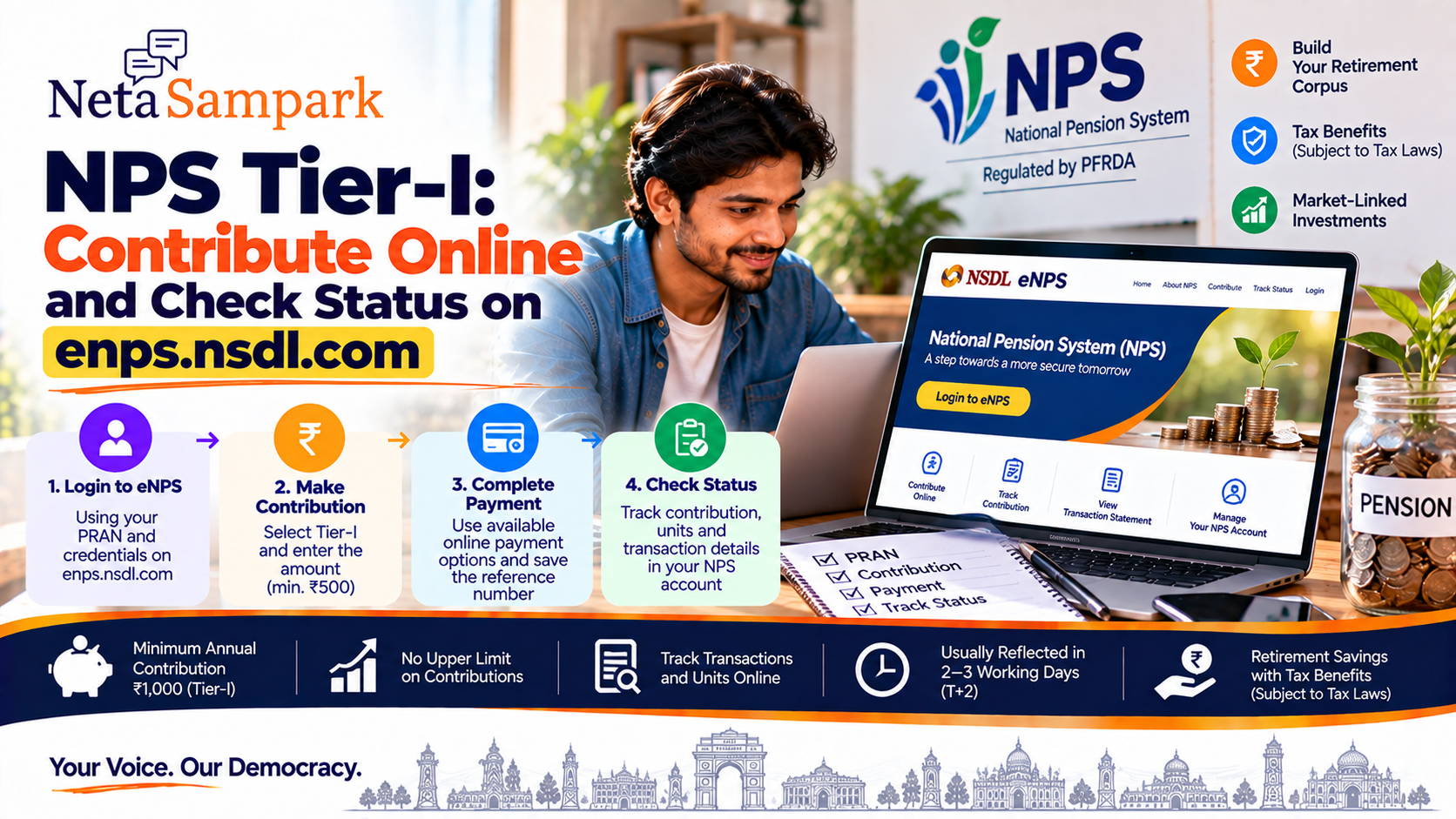
The National Pension System (NPS) Tier-I account is the primary individual pension account under NPS. Subscribers can make additional contributions online through eNPS, and can track transactions and units credited to the account through their CRA account.
For individual subscribers, PFRDA currently states that Tier-I can be opened by eligible citizens aged 18 to 85 years, subject to KYC requirements. (PFRDA PROD)
What is NPS Tier-I?
Tier-I is the individual pension account under NPS.
Unlike Tier-II, Tier-I has withdrawal restrictions under the applicable NPS exit and withdrawal regulations. It is also the account to which the NPS tax benefits apply, subject to the Income Tax Act and the subscriber's circumstances. (PFRDA PROD)
Tier-I at a glance
FeatureTier-IPurposeRetirement/pension savingsMinimum contribution to open₹500Minimum contribution per year₹1,000Upper limit on contributionsNo upper limitWithdrawalsSubject to NPS rulesInvestmentPension Fund + chosen asset allocationTax benefitsAvailable subject to tax law
PFRDA's current All Citizen FAQ lists ₹500 as the minimum contribution and ₹1,000 as the minimum annual contribution for Tier-I. (PFRDA PROD)
Who can contribute?If you already have an active NPS Tier-I account and PRAN, you can make additional contributions.
PFRDA states that subscribers can make any number of contributions without an upper monetary limit. (PFRDA PROD)
You don't have to wait for a particular month or salary cycle to make a voluntary contribution.
How to contribute onlineYou can use the official eNPS platform associated with your CRA.
For subscribers using the Protean/NSDL CRA ecosystem, the eNPS service is available through:
eNPS / Protean NPS portal
The PFRDA framework also provides online contribution routes through the eNPS platform and NPS mobile application. (PFRDA PROD)
Step 1 — Keep your PRAN ready
Your Permanent Retirement Account Number (PRAN) is the key identifier for your NPS account.
Keep your:
- PRAN
- Registered mobile number
- Bank/payment details
ready before starting the contribution.
Step 2 — Log in to your NPS accountUse the official eNPS/CRA portal and sign in with your NPS credentials.
Avoid reaching the portal through links sent in unsolicited SMS, WhatsApp messages or emails.
Use the official website directly.
Step 3 — Select ContributionAfter logging in, look for the option for making an NPS contribution.
You will generally need to specify:
PRAN → Account/Tier → Contribution amount → Payment
Make sure you select Tier-I if the purpose is to add money to your pension account.
Step 4 — Enter the contribution amountThere is no upper limit on the total amount you can contribute to NPS Tier-I, although the applicable minimum annual contribution is ₹1,000. (PFRDA PROD)
For example:
- ₹1,000
- ₹5,000
- ₹10,000
- ₹50,000
are all possible contribution amounts, subject to the applicable payment and account processes.
Step 5 — Complete paymentThe online contribution process can use the payment options made available through the eNPS platform.
After completing payment, save the transaction acknowledgement/reference number.
This is particularly useful if the contribution doesn't immediately appear in your account.
When will the contribution appear?Don't panic if the amount isn't immediately visible.
PFRDA says contributions normally take around three working days to reflect in the NPS account, depending on the contribution flow. (PFRDA PROD)
For contributions made specifically through the Protean eNPS portal, the CRA's FAQ states that investment takes place on a T+2 working-day basis, subject to receipt of clear funds from the payment gateway. (NSDL)
So:
Payment successful ≠ units necessarily visible immediately.
What is the difference between contribution and investment?This is an important distinction.
Your payment first enters the contribution/payment process.
The money is then remitted for investment according to your NPS investment instructions.
The CRA subsequently allocates units based on the applicable NAV.
The Protean FAQ explains that units are credited on the day the contribution is invested by the Pension Fund Manager. (NSDL)
How to check your contribution statusAfter making a contribution, log into your NPS account and check the relevant transaction/account information.
Look for:
- Transaction history
- Contribution amount
- Transaction date
- Investment/units information
- Transaction statement
PFRDA says subscribers can access their NPS account information and transaction statements through the CRA system. (PFRDA PROD)
What if the money was debited but the contribution isn't showing?This is one of the most important situations to handle correctly.
First
Check whether the payment actually succeeded.
Look at:
- Bank statement
- Payment confirmation
- eNPS acknowledgement
- Transaction/reference number
Then
Allow the applicable processing period.
For Protean eNPS contributions, the CRA specifies T+2 working days for investment, subject to clear-fund receipt. (NSDL)
If it still hasn't appeared
Contact the relevant CRA/NPS support channel with:
PRAN + transaction/reference number + payment date + amount + payment proof.
Don't make another contribution simply because the first transaction isn't immediately visible.
What is D-Remit?Regular eNPS contribution is not the only online option.
NPS also provides D-Remit, which allows subscribers to create a virtual account linked to their PRAN and remit contributions electronically.
PFRDA states that D-Remit can use UPI/QR-code based payments. (PFRDA PROD)
This can be useful for subscribers who want to make contributions directly through the D-Remit route.
eNPS vs D-RemiteNPSD-RemitOnline contributionYesYesPRAN-linkedYesYesUPI/QR routeDepending on available payment optionsYesUsed for voluntary contributionYesYesInvestment timingDepends on payment/processingDepends on fund receipt/cut-off
The exact payment and investment cut-off should be checked on the current CRA interface before making a time-sensitive contribution. (PFRDA PROD)
How to download your transaction statementYour NPS transaction statement provides a record of contributions and investments.
Protean states that transaction statements are sent periodically to the registered email address and that subscribers can also obtain them through the NPS account. (NSDL)
A useful habit is to download or retain the statement after making significant contributions.
What if your contribution is not reflected?Use this checklist:
1. Check your bank account
Was the money actually debited?
2. Check eNPS acknowledgement
Did the transaction generate a reference/acknowledgement?
3. Check the NPS transaction history
Look for the contribution.
4. Allow processing time
Don't expect every online payment to immediately become invested units. (PFRDA PROD)
5. Compare the amount
Check whether the contribution amount and transaction date are correct.
6. Contact the CRA/NPS support channel
Provide the transaction evidence.
Don't confuse Tier-I with Tier-IINPS has two different account types.
Tier-I
Pension account
- Retirement-focused
- Withdrawals subject to rules
- Tax benefits available subject to law
- Minimum annual contribution ₹1,000
Tier-II
Optional investment account
- Requires an active Tier-I account
- More flexible withdrawals
- No equivalent tax treatment on contributions/gains under the general Tier-II rules
PFRDA describes Tier-II as an optional investment account rather than the pension account. (PFRDA PROD)
If you're specifically trying to build your NPS retirement corpus, make sure the contribution is being directed to Tier-I.
How your contribution is investedNPS contributions are invested according to the Pension Fund and asset-allocation choices recorded with the CRA. (PFRDA PROD)
Therefore, before making a contribution, check the account's current:
- Pension Fund Manager
- Investment option
- Asset allocation
The contribution itself does not mean that you are buying a conventional bank deposit.
NPS investments are market-linked and their value can change.
Is NPS contribution guaranteed to earn a fixed return?No.
NPS is a market-linked pension investment system. The eventual value of your retirement corpus depends on contributions, investment choices, market performance, charges and the period of investment.
So don't interpret a contribution receipt as a guaranteed return.
Keep your PRAN secureYour PRAN is sensitive account information.
Never share:
❌ NPS password
❌ OTP
❌ UPI PIN
❌ Banking password
❌ Debit/credit card PIN
with anyone claiming to be from NPS, CRA, PFRDA or a bank.
If you have a failed transactionIf the payment fails:
- Check whether your bank actually debited the amount.
- If not debited, retry through the official portal after confirming the payment method.
- If debited but the transaction failed, retain the bank reference number.
- Don't immediately repeat the payment.
- Check whether the original transaction is subsequently reversed or processed.
- Contact the relevant payment/CRA support channel if it remains unresolved.
Before contributing:
☐ PRAN available
☐ Correct CRA portal
☐ Correct Tier selected
☐ Contribution amount checked
☐ Payment account has sufficient funds
☐ Registered mobile available
After contributing:
☐ Save acknowledgement
☐ Save transaction/reference number
☐ Check bank debit
☐ Allow processing time
☐ Check units/transaction history
☐ Download statement if required
Simple NPS workflowPRAN
↓
Login to eNPS
↓
Choose Contribution
↓
Select Tier-I
↓
Enter amount
↓
Complete payment
↓
Save acknowledgement
↓
Allow processing
↓
Check transaction
↓
Check units/corpus
The contribution is then invested according to your registered Pension Fund and asset-allocation choices. (PFRDA PROD)
Official resources
eNPS / Protean NPS portal
PFRDA — NPS All Citizen Model
PFRDA — NPS FAQs
For NPS-related assistance, PFRDA currently lists the NPS toll-free number 1800 110 708 and SMS service by sending “NPS” to 56677. (PFRDA PROD)
NetaSampark checklist
If you already have an NPS Tier-I account, the basic process is:
Login → Contribute → Save the transaction reference → Wait for processing → Check transaction/units.
If money has been debited but the contribution hasn't appeared, don't immediately pay again. First check the transaction status and allow the applicable processing period.
Payment methods, processing timelines and portal interfaces can change. For a live transaction, use the current official eNPS/CRA interface and the instructions displayed there.