
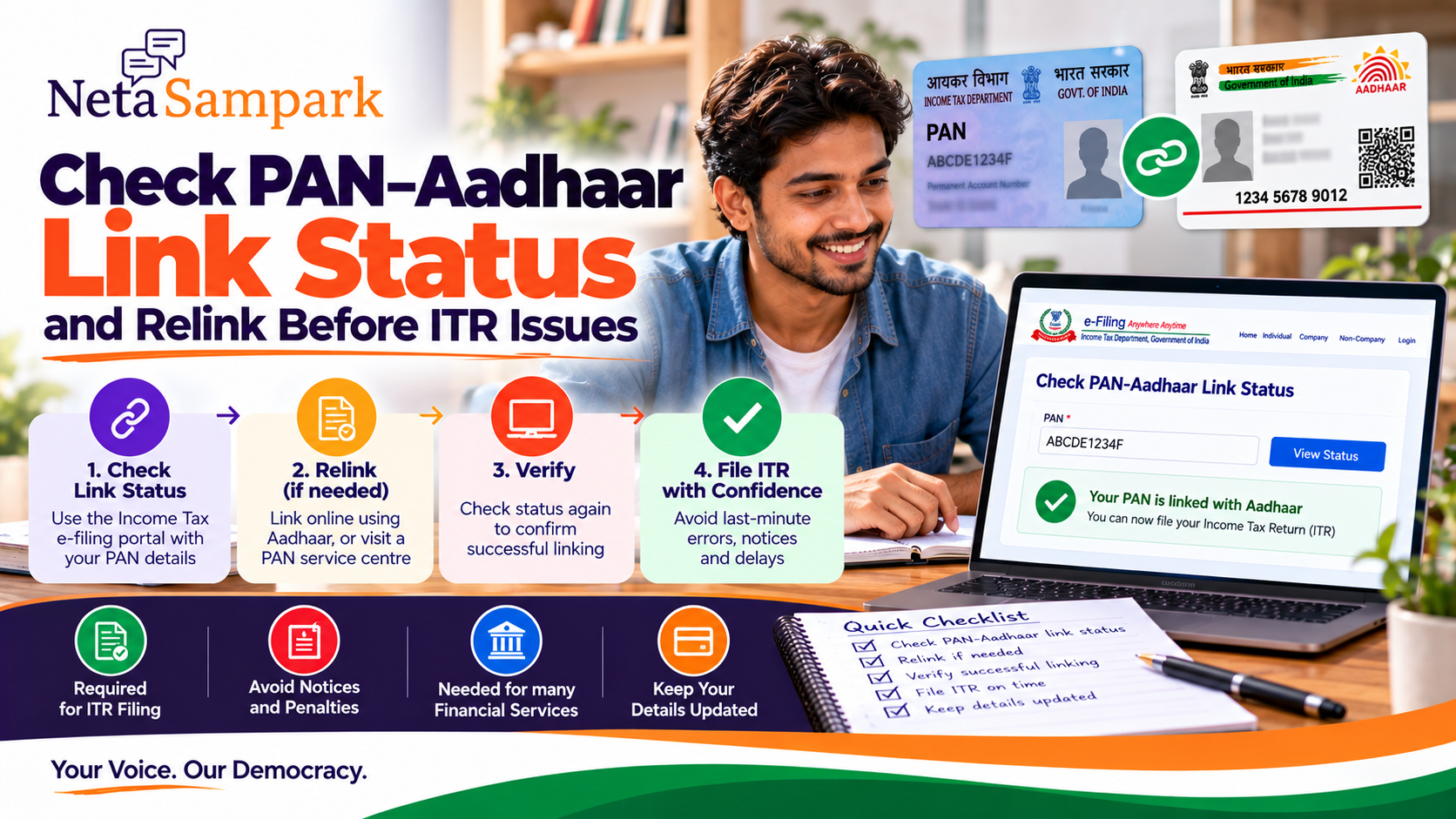
Your PAN–Aadhaar status is worth checking before filing or waiting for an income-tax refund. The Income Tax Department currently provides a free Link Aadhaar / View Status facility on the e-Filing portal. If your PAN is inoperative because it is not linked with Aadhaar, the Department says this can affect refunds and can result in higher TDS/TCS in applicable cases. (Income Tax Department)
The good news: you can check the status without logging in.
First: Check whether PAN and Aadhaar are linked
Go to the official Income Tax e-Filing portal:
Income Tax e-Filing Portal
On the homepage:
Quick Links → Link Aadhaar / View Status
The Department's current user manual says you can enter your PAN and Aadhaar number and select View Link Aadhaar Status. (Income Tax Department)
You may see a status indicating that:
- Aadhaar and PAN are successfully linked
- The linking request is in progress
- Validation has failed
- PAN/Aadhaar details require further action
If your PAN is inoperative, the Income Tax Department says that tax refunds due can be held until the PAN becomes operative. Its current refund guidance specifically warns that an inoperative PAN can prevent a refund from being issued. (Income Tax Department)
The Department also states that an inoperative PAN can result in:
- Refund not being issued
- No interest on the refund for the relevant inoperative period
- Higher TDS in applicable circumstances
- Higher TCS in applicable circumstances (Income Tax Department)
So if you're expecting a refund, don't discover the problem after filing.
Who generally needs PAN–Aadhaar linking?The Income Tax Department says that an individual who was allotted a PAN as on 1 July 2017 and is eligible to obtain Aadhaar is required to intimate the Aadhaar number in the prescribed manner, subject to the applicable exempt categories. (Income Tax Department)
There are exceptions for specified categories.
For example, the Department's FAQ says the requirement does not apply to certain exempt categories notified under the rules. (Income Tax Department)
So don't assume that every PAN holder has exactly the same requirement.
If your PAN is already linkedGreat — but still verify the status.
Your checklist is:
☑ PAN entered correctly
☑ Aadhaar details match
☑ Status says successfully linked
☑ PAN is operative
☑ Bank account is pre-validated if you're expecting a refund
☑ ITR details are ready
The Income Tax Department recommends having the bank account pre-validated and PAN linked with Aadhaar where applicable so that refunds can be credited successfully. (Income Tax Department)
If PAN and Aadhaar are not linkedYou can initiate the linking process through the same e-Filing portal.
The Department says both registered and unregistered users can link PAN and Aadhaar using the Link Aadhaar option on the e-Filing homepage. (Income Tax Department)
Basic route
Income Tax e-Filing
→ Quick Links
→ Link Aadhaar
→ Enter PAN
→ Enter Aadhaar
→ Validate
→ Complete the applicable payment/verification steps
→ Submit linking request
→ Check status again
Is there a fee?For a PAN that has become inoperative because of failure to link Aadhaar, the Income Tax Department currently states that a ₹1,000 fee applies to make the PAN operative by intimating the Aadhaar number. (Income Tax Department)
Don't pay ₹1,000 to a random website or agent.
Use the official Income Tax e-Filing system.
What if you already paid the ₹1,000?Don't immediately pay again.
The Income Tax Department's current linking manual explains that after the payment details are verified on the e-Filing portal, you can proceed with the PAN–Aadhaar linking request. (Income Tax Department)
If payment has been made but isn't yet reflected, check the portal again before making another payment.
Keep the challan/payment acknowledgement.
After submitting the linking requestThis step is easy to miss:
Submitting the request ≠ necessarily seeing "linked" immediately.
The Income Tax Department says that if the request is pending with UIDAI for validation, you need to check the status later. (Income Tax Department)
So:
Submit
↓
Save confirmation
↓
Wait for validation if required
↓
Check Link Aadhaar Status again
↓
Confirm successful linking
What if the linking request fails?One common problem is that the information on PAN and Aadhaar doesn't match.
Check details such as:
- Name
- Date of birth
- Gender
If the details don't match, you may need to correct the relevant record before attempting the link again.
Don't keep submitting the same failed request without understanding the error.
What if your Aadhaar is linked to another PAN?The Income Tax Department says that you may need to contact your Jurisdictional Assessing Officer (AO) for delinking if:
- Your Aadhaar is linked with another PAN, or
- Your PAN is linked with another Aadhaar. (Income Tax Department)
This is a situation where simply clicking Link Aadhaar repeatedly is unlikely to solve the underlying problem.
What if your name is different?For example:
PAN: RAHUL KUMAR
Aadhaar: RAHUL KUMAR REDDY
or
PAN: RAHUL KUMAR
Aadhaar: RAHUL KUMAR
Different records can sometimes cause validation problems.
Check the exact details shown on your documents and follow the relevant correction process rather than guessing.
Special case: PAN issued using Aadhaar Enrolment IDThere is an important recent category.
The Income Tax Department says that individuals who were allotted PAN based on an Aadhaar Enrolment ID rather than the actual Aadhaar number were required to update the PAN with the actual Aadhaar number by 31 December 2025. PANs in this category that weren't updated can become inoperative from 1 January 2026, subject to applicable exemptions. (Income Tax Department)
If that situation applies to you, check your PAN status rather than assuming an old PAN remains fully operative.
What happens to an ITR refund?This is one of the biggest practical reasons to check.
The Income Tax Department's current guidance says that if PAN is inoperative, a refund can be held/not issued until the PAN becomes operative. (Income Tax Department)
The Department has also published 2026 communications specifically informing taxpayers that their refund is on hold because PAN is inoperative due to non-linking with Aadhaar. (Income Tax Department)
So if you're expecting a substantial refund:
Check before you file.
PAN–Aadhaar isn't the only ITR checkEven after resolving PAN–Aadhaar, check:
PAN status
☐ PAN operative
Aadhaar
☐ Correct Aadhaar linked
Bank account
☐ Correct account
☐ Account pre-validated where required
☐ Correct IFSC
ITR
☐ Correct assessment year
☐ Correct income
☐ AIS/Form 26AS checked
☐ Deductions supported by documents
☐ Return submitted
☐ Return e-verified
The Income Tax Department specifically notes that bank-account validation can also affect refund credit. (Income Tax Department)
Don't confuse these three thingsPAN–Aadhaar linking
Connects your PAN record with your Aadhaar.
PAN operative status
Indicates whether the PAN is currently operative for applicable tax purposes.
ITR verification
Confirms the return you filed.
They are different steps.
Completing one doesn't automatically mean the other two are complete.
Quick family checklistIf you're helping parents or family members with tax filing, check each person separately.
CheckPerson 1Person 2Person 3PAN available☐☐☐Aadhaar available☐☐☐PAN–Aadhaar linked☐☐☐PAN operative☐☐☐Bank account validated☐☐☐AIS checked☐☐☐ITR filed☐☐☐ITR verified☐☐☐What not to doDon't share your Aadhaar/PAN publicly
Never post the complete numbers on social media or WhatsApp groups.
Don't share your OTP
Your Income Tax login or Aadhaar-related OTP should remain private.
Don't pay an unofficial "linking agent"
Start with the official e-Filing portal.
Don't assume an old successful link is still the answer
Check the current status.
Don't ignore a failed linking request
Find out why validation failed and correct the underlying issue.
5-minute PAN–Aadhaar checkBefore dealing with your ITR:
1. Open the official Income Tax e-Filing portal
2. Select "Link Aadhaar / View Status"
3. Enter PAN + Aadhaar
4. Check the result
5. If already linked → save/confirm the status
6. If not linked → follow the official linking process
7. If payment is required → pay through the official portal
8. Re-check status after validation
9. Check your bank account details before filing
10. File and e-verify your ITR
The important takeaway
Don't wait for an ITR refund problem to discover that your PAN is inoperative.
Check your PAN–Aadhaar status first, resolve any linking problem through the official Income Tax portal, and then move on to the rest of your ITR checklist.
The Income Tax Department's current guidance confirms that an inoperative PAN can affect refund issuance and applicable TDS/TCS, and that a ₹1,000 fee applies in the applicable delayed-linking cases. (Income Tax Department)
Official starting point
Income Tax e-Filing — Link Aadhaar
NetaSampark: making government and public-service processes easier to understand, one checklist at a time.