
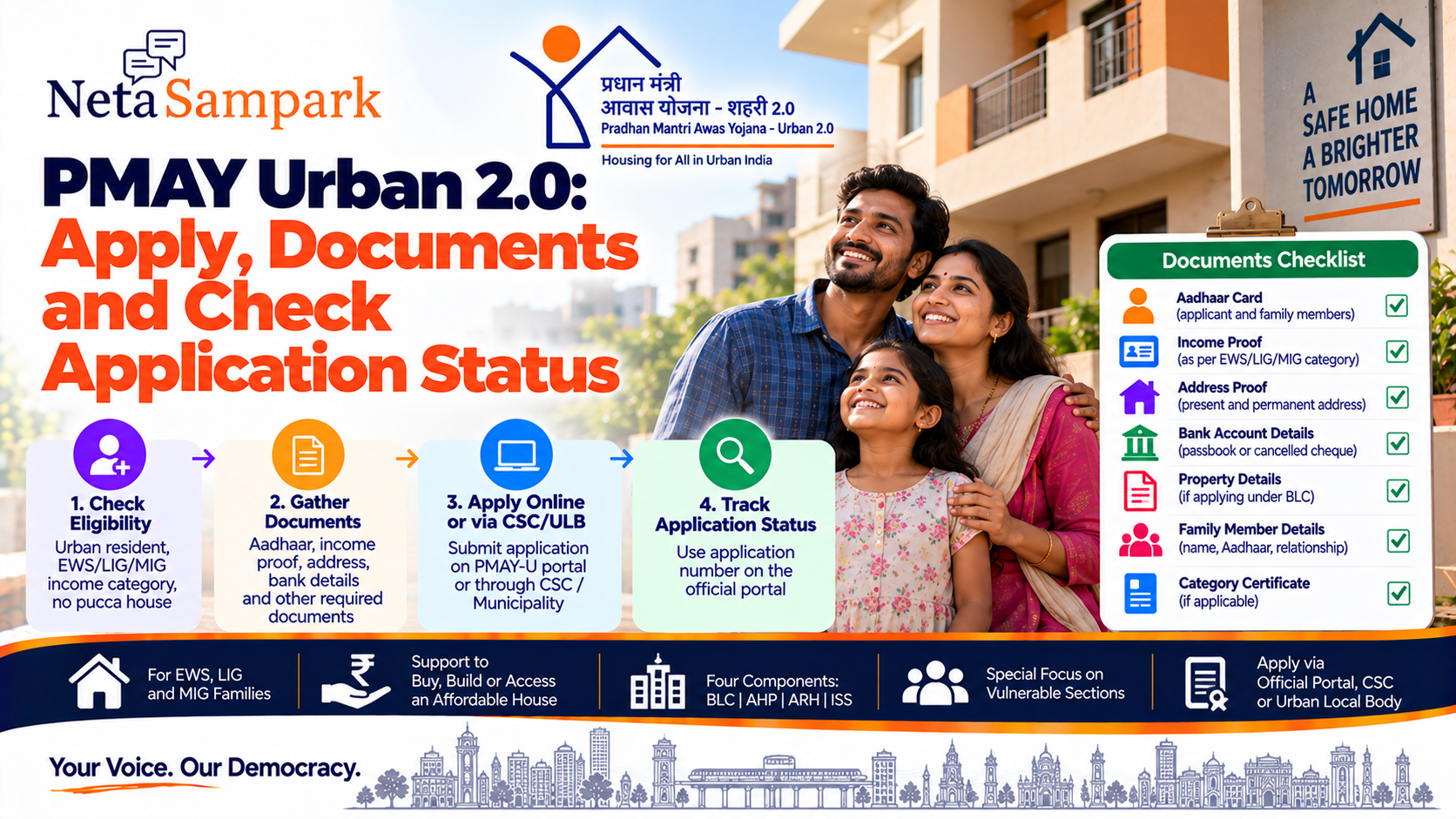
Pradhan Mantri Awas Yojana–Urban 2.0 (PMAY-U 2.0) is the Government of India's current housing scheme for eligible families living in urban areas who need assistance to construct, purchase or access an affordable house.
The scheme covers eligible households in EWS, LIG and MIG categories and is implemented through different housing-support components. The official PMAY-U website provides the scheme guidelines, application links, dashboards and related information. (PMAY-Urban)
What is PMAY-U 2.0?
PMAY-U 2.0 is the urban housing programme designed to provide housing assistance to eligible families over the scheme period.
The scheme operates through four broad verticals:
The applicable benefit depends on the applicant's circumstances and the vertical for which they qualify.
Who can apply for PMAY-U 2.0?The basic eligibility condition is that the family:
- Does not own a pucca house anywhere in India
- Has not already received a house under a qualifying government housing scheme within the specified period
The official guidelines define:
CategoryAnnual household incomeEWSUp to ₹3 lakhLIG₹3 lakh–₹6 lakhMIG₹6 lakh–₹9 lakh
States/UTs have some flexibility regarding the EWS income criterion with the concurrence of the Ministry of Housing and Urban Affairs. (PMAY-Urban)
Important: You should not already own a pucca houseOne of the key PMAY-U 2.0 conditions is that the beneficiary family should not own a pucca house anywhere in the country.
The scheme guidelines also state that a beneficiary who has been allotted a house under a housing scheme of the Central Government, State/UT Government or Local Self Government during the previous 20 years is not eligible for PMAY-U 2.0. (PMAY-Urban)
So don't submit an application simply because your income falls within the prescribed range.
The housing-ownership and previous-benefit conditions are equally important.
What counts as a beneficiary family?The beneficiary family generally consists of:
The PMAY-U 2.0 application process requires details of applicable family members, including Aadhaar details, date of birth, relationship and occupation. (PMAY-Urban)
Keep these details ready before beginning the application.
Who gets preference?The PMAY-U 2.0 guidelines provide preference to certain vulnerable groups, including:
The guidelines also identify groups such as Safai Karmis, PM SVANidhi street vendors, artisans under PM Vishwakarma, Anganwadi workers, building and construction workers and residents of slums/chawls for special focus. (PMAY-Urban)
Preference does not mean automatic approval. The applicant must still satisfy the applicable scheme conditions.
How can you apply?Eligible beneficiaries can apply through the Unified Web Portal of PMAY-U 2.0.
The scheme's official documentation also identifies these application routes:
This means you don't necessarily have to complete the process yourself online.
If you have difficulty with the online process, you can approach a CSC or your municipal/urban local-body office.
Step-by-step PMAY-U 2.0 applicationStep 1 — Check eligibility
☐ No pucca house anywhere in India
☐ No disqualifying previous housing benefit
☐ Aadhaar/Aadhaar Virtual ID availability
Step 2 — Open the official PMAY-U website
Start from the official PMAY-U website:
The official website currently provides PMAY-U 2.0 guidelines and links to application-related resources. (PMAY-Urban)
Step 3 — Choose the appropriate application route
Depending on your situation, use:
Urban Local Body / Municipality
If you use a CSC, make sure you receive an acknowledgement or application reference after submission.
Documents checklistKeep the following information/documents ready.
Identity
☐ Aadhaar details of applicable family members
The PMAY-U 2.0 guidelines require eligible beneficiaries, including family members, to have Aadhaar/Aadhaar Virtual ID integrated with their beneficiary details. (PMAY-Urban)
Income
☐ Income proof/certificate, where applicable
☐ Details needed to establish household income category
Your annual household income determines whether you fall under EWS, LIG or MIG.
Address
The application documentation distinguishes the present address from the permanent address and, where relevant, the construction-site address. (PMAY-Urban)
Bank
Keep the bank information accurate because applicable financial benefits are linked to the beneficiary's banking/payment records.
Housing/property information
☐ Existing house/property details, where applicable
☐ Construction-site details for BLC applicants
☐ Ownership-related information
The applicant must truthfully provide information about existing housing ownership.
Category/preference documents
☐ Other relevant category documentation
☐ Evidence supporting an applicable special category
The exact documentation depends on the applicant and application component.
What is BLC?Beneficiary Led Construction (BLC) is intended for eligible EWS families to construct a house on their own available land.
If you're applying under BLC, information about the proposed construction site becomes particularly important.
The PMAY-U 2.0 application documentation specifically asks for the construction-site address where the housing construction is proposed. (PMAY-Urban)
What is AHP?Affordable Housing in Partnership (AHP) involves affordable housing projects developed through partnerships involving public agencies and other eligible entities.
Applicants meeting the relevant criteria can submit applications through the PMAY-U 2.0 system, CSC or the concerned ULB/municipality. (PMAY-Urban)
Submitting an application does not by itself create an entitlement to a house or financial benefit.
Applications are subject to due diligence, verification and compliance with PMAY-U 2.0 guidelines. (PMAY-Urban)
What is the Interest Subsidy Scheme?PMAY-U 2.0 also includes an Interest Subsidy Scheme (ISS) for eligible home-loan borrowers.
If you're applying because you are taking a home loan, don't confuse the ISS with the BLC/AHP application process.
The applicable eligibility, loan conditions and subsidy calculation need to be checked against the current PMAY-U 2.0 rules.
What is ARH?Affordable Rental Housing (ARH) is the rental-housing component of PMAY-U.
It is different from a scheme where an individual simply receives ownership of a house.
If your requirement is affordable rental accommodation rather than house ownership/construction, check whether an ARH project is available in your city.
How to check PMAY-U 2.0 application statusAfter submitting your application, retain your:
The official PMAY-U ecosystem includes MIS and beneficiary-monitoring systems. The PMAY-U website identifies PMAY-MIS as its management-information system. (PMAY-Urban)
Use the official PMAY-U channels to access the applicable status-tracking facility rather than third-party websites.
What does "under verification" mean?If your application is under verification, it generally means that the relevant authority has not completed the applicable checks.
Depending on the component, verification can involve information such as:
Under verification does not automatically mean rejection.
Wait for the official status or contact your ULB/municipality if additional information is requested.
What if your application is rejected?Don't immediately submit another application.
Correct an error through the appropriate authority if the rejection resulted from incorrect information.
What if you already received a house under another government scheme?This is an important eligibility check.
PMAY-U 2.0 does not simply provide another housing benefit to everyone who meets the income criteria.
The guidelines specifically restrict beneficiaries who have received housing under specified Central, State/UT or Local Self Government housing schemes during the preceding 20 years. (PMAY-Urban)
Therefore, disclose previous housing benefits honestly.
Can you apply if your parents own a house?The scheme guidelines contain a specific provision concerning houses provided to parents under previous housing schemes.
Where a pucca house was provided to the parents of an otherwise eligible beneficiary under previous housing schemes, the beneficiary is considered subject to the scheme's prescribed prioritisation conditions. (PMAY-Urban)
This is therefore not a situation where you should simply assume "my parents own a house, so I can never apply" or the opposite.
The implementing authority will apply the relevant PMAY-U 2.0 provisions.
Can a rural resident apply?PMAY-U 2.0 is for urban areas.
The guidelines distinguish PMAY-G and PMAY-U 2.0 according to jurisdiction, with MIS linkage intended to prevent duplication between the rural and urban housing programmes. (PMAY-Urban)
If your property/residence falls under a rural jurisdiction, check PMAY-G rather than automatically applying under PMAY-U 2.0.
Don't pay an agent for "guaranteed approval"PMAY-U 2.0 applications are subject to eligibility checks and verification.
"Pay me and I will guarantee your PMAY house."
No private person can legitimately guarantee government approval simply because you paid them.
If you use a CSC or other assisted service, ask for the official receipt for any applicable service charge.
Avoid duplicate applicationsSubmitting several applications with different details can create complications.
Before applying, check whether:
The official scheme process includes checks intended to identify duplicate or ineligible beneficiaries. (PMAY-Urban)
PMAY-U 2.0 checklistBefore applying
☐ Calculate annual household income
☐ Confirm EWS/LIG/MIG category
☐ Confirm no pucca house anywhere in India
☐ Check previous government housing benefits
☐ Gather family-member details
☐ Identify the appropriate PMAY-U 2.0 component
During application
☐ Enter Aadhaar details correctly
☐ Add all applicable family members
☐ Enter present and permanent addresses
☐ Enter construction-site address if applicable
☐ Upload/provide required documents
After submission
☐ Save application/reference number
☐ Respond to verification requests
☐ Contact your ULB/municipality if clarification is required
Common mistakes to avoid1. Applying without checking house ownership
"No pucca house" is a central eligibility condition. (PMAY-Urban)
2. Using the wrong income category
Use the applicable annual household income, not just your personal monthly salary.
3. Leaving family members out
The application requires applicable family-member details. (PMAY-Urban)
4. Giving a wrong construction address
For BLC or other applicable applications, make sure the construction-site information is accurate.
5. Assuming application means approval
Submission is only the beginning of the verification process.
6. Applying through unofficial websites
Use the official PMAY-U website or authorised CSC/ULB channels.
PMAY-U 2.0 process in one viewIdentify BLC / AHP / ARH / ISS route
Gather Aadhaar + family + income + bank details
Apply through PMAY-U 2.0 portal / CSC / ULB
Approval/sanction where applicable
Official PMAY-U resources
The official PMAY-U website currently hosts the PMAY-U 2.0 guidelines and identifies PMAY-MIS as the mission's MIS platform. (PMAY-Urban)
NetaSampark checklist
If you're considering PMAY-U 2.0, don't start with an agent.
Check income → confirm urban eligibility → confirm you don't own a pucca house → check previous housing benefits → identify the correct PMAY-U 2.0 component → gather Aadhaar/family/bank/property details → apply through the official portal, CSC or ULB → save your reference number → track verification.
Most importantly, an application does not itself guarantee a house or subsidy. Eligibility, verification and the applicable PMAY-U 2.0 component determine whether benefits are sanctioned. (PMAY-Urban)
Scheme conditions, application workflows and implementation arrangements can be updated. Check the current official PMAY-U 2.0 portal and guidelines before submitting an application.