
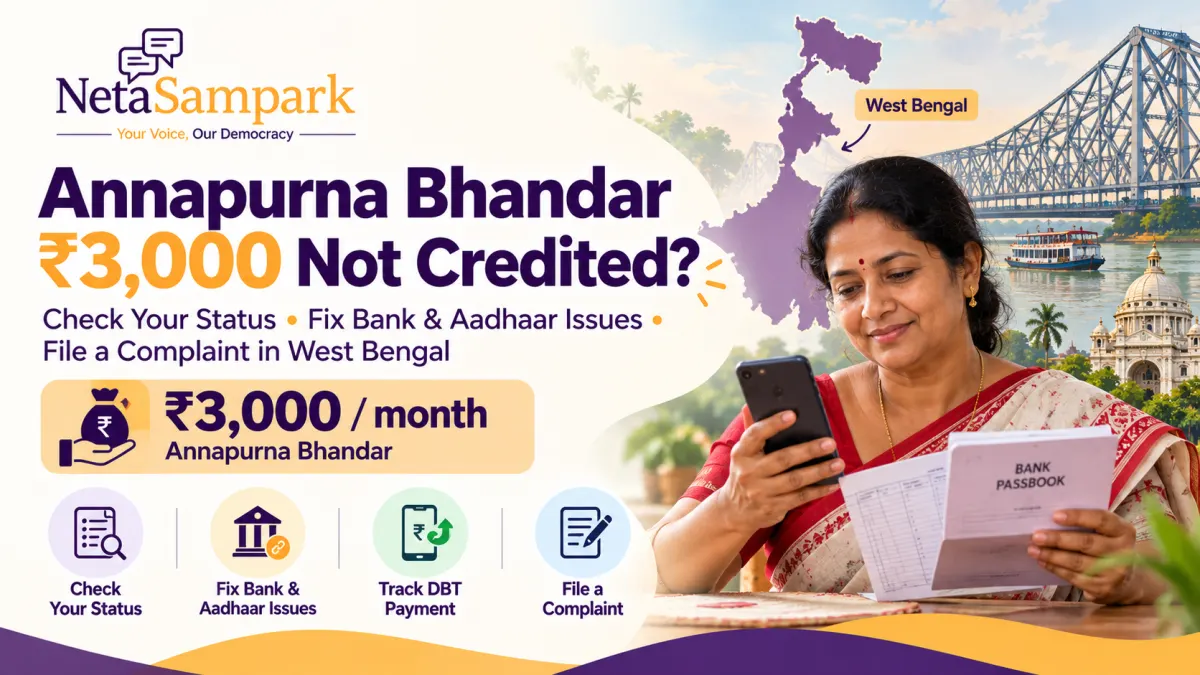
If the ₹3,000 monthly Annapurna Bhandar benefit has not reached your bank account, you may be wondering whether your application has been rejected, your payment is delayed or there is a problem with your bank or Aadhaar details.
The Government of West Bengal introduced the Annapurna Yojana to provide eligible women with ₹3,000 per month through Direct Benefit Transfer (DBT). The scheme took effect on 1 June 2026, and existing eligible Lakshmir Bhandar beneficiaries are being migrated to the new scheme under the notified conditions.
A missing payment does not automatically mean that you have lost eligibility. Your application may still be under verification, your bank account may have a DBT-related issue, or the payment may not yet have been processed.
This guide explains how to check your Annapurna Bhandar status, identify common reasons for a missing ₹3,000 payment, resolve Aadhaar and bank-account problems, and register a complaint with the appropriate West Bengal government authority.
Official scheme portal: https://socialregistry.wb.gov.in/
Official scheme information: https://wb.gov.in/government-schemes-details-annaapurna-yojana.aspx
Monthly benefit: ₹3,000, subject to eligibility and scheme conditions.
Quick Answer: What to Do If Your Annapurna Bhandar Payment Is Missing
If your ₹3,000 payment has not been credited, follow these steps.
- Check your application status: Visit the official West Bengal Social Registry portal and use the current citizen-access options.
- Check your bank account: Review your passbook, bank statement or official banking app to confirm whether the payment was credited.
- Verify your Aadhaar-bank linkage: Ask your bank to check the Aadhaar seeding and DBT status of your account.
- Check your application details: Confirm that your name, Aadhaar details, voter ID and bank information are accurate.
- Contact the relevant office: Approach your Block Development Officer (BDO), Sub-Divisional Officer (SDO) or Kolkata Municipal Corporation (KMC), depending on your location.
- Register a grievance: Use the appropriate official grievance channel if the issue remains unresolved.
- Keep your acknowledgement: Save your application number, complaint reference and any bank-related response.
Do not pay an agent who promises to release a pending instalment. Use official government portals and your bank's authorised services.
1 What Is Annapurna Bhandar in West Bengal?
Annapurna Yojana, also referred to as Annapurna Bhandar, is a West Bengal government welfare scheme providing monthly financial assistance to eligible women.
According to the state government's published scheme information, eligible beneficiaries receive ₹3,000 per month. The assistance is intended to support women's financial security and socio-economic wellbeing.
The benefit is transferred directly to the beneficiary's Aadhaar-linked bank account through DBT. The scheme came into effect on 1 June 2026.
Who is eligible for the ₹3,000 benefit?
The published scheme conditions include the following requirements:
- The beneficiary must be a woman residing in West Bengal.
- She must be between 25 and 60 years of age.
- She must not be an income-tax payer.
- She must not fall within the specified exclusions for permanent government employment or regular government salary or pension.
- She must satisfy the applicable documentation, verification and sanction requirements.
The exact conditions are set out in the government's scheme notification. Read the official information before assuming that a missing payment indicates a technical error.
Official scheme page: https://wb.gov.in/government-schemes-details-annaapurna-yojana.aspx
What happened to Lakshmir Bhandar beneficiaries?
The scheme notification provides for the migration of existing eligible Lakshmir Bhandar beneficiaries to Annapurna Yojana, subject to specified exclusions and verification conditions.
However, migration does not mean that every previous beneficiary is guaranteed an uninterrupted payment regardless of their current eligibility or administrative status.
If you previously received Lakshmir Bhandar assistance but have not received the Annapurna payment, check your current record and ask the responsible office whether the migration and payment details have been processed correctly.
2 How to Check Annapurna Bhandar Application Status Online
The official West Bengal Social Registry portal is the starting point for checking your scheme record.
Official portal: https://socialregistry.wb.gov.in/
The available public access options and status-tracking process may change. Use the current citizen or family access facility shown on the official government website.
Step 1: Open the official portal
Visit https://socialregistry.wb.gov.in/.
Verify that the website address ends in wb.gov.in. Avoid entering personal information on unofficial sites that claim to provide faster payments or guaranteed approval.
Step 2: Look for citizen or family access
Find the current public login or application-status facility.
Use the details associated with your original registration or application. Follow the official verification steps displayed on the page.
Never share your one-time password (OTP) with an agent or another person.
Step 3: Enter the requested information
Provide the application or contact details requested by the portal.
If your application was submitted through a government office, keep the acknowledgement or reference number available.
Step 4: Read the status and any remarks
Check the exact status displayed for your application.
The status may indicate that the application is awaiting verification, has been approved, has been rejected or requires further action. The available wording depends on the current portal workflow.
Record the status and any explanatory remarks before contacting the relevant office.
Step 5: Check the bank separately
An approved application does not necessarily prove that a particular month's payment has reached your bank account.
Review your bank statement, passbook or official banking app to confirm the actual credit.
If the portal shows approval but the payment is missing, ask the responsible office to check the payment-processing status and whether a failed or returned transaction has been recorded.
What if the status page is unavailable?
If you cannot access the online status facility:
- Check the website again later if it appears temporarily unavailable.
- Confirm that you are using the correct application details.
- Keep your original acknowledgement.
- Contact the office responsible for your application.
Do not submit multiple applications simply because the online status page is not working.
3 What Does Your Annapurna Bhandar Status Mean?
Your next step depends on what the portal shows.
The following table provides a practical guide to common application and payment situations. The exact labels on the government portal may differ.
| Status or situation | What it may mean | What you should do |
|---|---|---|
| Submitted or received | Your application has been recorded, but the process may not be complete. | Keep the acknowledgement and check for updates. |
| Under verification or enquiry | Officials are still checking the application or supporting information. | Ask the responsible office whether any documents or action are outstanding. |
| Pending approval | The required verification or sanction may not be complete. | Contact the relevant BDO, SDO or KMC office if the delay persists. |
| Approved or sanctioned | The application has passed the approval stage indicated by the system. | Check your bank account and ask about payment processing if no credit appears. |
| Rejected or ineligible | The system has recorded an eligibility or verification problem. | Obtain the stated reason and ask about correction or review options. |
| Bank details invalid | The bank or beneficiary information may need verification or correction. | Ask your bank and the scheme office to identify the exact mismatch. |
| Payment pending | The payment may not yet have been released or credited. | Ask the responsible office to check the payment status. |
| No record found | Your details may not match the record, or the information may not be available through the current facility. | Recheck the details and contact the office if the problem continues. |
These are practical interpretations rather than a guarantee that every status label will appear on the portal.
Important: Do not assume that a pending payment means rejection, or that an approved application guarantees immediate credit. Ask the relevant office to confirm the exact position of your case.
4 Why Has the ₹3,000 Annapurna Bhandar Payment Not Been Credited?
There are several possible reasons for a missing instalment. Identifying the specific cause is more useful than submitting another application without checking the existing record.
Reason 1: Your application is still under verification
New applications may require an official enquiry before approval.
Under the published scheme process, authorised officials conduct verification, and the designated authorities handle recommendations and sanction. The responsible office depends on whether the applicant lives in a rural area, an urban area or within the Kolkata Municipal Corporation's jurisdiction. <Cite refs={["turn787893search9"]}/>
What to do: Check your application status and contact the responsible office if verification remains pending. Ask whether any additional information or documents are required.
Reason 2: Your bank account is not correctly linked for DBT
The scheme uses Direct Benefit Transfer to send assistance to the beneficiary's Aadhaar-linked bank account.
If your Aadhaar is not properly seeded to the intended account, or the account is not correctly configured for the applicable DBT process, the payment may fail or be directed through an unexpected banking arrangement.
What to do: Contact your bank and ask it to verify:
- Whether your account is active.
- Whether your Aadhaar is linked to the account.
- Whether Aadhaar seeding for DBT is complete, where required.
- Whether the account is eligible to receive the relevant government benefit.
- Whether any payment failure or return has been recorded.
Ask the bank to explain the specific problem rather than merely confirming that it has your Aadhaar number.
Reason 3: There is a mismatch in your personal information
Differences in your name, date of birth or other identifying information may create verification difficulties.
For example, your application details may not match the records used by the relevant authority.
What to do: Compare your application acknowledgement with your official documents. If a correction is required, ask the scheme office which document and correction process apply.
Do not change information in an existing record without understanding the consequences for your application.
Reason 4: Your account details are incorrect or outdated
A closed account, incorrect account number, outdated information or other account-related issue may prevent a successful payment.
What to do: Ask your bank to verify the account details and obtain an updated passbook or account statement. Then contact the scheme office about correcting the beneficiary record through the authorised process.
Do not send full account details or banking credentials to unofficial agents.
Reason 5: The payment has not yet been processed
Even when an application is approved, the payment for a particular month may not have been released or completed.
What to do: Ask the responsible office whether the payment instruction has been generated and whether a transaction reference or failure reason is available.
If the payment was initiated, your bank may be able to help trace it using the relevant transaction details.
Reason 6: Your eligibility or beneficiary record needs review
A beneficiary may be affected by an eligibility issue or an administrative change to the record.
The scheme notification contains specific exclusions and provisions concerning the migration of existing Lakshmir Bhandar beneficiaries.
What to do: Ask the responsible authority to explain the exact reason recorded against your application. If you believe the information is incorrect, ask about the available correction or review procedure.
Do not assume that every missing payment is caused by Aadhaar or banking problems.
5 How to Fix Aadhaar and Bank Account Problems
If the portal or responsible office indicates that your bank or Aadhaar details need attention, follow these steps.
Step 1: Visit your bank
Use your bank's official branch or authorised service channel.
Ask the bank to verify your account status and the Aadhaar seeding information relevant to government DBT payments.
If the account is inactive, restricted or closed, ask what is required to resolve the problem.
Step 2: Confirm Aadhaar seeding and DBT status
Aadhaar linking and DBT routing are related but not always identical checks.
Ask the bank to confirm whether:
- Your Aadhaar is linked to the intended bank account.
- The seeding status is recorded correctly.
- The account is enabled for the relevant DBT process.
- Your Aadhaar-linked banking arrangements could direct benefits to another account.
Where the Aadhaar Payment Bridge System is used, benefits may be routed to the bank account mapped for Aadhaar-based payments. Ask your bank to verify the current mapping and explain how to update it if necessary.
Use the bank's authorised procedure for any change.
Step 3: Check your bank statement or passbook
Do not rely only on SMS notifications.
Review the transaction history for the expected credit. If the payment appears, note the date and amount.
If it does not appear, ask the bank whether any transaction has been received, rejected or returned.
Step 4: Correct errors through the appropriate authority
If the problem concerns your bank record, follow the bank's correction process.
If the problem concerns your scheme application, ask the responsible BDO, SDO or KMC office how to correct the government record.
A bank cannot independently approve a welfare application, and a scheme office cannot necessarily correct a bank's internal account records.
Step 5: Request confirmation
After the correction, ask the bank or scheme office how you can confirm that the issue has been resolved.
Keep any acknowledgement or reference number. Check the scheme status again and verify the actual bank credit separately.
Safety warning: Never share your ATM PIN, banking password, OTP or full card details with someone claiming to release your Annapurna payment. Government benefits should not require you to pay an unofficial release fee.
6 How to Complain If Annapurna Bhandar Money Is Not Received
If you have checked your application and bank details but still have not received the benefit, approach the authority responsible for your case.
The published scheme process identifies different administrative authorities depending on where the beneficiary lives. <Cite refs={["turn787893search0","turn787893search9"]}/>
For beneficiaries in rural areas
Contact your Block Development Officer (BDO) or the relevant block office.
Explain that the Annapurna Bhandar payment is missing and ask the office to verify the application, approval and payment status.
For beneficiaries in urban areas
Contact the relevant Sub-Divisional Officer (SDO) or the designated urban administrative office, depending on the jurisdiction.
Ask which officer is responsible for checking the beneficiary record and payment status.
For beneficiaries within Kolkata Municipal Corporation
Contact the appropriate Kolkata Municipal Corporation (KMC) office.
The scheme notification provides for the relevant process to be handled by KMC authorities in areas within the corporation's jurisdiction. <Cite refs={["turn787893search9"]}/>
What documents should you take?
Keep the following information available, as relevant to your case:
- Your application acknowledgement or reference number.
- Your Aadhaar card or another identification document, if required.
- Your voter ID or EPIC details.
- Your bank passbook or a recent account statement.
- A record of the missing instalment or payment period.
- Screenshots of the status displayed on the official portal.
- Any bank communication concerning failed or returned payments.
- Copies of earlier complaints and acknowledgements.
Carry only the documents requested by the responsible authority. Avoid leaving original documents unless the official procedure specifically requires them and you receive an appropriate acknowledgement.
What should you ask the officer?
Ask for specific information rather than simply requesting that the payment be released.
For example:
- Is my application approved or still under verification?
- Is any document or correction outstanding?
- Has the payment for the relevant month been processed?
- If payment was initiated, is there a transaction reference?
- Was the transaction rejected or returned?
- Which authority is responsible for correcting the problem?
- How can I obtain an acknowledgement of my complaint?
Record the response and any reference number provided.
7 How to Register a Grievance Online in West Bengal
West Bengal provides official grievance-redressal portals that citizens can use for appropriate complaints.
The correct portal depends on the department responsible for your problem.
Option A: West Bengal Public Grievance Lodging and Monitoring System
The state government's Public Grievance Lodging and Monitoring System provides facilities to lodge a grievance and check its status.
Official website:
https://finance.wb.gov.in/pgrs/Page/Default.aspx
Use this channel where appropriate for a grievance concerning the relevant state-government service. Follow the portal's current instructions and retain the grievance identification number.
Option B: Panchayats and Rural Development grievance portal
For matters within the jurisdiction of the Department of Panchayats and Rural Development, West Bengal provides a separate Public Grievance Redressal System.
Official website:
https://prdgrievance.wb.gov.in/
The portal provides options to lodge and track grievances. It also lists a Panchayat helpline: 1800 889 9451. Use this channel only where the complaint falls within the department's jurisdiction.
Option C: Contact the scheme's responsible office
For a missing Annapurna payment, the most direct starting point is often the BDO, SDO or KMC office responsible for the application.
Ask the office which grievance channel applies if the issue cannot be resolved locally.
Do not assume that a general grievance portal can directly correct every beneficiary or bank record.
What should you write in your complaint?
Include the facts needed to identify the problem:
- Your name and contact details, as required.
- Your application or beneficiary reference.
- The month or months for which the payment is missing.
- The status displayed on the official portal.
- Whether the bank has confirmed Aadhaar seeding and DBT status.
- Any information about a failed or returned payment.
- The action you want the authority to take.
Keep the complaint factual, clear and respectful.
8 Sample Complaint Letter for Missing Annapurna Bhandar Payment
You can adapt the following draft when submitting a written complaint to the relevant office.
Subject: Request to verify pending ₹3,000 Annapurna Bhandar payment
To
The Concerned Scheme Officer
Government of West Bengal
Respected Sir/Madam,
I am writing to request assistance regarding the non-receipt of my Annapurna Bhandar financial assistance.
My details are as follows:
- Name: [Beneficiary name]
- Application/reference number: [Reference number]
- District: [District]
- Block/municipality: [Block or municipality]
- Month for which payment is pending: [Month and year]
- Current application status: [Status displayed on the portal]
The ₹3,000 benefit for the above-mentioned period has not been credited to my bank account.
I request the concerned authority to verify my application and eligibility status, check whether the payment has been processed, and identify any pending verification, documentation or bank-related issue.
If the payment has been initiated but not credited, I request that the transaction status and any recorded failure or return reason be checked.
I am ready to provide the relevant documents required for verification. Kindly inform me of any further action needed from my side.
I request an acknowledgement of this complaint and an update on the action taken.
Thank you.
Yours faithfully,
[Name]
[Contact details]
[Date]
Submit the complaint through the appropriate official channel and retain a copy of the submission and acknowledgement.
9 What If Your Application Is Approved but the ₹3,000 Has Still Not Arrived?
An approved application and a completed bank transaction are two different things.
If the portal shows that your application has been approved, but your bank statement does not show the payment, follow this sequence.
First: Verify the bank statement or passbook for the relevant period.
Second: Ask the bank to check whether a government payment was received, rejected or returned.
Third: Ask the scheme office whether the payment instruction was generated and whether a transaction reference or failure reason is available.
Fourth: If the payment was returned, ask which bank or beneficiary details must be corrected and which authority should receive the correction.
Fifth: If the records appear correct but the payment remains unresolved, register a grievance through the appropriate official channel.
When speaking to the office, distinguish between these three questions:
- Has my application been approved?
- Has the payment been initiated?
- Has the money actually been credited?
This distinction can help the responsible authority identify where the problem occurred.
10 What If Your Annapurna Bhandar Application Is Rejected?
If the portal shows a rejection or ineligibility status, first obtain the reason recorded against your application.
Possible issues may involve eligibility, document verification or inconsistencies in the beneficiary record. The exact reason must be confirmed by the responsible authority.
Steps to take
- Save a copy of the rejection status or acknowledgement.
- Ask the responsible office for the reason for rejection.
- Compare the reason with the scheme's official eligibility conditions.
- If the decision is based on incorrect information, ask which correction or review procedure is available.
- Submit the required supporting documents through the authorised process.
- Keep the acknowledgement for your correction request or grievance.
Do not assume that every rejection can be overturned or that submitting a duplicate application is the correct solution.
The appropriate remedy depends on the reason for rejection and the rules applicable to your case.
11 What If You Previously Received Lakshmir Bhandar but Have Not Received Annapurna Bhandar?
The state scheme notification provides for migration of existing eligible Lakshmir Bhandar beneficiaries to Annapurna Yojana, subject to the stated conditions and exclusions. <Cite refs={["turn787893search9"]}/>
If you previously received Lakshmir Bhandar payments but have not received the new benefit, ask the responsible office to check:
- Whether your beneficiary record was migrated.
- Whether the current record reflects your correct details.
- Whether any verification or eligibility issue has been recorded.
- Whether the relevant month's payment was initiated.
- Whether the bank returned or rejected the transaction.
If you have already contacted the office, refer to the earlier complaint or acknowledgement rather than starting the explanation from scratch.
The purpose is to identify the specific issue affecting your record, not simply to register another application.
12 Important Precautions for Annapurna Bhandar Beneficiaries
Welfare-benefit delays can make beneficiaries vulnerable to fraudulent messages and unofficial intermediaries.
Keep these precautions in mind.
Do not pay a release fee. Be cautious of anyone promising to release the ₹3,000 payment in exchange for money.
Do not share OTPs. Never disclose banking OTPs, ATM PINs or passwords to someone claiming to be a scheme officer.
Use official websites. Start with the government scheme portal and verified grievance channels.
Do not trust every status screenshot. Check your own application through the official portal.
Keep bank evidence. A passbook entry or official bank statement can help establish whether the money arrived.
Avoid duplicate applications. Check your existing record and ask the relevant office whether a correction or new application is required.
Protect Aadhaar information. Provide identity documents only through legitimate government or banking procedures.
Get an acknowledgement. Whenever you submit a written grievance or correction request, retain proof of submission.
Frequently Asked Questions
1. What is the Annapurna Bhandar scheme amount?
The scheme provides ₹3,000 per month to eligible beneficiaries, subject to the applicable conditions. The scheme came into effect on 1 June 2026. <Cite refs={["turn787893search0","turn787893search7"]}/>
2. Why has my ₹3,000 Annapurna Bhandar payment not been credited?
Possible reasons include pending verification, a payment that has not yet been processed, incorrect bank information, Aadhaar-seeding problems or an eligibility issue. Check your official application status and ask the responsible office to identify the specific reason.
3. Where can I check Annapurna Bhandar status online?
Visit the official West Bengal Social Registry portal:
https://socialregistry.wb.gov.in/
Use the current citizen-access facility and follow the instructions displayed on the website.
4. Is Annapurna Bhandar money transferred directly to a bank account?
Yes. The scheme notification provides for the monthly assistance to be transferred through DBT to the beneficiary's Aadhaar-linked bank account. <Cite refs={["turn787893search7","turn787893search9"]}/>
5. What should I do if my Aadhaar is not linked to my bank account?
Contact your bank and ask it to check Aadhaar seeding and DBT status. Follow the bank's authorised process to correct any issue, then ask the scheme office whether the beneficiary record also requires an update.
6. Can I complain if the application is approved but the payment is missing?
Yes. Contact the responsible BDO, SDO or KMC office, depending on your location, and ask it to verify the payment-processing status. You can also use the appropriate official grievance channel if the issue remains unresolved.
7. Where can I file a complaint online in West Bengal?
The state government's Public Grievance Lodging and Monitoring System is available at:
https://finance.wb.gov.in/pgrs/Page/Default.aspx
For matters within the jurisdiction of the Panchayats and Rural Development Department, the separate grievance portal is:
https://prdgrievance.wb.gov.in/
Choose the channel appropriate to your issue.
8. What if I previously received Lakshmir Bhandar but have not received Annapurna Bhandar?
Ask the responsible office to verify whether your record was migrated and whether any eligibility, verification or payment issue has been recorded.
9. Can I apply again if my payment is delayed?
Do not submit another application merely because the payment is delayed. First check your existing application status and ask the responsible office whether a correction, review or fresh application is necessary.
10. Does an approved application guarantee that the payment has been credited?
No. Approval, payment initiation and actual bank credit are separate stages. Verify the credit through your bank and ask the relevant office to investigate if the payment is missing.
Official Annapurna Bhandar Links and Resources
Use these official resources to check your application and pursue a missing payment.
- West Bengal Social Registry portal: https://socialregistry.wb.gov.in/
- Official Annapurna Yojana scheme details: https://wb.gov.in/government-schemes-details-annaapurna-yojana.aspx
- West Bengal Public Grievance Lodging and Monitoring System: https://finance.wb.gov.in/pgrs/Page/Default.aspx
- Panchayats and Rural Development grievance portal: https://prdgrievance.wb.gov.in/
- Panchayat helpline: 1800 889 9451, for relevant Panchayats and Rural Development matters.
The scheme portal and official notification should be your primary references for eligibility, documentation and application requirements. For a missing payment, the bank and the office responsible for the beneficiary record can help establish where the transaction has stalled.
Conclusion: Check the Record Before Assuming Your Annapurna Payment Is Lost
If your Annapurna Bhandar ₹3,000 payment has not been credited, start by checking your application status and bank statement.
If your application is pending, ask the responsible office whether verification is incomplete. If it has been approved, verify Aadhaar seeding, DBT status and the actual bank transaction. If the application has been rejected, obtain the recorded reason and ask about the appropriate review or correction procedure.
If the issue remains unresolved, submit a clear complaint through the relevant government channel and keep the acknowledgement.
You should not have to rely on unofficial agents or pay someone to investigate a welfare payment. Use the official portal, your bank's authorised services and the appropriate administrative office to understand the status of your benefit.
Start here: https://socialregistry.wb.gov.in/
About NetaSampark
NetaSampark is a civic engagement platform that helps citizens understand government schemes, public services, citizens' rights and democratic participation.
Through practical guides and civic resources, NetaSampark aims to make public information easier to understand and help citizens identify the appropriate channels for seeking assistance.
Visit https://netasampark.com/ for more guides on government benefits, public services and civic participation.