
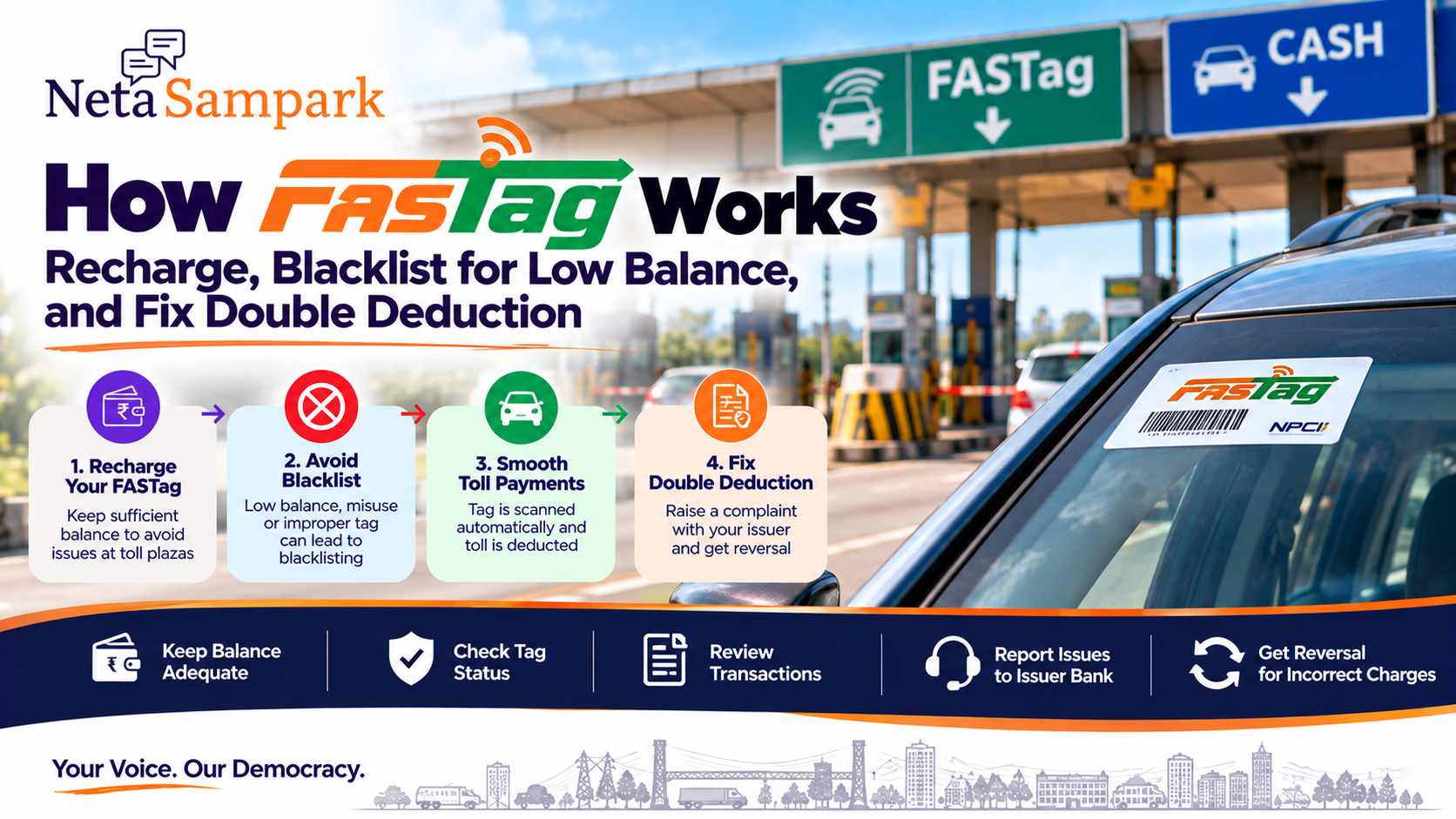
FASTag is India's electronic toll-collection system for vehicles using RFID technology. A FASTag fixed to the vehicle's windscreen is read at an enabled toll plaza, and the applicable toll is deducted from the FASTag account/wallet linked to the vehicle. (IHMCL)
For most drivers, the important things to understand are simple:
Keep sufficient balance → keep the tag properly affixed → check the tag status → review every toll deduction.
If something goes wrong, there are official complaint and reversal mechanisms.
What exactly is FASTag?
FASTag is an RFID-based electronic toll-payment system implemented under the National Electronic Toll Collection (NETC) programme.
When your vehicle approaches a FASTag-enabled toll lane:
FASTag → RFID reader → toll transaction → issuing bank/wallet → toll deducted
The transaction is processed through the NETC ecosystem, with NPCI providing clearing and settlement services. (IHMCL)
You don't normally need to stop and make a cash payment when the tag is valid, active and has sufficient balance.
What do you need for FASTag?Your FASTag is associated with a particular vehicle.
The current IHMCL guidance follows a One Vehicle One FASTag approach: only one active FASTag should be associated with a vehicle, and older tags linked to the same vehicle are deactivated when a newer one is activated. (IHMCL)
Keep these details handy:
☐ Vehicle Registration Number (VRN)
☐ RC
☐ Registered mobile number
☐ FASTag issuer details
☐ FASTag/wallet account details
How FASTag payment worksAt the toll plaza:
1. Vehicle enters FASTag lane
↓
2. RFID reader detects the tag
↓
3. Vehicle/tag details are validated
↓
4. Toll amount is calculated
↓
5. Amount is deducted
↓
6. SMS/app notification is generated
The IHMCL FAQ says users receive an SMS alert on their registered phone number when an amount is deducted from the FASTag wallet. (IHMCL)
That SMS is useful later if you need to dispute an incorrect transaction.
How to recharge FASTagFASTag recharge options depend on the issuer.
For bank-issued FASTags, IHMCL says recharge can be done through the issuing bank's portal and through payment methods including UPI, net banking and cards. FASTag can also be recharged through BBPS at applicable points of sale. (IHMCL)
Before a long journey
Don't wait until you're approaching a toll plaza.
Check:
FASTag balance
Tag status
Registered mobile number
If the balance is low, recharge before starting the trip.
What does "Low Balance" mean?A FASTag can enter a Low Balance state when the linked account falls below the applicable threshold.
IHMCL's current NETC procedural guidance treats a low-balance FASTag as invalid/non-functional for the toll transaction until the issue is resolved. (IHMCL)
This is why a wallet that still shows some money doesn't necessarily mean the tag will work at the toll plaza.
For example:
FASTag balance: ₹150
Toll: ₹100
Tag status: Low Balance
The important thing is the tag's status and applicable threshold, not simply whether the displayed balance is above ₹0.
What does "Blacklisted" mean?A blacklisted FASTag has been blocked by the issuer and cannot be used for toll payment through FASTag.
Low balance is one possible reason.
Other reasons can include:
- Vehicle/tag class mismatch
- Improper or non-affixation of the tag
- Payment/default-related issues
- Other NETC rule violations
IHMCL specifically advises users to contact their issuer bank to determine the reason for a blacklist. (IHMCL)
Low Balance vs BlacklistedThese are not exactly the same thing.
StatusWhat it meansActiveTag can be used subject to normal transaction conditionsLow BalanceBalance has fallen below the applicable thresholdBlacklisted/HotlistedTag has been blocked for a specified reason
IHMCL's My FASTag ecosystem provides tag-status information, including balance/status indicators. (IHMCL)
How to avoid getting blacklisted1. Keep sufficient balance
Recharge when your issuer sends a low-balance alert.
2. Keep the FASTag properly affixed
The tag should be affixed to the front windscreen of the assigned vehicle.
IHMCL states that improper/non-affixation can result in the tag being blacklisted. (IHMCL)
3. Use the correct vehicle
A FASTag issued for one vehicle shouldn't simply be moved to another.
The tag is issued against the vehicle's registration details. (IHMCL)
4. Don't maintain multiple active FASTags
Under the One Vehicle One FASTag approach, multiple tags associated with one vehicle are not intended to remain active simultaneously. (IHMCL)
What if you recharged but the balance didn't update?Suppose:
Bank account debited
but
FASTag wallet not credited
Don't recharge repeatedly.
First:
- Check the recharge transaction.
- Check your FASTag wallet.
- Save the payment reference.
- Contact the issuing bank.
- Request reversal/credit if the recharge failed.
IHMCL's guidance says that when a recharge amount is debited from the customer's account but not credited to the FASTag account, the customer should contact the bank's call centre and raise a reversal request. (IHMCL)
What if you are charged twice?This can happen through different scenarios, so first identify what actually happened.
Scenario A — Two FASTag deductions
You see two toll deductions for what appears to be the same crossing.
Scenario B — FASTag + cash/other payment
You paid at the toll plaza and also see a FASTag deduction.
Scenario C — Two different toll plazas
Two deductions are close together but correspond to different locations.
Scenario D — Wrong toll amount
The FASTag was charged, but the amount doesn't match the applicable toll.
Don't immediately assume that every pair of similar transactions is a duplicate.
Step 1 — Compare the transactionsLook at:
- Date
- Time
- Toll plaza
- Amount
- Vehicle number
- Transaction/reference number
Your SMS, issuer app or FASTag statement should help establish whether both deductions relate to the same crossing.
Step 2 — Contact the FASTag issuerYour first point of contact is generally the FASTag issuing bank/entity.
Provide:
Vehicle number
FASTag details
Transaction date/time
Toll plaza
Amount
Transaction/reference IDs
Screenshot of both deductions
Ask for the transaction to be investigated and, where appropriate, reversed.
Incorrect deduction: don't wait indefinitelyIHMCL's published FASTag FAQ says an incorrect deduction can be reported to the call centre within 40 days of the transaction date. It also describes a chargeback process for incorrect toll deductions, with reversal after the case is established. (IHMCL)
So if you spot a duplicate or incorrect charge:
Raise the complaint promptly.
Don't leave it until several months later.
Keep this evidenceBefore contacting the bank, take screenshots of:
☐ FASTag balance
☐ Transaction history
☐ Duplicate deduction
☐ Toll-plaza name
☐ Date/time
☐ SMS alerts
☐ Recharge/payment reference
☐ Vehicle number
This makes the complaint much easier to track.
What if the toll plaza reader didn't work?IHMCL's published guidance says that where the ETC equipment isn't working and the vehicle has a valid, functional FASTag with sufficient balance, the customer should be permitted to pass without paying the toll through another mode. It also advises reporting the issue to customer care/concessionaire. (IHMCL)
If this happens:
Don't simply assume the tag is at fault.
Record:
- Toll plaza
- Lane
- Time
- Tag status
- Balance
- What the toll staff asked you to do
Then raise the complaint through the appropriate channel.
What if your FASTag is blacklisted even after recharge?Recharging may not resolve every blacklist.
First determine why the tag was blacklisted.
Possible reasons include:
- Low balance/default
- Vehicle/tag mismatch
- Improper affixation
- Other NETC-related issue
IHMCL advises customers to contact the issuer bank for the reason for blacklisting. (IHMCL)
So the workflow is:
Check status
→ Identify reason
→ Fix underlying problem
→ Ask issuer to restore/activate tag
→ Check status again
Don't simply buy another FASTagIf your existing FASTag has a problem, buying another tag immediately can create additional complications.
The One Vehicle One FASTag framework means you should first understand the status of the existing tag and deactivate/replace it through the appropriate issuer process where necessary. (IHMCL)
What if you sold your car?Don't leave the FASTag linked to your old vehicle.
Contact the issuer and follow the applicable process to close/deactivate the tag and settle the wallet balance.
The buyer should obtain/activate the appropriate FASTag for the vehicle.
What if you bought a used car?Before a long journey, check the vehicle's FASTag status.
IHMCL provides a facility to check FASTags associated with a vehicle through the NETC FASTag status service. (IHMCL)
This can help identify whether an older tag is still associated with the vehicle.
Keep your FASTag physically correctA FASTag isn't supposed to be carried loosely in your hand.
It should be properly affixed to the front windscreen of the assigned vehicle.
IHMCL's guidance specifically addresses improper/non-affixation and states that a tag not properly fixed to the windscreen can be treated as invalid and may be blacklisted. (IHMCL)
So:
Don't remove it after installation.
Don't keep it in the glove box.
Don't move it between vehicles.
The 10-minute FASTag check before a road tripBefore leaving:
FASTag
☐ Correct tag attached to windscreen
☐ Tag belongs to this vehicle
☐ Only the appropriate active tag is being used
Account
☐ Sufficient balance
☐ No low-balance warning
☐ Tag status is active
Phone
☐ Registered mobile number works
☐ Transaction alerts are available
Documents
☐ RC available
☐ Issuer/customer-care details saved
After the trip
☐ Review toll deductions
☐ Report any incorrect/duplicate charge promptly
Who should you contact?For a FASTag account issue, start with the issuer bank/entity.
For broader FASTag/NHAI-related assistance, IHMCL lists 1033 as the NHAI FASTag helpline. IHMCL also provides a FASTag complaints email channel. (IHMCL)
Keep your:
Vehicle number + FASTag details + transaction reference
ready before calling.
A simple complaint formatIf you need to report a duplicate deduction, you can keep the information in this format:
Subject: Duplicate FASTag deduction
Vehicle number: ______
FASTag issuer: ______
Toll plaza: ______
Date/time: ______
Transaction 1: ______
Transaction 2: ______
Amount deducted: ₹______
Issue: Same toll crossing appears to have been charged twice.
Supporting screenshots attached.
This gives the issuer the information needed to investigate the transaction.
FASTag family/car checklistFor every vehicle:
Check Status FASTag properly affixed
☐Correct vehicle mapped
☐No duplicate active tags
☐Balance sufficient
☐Tag status active
☐Registered mobile working
☐Recent deductions reviewed
☐No unexplained transaction
☐The simple rule
Recharge before the balance becomes too low.
Keep the FASTag properly fixed to the vehicle's windscreen.
Check the tag status before entering a toll road.
Review your deductions after the journey.
And if you see a duplicate or incorrect deduction, raise the complaint with the FASTag issuer promptly and retain the transaction evidence.
NetaSampark: making everyday government and public-service processes easier to understand, one checklist at a time.
FASTag procedures, thresholds, toll rules and issuer processes can change. The guidance above is based on current IHMCL/NHAI material; for a transaction-specific issue, use your issuer's current customer-care route and the official FASTag services. (IHMCL)