
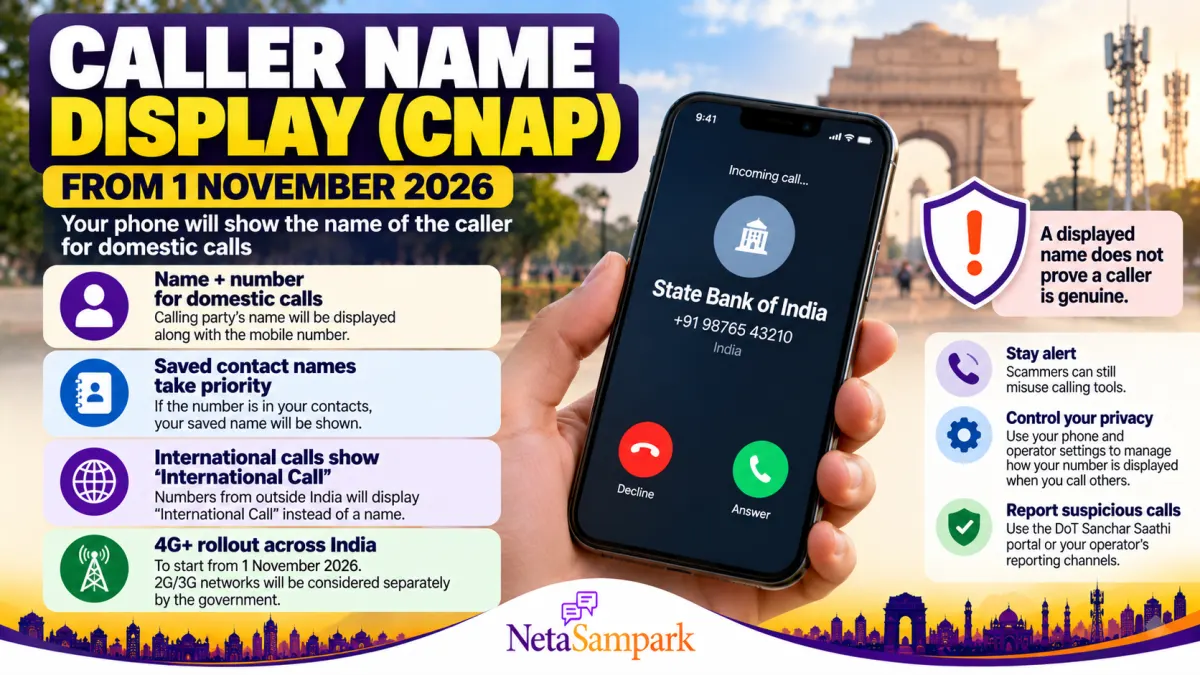
Caller Name Display (CNAP) From 1 November 2026: How It Works and How to Protect Your Privacy
From 1 November 2026, India’s Department of Telecommunications (DoT) has directed telecom operators to introduce Calling Name Presentation (CNAP) across 4G and newer mobile networks. The service will display a caller’s name alongside their number, even when the number is not saved in your contacts. <Link url="https://www.dot.gov.in/" title="Department of Telecommunications"/>.
What Is CNAP?
CNAP uses the caller’s name recorded in telecom subscriber records. It is designed to help people identify incoming callers and make unwanted or suspicious calls easier to assess.
| Situation | What your phone may show |
|---|---|
| Number saved in your contacts | Your saved contact name |
| Unknown domestic number | Name recorded by the caller’s telecom operator |
| International call | “International Call” |
| Caller has name-display restriction (CLIR) | Caller’s name will not be displayed |
| Network support | Initial rollout covers 4G and newer networks; 2G, 3G and landlines are being considered separately |
The rollout is intended to happen without users making a separate request. <Link url="https://www.dot.gov.in/" title="Official DoT website"/>.
Will CNAP Replace Truecaller?
Not exactly. CNAP is a telecom-network feature based on subscriber records, whereas apps such as Truecaller use their own identification systems. CNAP may help identify callers without requiring a separate caller-ID app, but it will not necessarily identify every caller or detect every scam.
Important: A displayed name is not proof that a caller is genuine. Fraudsters can still use social engineering and other methods to deceive people.
Can You Control Your Name and Privacy?
The DoT’s instructions include protections for callers who have activated the authorised Calling Line Identification Restriction (CLIR) facility. Their names will not be displayed through CNAP.
If the name associated with your number is incorrect:
- Contact your telecom operator through its official customer-care channel.
- Ask how to correct your subscriber or KYC records.
- Provide the documents required by the operator.
- Request a complaint or service reference number and follow up if the issue remains unresolved.
CNAP is not the same as changing your phone’s contact name. Your saved contact label takes priority on your own device.
How to Stay Safe From Scam Calls
- Never share an OTP, UPI PIN, password or banking details over a call.
- Do not trust a caller only because a familiar bank, company or government name appears.
- If someone claims to represent a bank or government office, disconnect and contact the organisation through its official number.
- Report suspected cybercrime through the National Cyber Crime Reporting Portal.
- For suspected fraudulent communications, you can also use the government’s Sanchar Saathi portal.
Frequently Asked Questions
When does CNAP start?
The DoT has directed telecom operators to introduce the service from 1 November 2026 on 4G and newer mobile networks.
Will I need to install an app?
No separate app is required for the network-based CNAP service.
Will every unknown caller’s real name appear?
No. The displayed name comes from telecom records, subject to the service’s rules and network support. It is not an independent identity verification or fraud-detection guarantee.
Can I hide my name?
Names of users with the authorised CLIR facility will not be displayed through CNAP. Contact your operator to understand the applicable options and eligibility.
Final Takeaway
CNAP should make it easier to identify many incoming domestic calls from 1 November 2026. However, caller-name display is a useful clue, not a guarantee of authenticity. Keep your telecom records accurate, contact your operator if your name is wrong, and continue treating unexpected requests for money, OTPs or personal information with caution.
Official reference: DoT — Department of Telecommunications · TRAI’s CNAP recommendations