
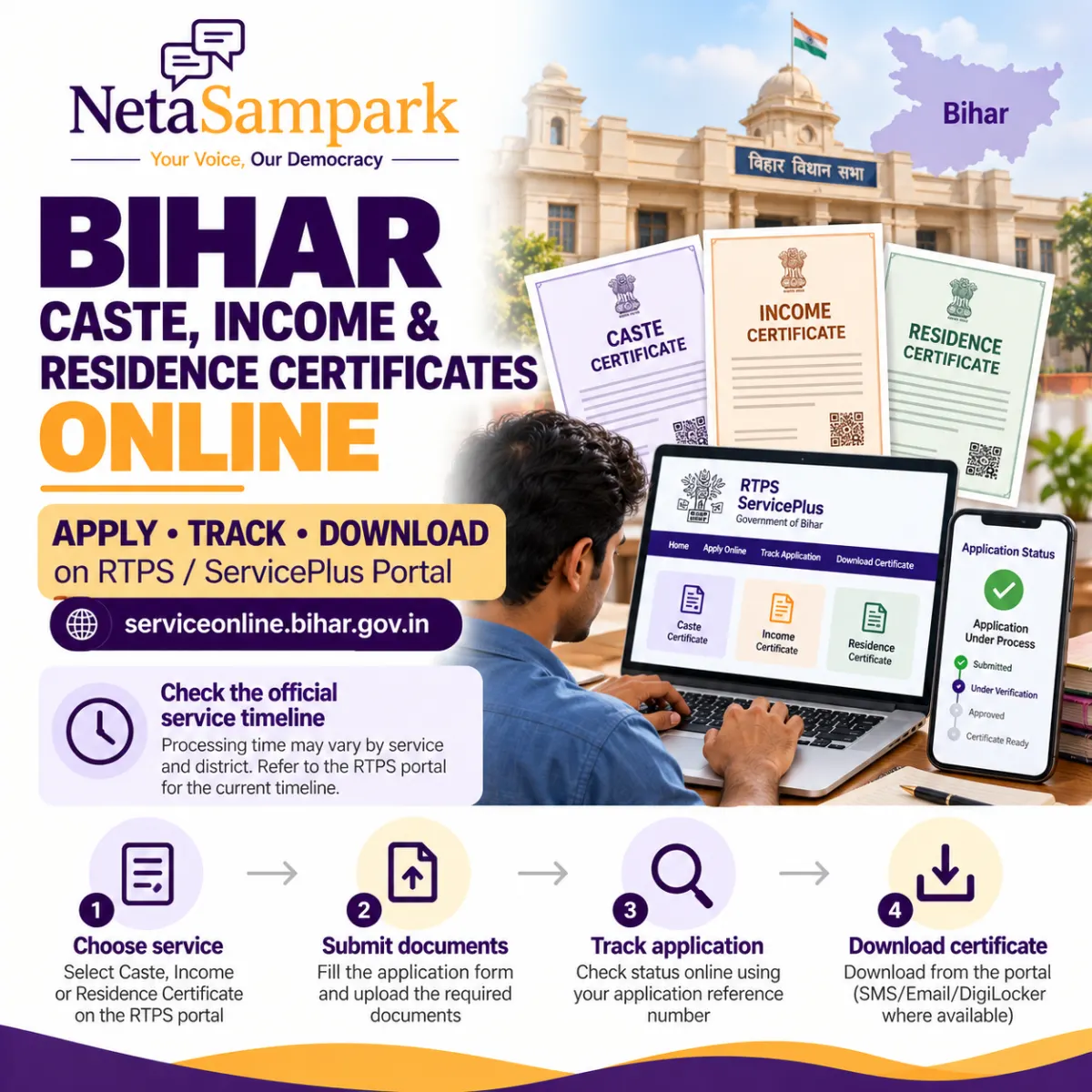
Bihar Caste, Income and Residence Certificate Online: Apply on RTPS, Track It and Download
Need a caste certificate for a scholarship, an income certificate for a government scheme, or a residence certificate for admission or another official purpose?
Residents of Bihar can apply for these certificates online through the state government’s RTPS and ServicePlus portal, without necessarily visiting a public service counter.
The portal allows applicants to select the relevant service, submit an application, track its status and download an issued certificate. Depending on the service and the applicant’s circumstances, applications may be handled at Circle/Block, Sub-Division or District level.
This guide explains how to apply, which documents to prepare, how to track your application and what to do if your certificate is delayed.
Official portal: serviceonline.bihar.gov.in
1 Which certificates can you apply for online?
The Bihar RTPS portal offers several certificate services through the General Administration Department.
| Certificate | Common uses |
|---|---|
| Caste certificate | Reservation benefits, scholarships, admissions and eligible government recruitment |
| Income certificate | Income-based scholarships, welfare schemes and other eligibility checks |
| Residence certificate | Proof of residence for applicable government services, education and other official requirements |
The exact document and eligibility requirements depend on the service you select and the purpose for which you need the certificate.
Which office level should you choose?
Bihar’s portal provides certificate services at different administrative levels, including Circle/Block, Sub-Division and District level.
Choose the service that matches your requirement and the instructions of the institution or department requesting your certificate. Some applications at a higher level may require an existing certificate issued at a lower level.
If you are unsure which level applies, consult the service details on the official portal or ask the relevant RTPS counter.
2 Step-by-step: How to apply for a Bihar certificate online
Step 1: Open the official RTPS portal
Visit https://serviceonline.bihar.gov.in/.
On the homepage, look for Apply Online and the relevant RTPS service under the General Administration Department.
You can also use the portal’s citizen section to register, track an application or download a certificate.
Step 2: Select the certificate you need
Choose the appropriate service, such as:
- Issuance of Caste Certificate.
- Issuance of Income Certificate.
- Issuance of Residence Certificate.
Pay attention to the issuing-office level shown in the service name. If the service is available at Circle/Block, Sub-Division or District level, select the appropriate option for your purpose.
Step 3: Register or log in, if required
The portal supports different application methods. Depending on the service, you may be able to apply without logging in, apply after registering or use an authorised public service centre.
If registration is required, follow the portal’s instructions using your mobile number and other requested details.
Step 4: Complete the application form
Enter the applicant’s personal details, address and other information requested by the selected service.
Check spelling carefully, particularly the applicant’s name, parent’s name, village or locality, block, circle and district. Inconsistent information can lead to verification problems.
Step 5: Upload the required documents
Prepare clear digital copies of the documents listed for the particular service.
The exact list may differ by certificate and issuing-office level. Upload only the documents requested by the official application form and ensure that the details are legible.
Step 6: Submit the application
Review the form and attachments before submitting.
After successful submission, save the acknowledgement or application reference number. Download or print a copy of the submitted application if the portal offers that option.
You will need the reference number to track your application and resolve any subsequent issue.
3 Documents required for caste, income and residence certificates
The document requirements depend on the certificate, the applicant’s circumstances and the selected service. Use the checklist below as preparation guidance, then verify the current mandatory documents on the official portal.
Caste certificate
Depending on the service, you may be asked for documents such as:
- Applicant identity proof.
- Residence or address details.
- Parent or family caste-related records, where relevant.
- Any declaration or supporting document specified in the application form.
Do not assume that a caste certificate issued to a family member automatically replaces every document required for your own application.
Income certificate
Depending on the applicable requirements, you may need:
- Applicant identity and address details.
- Information about the family or household.
- Income-related declarations or supporting documents.
- Salary, pension, employment, agricultural or other income evidence, where required.
Provide accurate information about income. The authority may verify the details before issuing the certificate.
Residence certificate
You may be asked for documents or information such as:
- Identity proof.
- Address or residence details.
- Relevant local residence information.
- Supporting documents specified by the issuing authority.
The documents accepted as proof can vary by service and circumstance. Do not rely on a generic online checklist if the official application form specifies a different set of documents.
Tip: Check the mandatory fields and document requirements before starting the application. This reduces the likelihood of having to return to the portal to correct missing information.
4 How long does it take to get the certificate?
Bihar’s RTPS framework provides notified service-delivery timelines. However, the applicable timeline depends on the specific certificate, the level at which it is issued and the current service rules.
Although you may see references to 10 working days online, do not treat 10 working days as a guaranteed deadline for every caste, income and residence certificate.
To check the applicable timeline:
- Open the official RTPS/ServicePlus portal.
- Find the specific certificate service you selected.
- Review the service details and applicable delivery period.
- Check whether the period refers to working days and whether any conditions or exclusions apply.
- Keep the submission date and application reference number for follow-up.
If your application is pending beyond the applicable notified period, use the portal’s status facility and contact the responsible issuing office.
5 How to track your Bihar RTPS application online
Once you have submitted the application, you can check its progress on the same portal.
- Visit serviceonline.bihar.gov.in.
- Under the Citizen Section, select Track Application Status.
- Choose the appropriate search option.
- Enter your application reference number and the requested date or other details.
- Submit the form to view the status.
The portal’s instructions specify that the reference number and application date can be used to track an application.
Keep your reference number safe. It is useful when contacting the issuing office or enquiring about a delay.
What if you have lost your application number?
Check the acknowledgement you downloaded after submission, along with SMS messages, emails or your ServicePlus inbox.
If you applied through a Common Service Centre or RTPS counter, contact that centre and ask whether it can help retrieve the application details.
Do not submit a duplicate application immediately without checking whether the original is already being processed.
6 How to download your caste, income or residence certificate
Once the certificate has been issued, Bihar’s ServicePlus system provides several possible delivery methods.
According to the portal’s published instructions, an issued certificate may be available through:
- A download link sent by SMS.
- An email attachment.
- DigiLocker, where available.
- Your ServicePlus inbox.
- The portal’s Download Certificate facility.
- A kiosk, Common Service Centre or RTPS public service counter, where applicable. <Cite refs={["turn698574search1","turn698574search2"]}/>
Download through the portal
- Open the official ServicePlus website.
- Select Download Certificate or the relevant option under the Citizen Section.
- Enter the details requested by the portal.
- Follow the instructions to retrieve the issued certificate.
- Save the PDF and check that the name, certificate number, issuing authority and other details are correct.
The exact fields required for download may vary according to the service.
Can you use the downloaded certificate for official purposes?
The portal provides electronically issued certificates, but the receiving institution or department may have specific verification requirements.
Check that the certificate is valid for your intended purpose and that the relevant authority accepts its format. If it contains an error, contact the issuing office rather than editing the PDF yourself.
7 What should you do if the application is rejected or delayed?
If your certificate is not issued as expected, first check the application status and any message or notice associated with the application.
If the application is pending
- Confirm whether any documents or information are outstanding.
- Check the notified delivery period for the specific service.
- Contact the responsible Circle/Block, Sub-Division or District office, depending on the application.
- Provide your reference number and submission date when asking for an update.
If the application is rejected
Read the stated reason carefully. If additional information or corrected documents are required, follow the procedure indicated by the authority.
If you believe the rejection is incorrect, ask the issuing office about the available correction, appeal or grievance process.
If the certificate contains incorrect details
Contact the issuing authority and explain the error. Provide the certificate number and relevant supporting documents.
Do not create a replacement document yourself or alter the details on an issued certificate.
If the notified deadline has passed
Bihar’s RTPS system is intended to support time-bound public service delivery. If your application remains unresolved beyond the applicable period, preserve your acknowledgement and status records and ask the responsible office about the official grievance or escalation procedure.
The correct route may depend on the department and service involved.
8 Can you apply through an RTPS counter instead?
Yes. The Bihar portal describes multiple application modes, including online self-service and applications through authorised Public Service Centres, kiosks and Common Service Centres.
A counter may be useful if you have difficulty uploading documents, accessing the portal or understanding which service level to select.
Before leaving, ask for the acknowledgement or receipt and confirm how you can track the application later.
9 Frequently asked questions
What is the official website for Bihar caste, income and residence certificates?
The official RTPS/ServicePlus portal is serviceonline.bihar.gov.in.
Can I apply for all three certificates online?
The portal lists services for caste, income and residence certificates. You should select the relevant service and complete its individual application requirements. Do not assume that one application automatically produces all three certificates.
Will I receive the certificate within 10 working days?
The timeline depends on the service and issuing-office level. Check the currently notified delivery period on the official portal rather than assuming the same deadline applies to every certificate.
How do I check the status of my application?
Select Track Application Status under the Citizen Section on the official portal and enter the requested reference details.
How will I receive my certificate after approval?
Depending on the service and availability, the certificate may be delivered through SMS, email, DigiLocker, the ServicePlus inbox or the portal’s download facility.
Can I apply without visiting a government office?
The portal allows eligible online applications. Some people may prefer to apply through a Public Service Centre, kiosk or Common Service Centre. Follow the options provided for your particular service.
Is the old RTPS Bihar portal still the correct place to apply?
The legacy RTPS website directs applicants to serviceonline.bihar.gov.in for caste, income and residence certificate services across Bihar. Use the current official portal for applications and status tracking.
Conclusion
Bihar residents can use the RTPS/ServicePlus portal to apply for caste, income and residence certificates, track their applications and retrieve issued certificates online.
Before applying, choose the correct service and issuing-office level, prepare the required documents and save your acknowledgement. After submission, use the reference number to monitor progress and check the official delivery timeline.
Apply or track your application here: Bihar RTPS/ServicePlus portal.
About NetaSampark
NetaSampark helps citizens understand government services, eligibility requirements and public processes through practical, step-by-step guides.
Explore more resources at NetaSampark.com.