
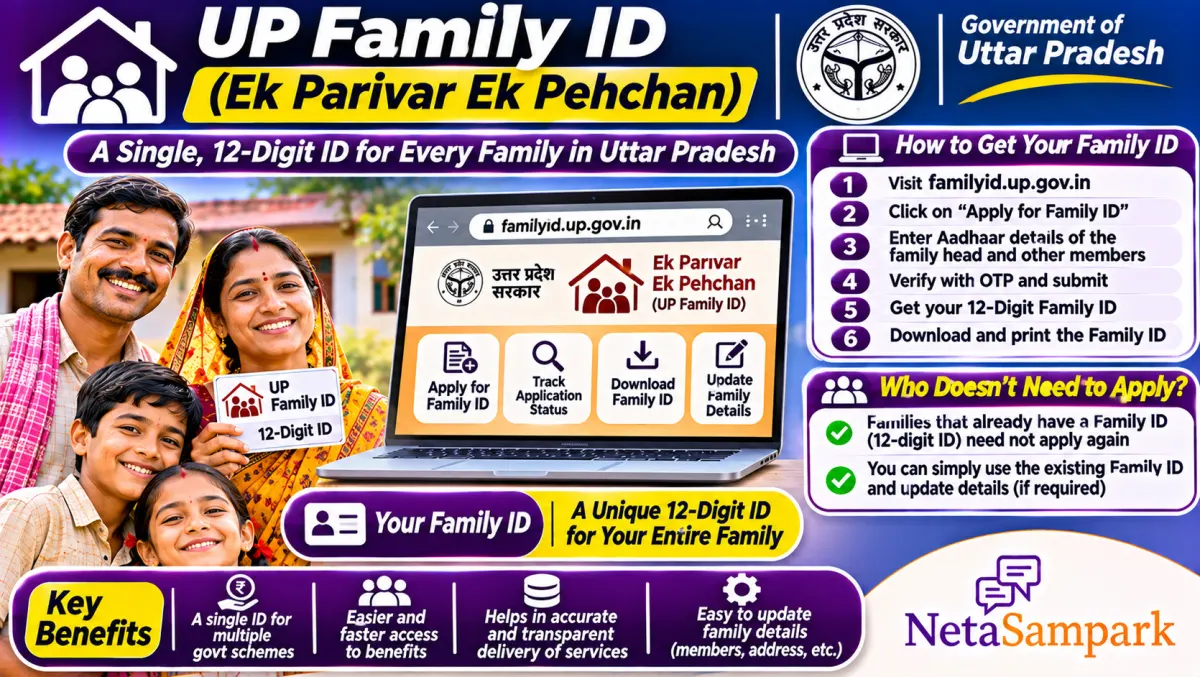
UP Family ID gives each family a 12-digit ID under Ek Parivar Ek Pehchan. If your family already has a UP ration card, your ration card number works as your Family ID, so just log in and download it. Families without a ration card register on familyid.up.gov.in with every member's Aadhaar and OTP. It's free.
Updated 11 November 2026
More and more UP government services now ask for a "Family ID". Scholarship forms, pension applications, some recruitment forms and certificates are linking to it. A lot of people end up confused: do I need to apply, do I already have one, and why does the portal say my family is already registered?
The UP Planning Department runs the system, and the rules are actually simple once you see them laid out.
Quick facts: UP Family ID
| Item | Details |
|---|---|
| Official portal | familyid.up.gov.in (Planning Department, Government of Uttar Pradesh) |
| Helpline | Jan Seva Kendra (CSC); UP CM Helpline 1076 for complaints |
| Fee | Free to register; a CSC may charge a service fee |
| Deadline | None; enrolment is voluntary as per the Planning Department |
| Documents | Aadhaar of every member, each linked to a mobile for OTP |
| ID length | 12 digits for families registered on the portal |
| Ration card families | Ration card number serves as the Family ID; no fresh registration |
| Verification | Field-level check by the Lekhpal or urban staff after you apply |
Do you even need to apply?
According to the Planning Department, families who already hold a UP ration card don't register again. Their ration card number is treated as their Family ID. The portal was built for families who don't have a ration card. So, before anything else, check whether you have a ration card. If you do, log in and download your Family ID. If you don't, register.
How to download your Family ID if you have a ration card
1. Open familyid.up.gov.in.
2. Log in with your Aadhaar-linked mobile and OTP, or as the portal asks.
3. Enter your Aadhaar number.
4. The portal shows that your family's ID is available.
5. Click the option to print or download it.
How to register if you don't have a ration card
1. Open familyid.up.gov.in and click Register.
2. Enter the head of family's name, mobile number and captcha, and verify with OTP.
3. Log in and enter the head's Aadhaar. Details are pulled from Aadhaar after OTP.
4. Add each member with their Aadhaar. Each member's Aadhaar-linked mobile gets an OTP, so keep everyone available.
5. Fill in the address and family details, and the relationship of each member.
6. Submit and note the application number.
7. After field verification, the 12-digit Family ID is issued, and you can download it.
Rules that trip people up
• Every member needs Aadhaar linked to a mobile. If someone's Aadhaar mobile is old, update it at an Aadhaar centre first.
• One person, one family. A member already in another family's ID or ration card can't be added. A new bride must first be removed from her parents' record.
• Name must match Aadhaar. The portal uses Aadhaar data, so a different spelling stops the process.
What the Family ID is used for
The government's idea is to keep a live database of families so that benefits can reach eligible households without repeated paperwork. Over time, schemes like pensions, scholarships, housing and certificates can use it to check eligibility. For now, follow what each scheme form asks.
Common problems and fixes
| Problem | Likely reason | Fix |
|---|---|---|
| "Family ID already available" | You have a ration card | Download it instead of registering |
| Member can't be added | Already in another family | Remove them from the other record first |
| OTP not coming | Aadhaar mobile outdated | Update mobile at an Aadhaar centre |
| Application pending | Field verification not done | Follow up with the Lekhpal or the CSC |
| Name mismatch | Spelling differs from Aadhaar | Use Aadhaar details exactly |
A real-life example
Arvind, a private employee in Noida, never had a ration card. When his daughter's scholarship form asked for a Family ID, he registered on familyid.up.gov.in. His wife's Aadhaar was linked to an old number, so the OTP failed. She updated the mobile at an Aadhaar centre, they finished registration, and after the Lekhpal's check, they downloaded the 12-digit ID.
Documents checklist
☐ Aadhaar of every member
☐ Each member's Aadhaar-linked mobile
☐ Head of family's mobile for login
☐ Address details in UP
☐ Ration card number, if you have one
Ration card families: check your card too
Since your ration card is your Family ID, keep it correct. See our UP ration card guide for checking names and applying for corrections.
Other states have similar systems
Haryana's Parivar Pehchan Patra, Rajasthan's Jan Aadhaar and MP's Samagra work on the same idea. If you have family there, the same rules apply: one person, one family, and Aadhaar-matched names. For UP schemes that already use family data, keep your Jansunwai and scheme receipts together.
Beware of fake portals
The Planning Department warns that lookalike sites collect personal data. Use only familyid.up.gov.in, and never share OTPs on calls.
Where to complain
Start with the CSC or Lekhpal. If things don't move, file on UP Jansunwai or call 1076. Our Jansunwai guide shows how. Your MLA can also help. Find yours in the UP MLAs list or on NetaSampark's UP page.
What verification looks like
After you submit, the application goes for verification of the family's composition and address. In villages, the Lekhpal usually checks; in towns, designated urban staff. They may call, visit, or check with neighbours. Keep your phone on and the Aadhaar cards handy. If someone asks for money to "pass" your verification, refuse and report it on 1076.
Updating the Family ID later
Families change. A baby is born, a daughter marries, a parent passes away. For families registered on the portal, log in and use the update options to add or remove members, with the needed proof. For ration card families, changes are made in the ration card itself, since that's your Family ID. Do this soon after the event so scheme checks don't fail later.
Using the Family ID on forms
When a form asks for the Family ID, enter the 12-digit number (or your ration card number if that's your ID). Many forms then pull details automatically after an OTP. Check what appears before you submit. If something's wrong, fix it at the source first, otherwise the error travels to every scheme you apply for.
Students and job seekers
Some UP scholarship and recruitment forms have started asking for the Family ID. If you're a student living away from home, coordinate with your family so the head can share the OTP or download the ID for you. Don't create a separate family just for a form; one person can belong to only one family.
Final reminder
If you have a UP ration card, just download your Family ID. If not, register on familyid.up.gov.in with every member's Aadhaar and working mobile, and keep the application number until the ID is issued.
Frequently asked questions
Do ration card holders need a UP Family ID?
No fresh registration. The ration card number works as the Family ID, and you can download it from the portal.
How many digits is the UP Family ID?
12 digits for families registered on familyid.up.gov.in.
Is UP Family ID registration free?
Yes. A CSC may charge a small service fee if you use one.
Why can't I add my wife to the Family ID?
She's probably still in her parents' ration card or Family ID. Remove her there first.
Is the Family ID compulsory?
The Planning Department describes enrolment as voluntary, but more schemes are asking for it.