
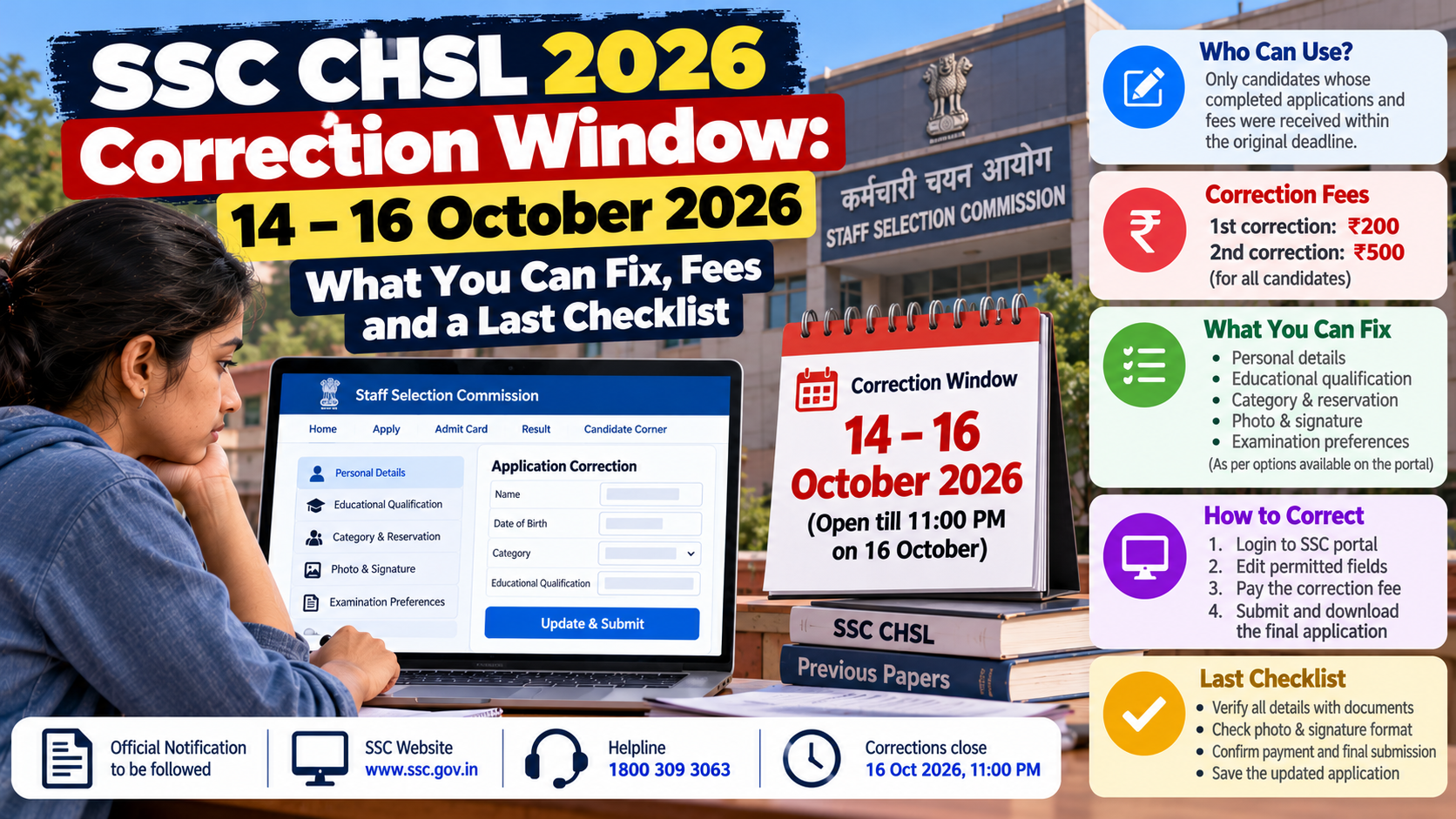
The correction window is scheduled for 14–16 October 2026, closing at 11:00 PM on 16 October. The official SSC notification provides two opportunities to submit a corrected application: the first costs ₹200 and the second ₹500, regardless of category. Only applications completed within the original deadline, including required fee payment, are eligible.
SSC CHSL 2026 Correction Window: 14–16 October 2026 — What You Can Fix, Fees and a Last Checklist
Submitted your SSC CHSL 2026 application but noticed a mistake? The Staff Selection Commission (SSC) has scheduled a three-day correction window for candidates who need to modify their submitted application for the Combined Higher Secondary (10+2) Level Examination, 2026.
The correction facility runs from 14 October to 16 October 2026, until 11:00 PM on the final day. Candidates can correct and resubmit their applications up to two times, subject to the applicable charges and eligibility conditions.
This is an important opportunity to check your details before the recruitment process moves forward. However, the correction window is not a fresh application opportunity, and not every field or option can necessarily be changed.
Official source: SSC CHSL 2026 examination notification.
SSC CHSL 2026 Correction Window: Important Dates
| Event | Date and time |
|---|---|
| Online application period began | 7 September 2026 |
| Last date to submit application | 7 October 2026, 11:00 PM |
| Last date for online application-fee payment | 8 October 2026, 11:00 PM |
| Correction window opens | 14 October 2026 |
| Correction window closes | 16 October 2026, 11:00 PM |
| Tier-I examination | To be notified by SSC |
The dates are specified in the official CHSL 2026 notification. The correction charge must also be paid within the prescribed correction period.
Who Can Use the Correction Window?
The correction facility is intended for candidates whose completed online applications, together with the applicable application fee, were received by SSC within the original deadline.
Before attempting a correction, check your application status in the candidate login.
You should verify that:
- Your original application was submitted successfully.
- The required application fee, if applicable, was received by SSC.
- Your application does not show an unresolved payment or incomplete-status issue.
- You can access the account used to submit the application.
If your application was never submitted within the original deadline, the correction window does not provide a fresh opportunity to apply.
SSC states that only candidates whose completed applications and required fees were received within the specified period are eligible for corrections.
SSC CHSL 2026 Correction Fee
The correction charge depends on how many times you resubmit your corrected application.
| Correction attempt | Charge |
|---|---|
| First corrected submission | ₹200 |
| Second corrected submission | ₹500 |
These charges apply to all candidates irrespective of gender or category. The correction fee is separate from the original examination application fee.
Payment is permitted through the online modes specified by SSC, including BHIM UPI, net banking and eligible debit cards.
The correction charges are non-refundable and cannot be adjusted against another SSC examination.
Example: How much will two corrections cost?
Suppose you correct your application once and later discover another mistake that requires a second corrected submission.
- First correction: ₹200
- Second correction: ₹500
- Total correction charges: ₹700
This is why it is worth reviewing every field carefully before submitting the first correction.
What Can You Correct in the SSC CHSL Application?
SSC's official notification permits candidates to correct or modify application parameters during the specified window. However, the notification does not provide a blanket guarantee that every field can be edited.
The fields and options available to you should be checked in the correction interface on the official portal.
Pay particular attention to the following areas while reviewing your application:
1. Personal information
Compare your name, parents' names and date of birth against your matriculation or Class 10 certificate.
SSC specifically requires these details to match the matriculation certificate and warns that incorrect information can lead to cancellation of candidature.
Do not assume that the correction window will permit you to change a critical identity detail simply because you entered it incorrectly.
2. Contact details
Check the mobile number and email address associated with your application. These are important for receiving recruitment communications and accessing your account.
If a contact field is editable in the correction interface, ensure that the revised information is accurate and accessible to you.
3. Educational qualifications
Check the qualification details entered in the application against your certificates and marksheets.
Make sure the information is accurate and consistent with the eligibility requirements of the examination. Change a qualification-related field only if the portal permits the correction.
4. Category and reservation information
Review the category claimed in your application and ensure that it matches your eligibility and supporting documents.
SSC warns candidates that reservation claims must be supported by the prescribed certificates when required. An incorrect category claim can affect eligibility, reservation benefits or age relaxation.
Do not change a category merely to obtain a perceived advantage. Any correction must reflect your actual eligibility.
5. Photograph and signature
Check whether the submitted photograph and signature meet SSC's requirements.
The notification warns that applications with blurred photographs or blurred or miniature signatures may be rejected. If the correction facility permits a replacement upload, follow the prescribed specifications carefully.
6. Examination-related options
Review any examination-related preferences or options recorded in your application.
Some choices are expressly treated as final. For example, SSC states that the medium selected for the Typing Test is final and that a subsequent change will not be entertained.
Therefore, do not assume that every examination option can be altered during the correction window.
Important: The examples above are a review checklist, not a guarantee that each field is editable. The official notification and the fields enabled in your correction interface determine what you can actually change.
What May Not Be Changeable?
Certain information is governed by specific rules or treated as final.
Candidates should be especially careful about:
- Date of birth, which must match the matriculation certificate.
- Name and parents' names, which must match the matriculation certificate.
- The medium selected for the Typing Test, which SSC expressly treats as final.
- Category or disability-related claims that require eligibility and supporting certificates.
- Any field that the correction interface does not permit you to modify.
If a critical field is incorrect but cannot be edited, do not assume that an email or informal request will solve the problem. The notification states that correction requests submitted by post, fax, email or in person after the correction window will not be entertained.
Consult the official notification and contact SSC through its designated support channels for guidance.
How to Correct Your SSC CHSL 2026 Application
Use the following process during the official correction window.
Step 1: Open the SSC website
Visit the official Staff Selection Commission website.
Use the account and login credentials associated with your application.
Step 2: Check your submitted application
Open the relevant examination application and verify its status.
Confirm that the application was completed within the original deadline and that the required application fee was received, if applicable.
Step 3: Open the correction facility
Once the correction window is available, access the relevant application-correction option.
Follow the instructions displayed by SSC. The correction facility is available only for the specified period.
Step 4: Review all fields before editing
Keep your Class 10 certificate, educational documents and applicable category or disability certificates nearby.
Identify all errors before making changes. This helps avoid paying for a second correction because of a mistake overlooked during the first attempt.
Step 5: Make the permitted changes
Edit only those fields that the correction interface allows you to change.
Check spelling, dates, category details, qualification information and other relevant entries against your documents.
Step 6: Pay the correction charge
Pay ₹200 for the first corrected submission or ₹500 for the second, using an accepted online payment method.
Confirm that the payment succeeds and that the corrected application is not marked incomplete.
Step 7: Submit the corrected application
Review the entire form again before final submission.
Once the correction is successfully submitted and the applicable charge is received, the latest corrected application becomes the valid application, and the previous submitted version or versions are cancelled.
Step 8: Download and save the final form
Save the final corrected application and payment acknowledgement.
Check that the submitted version reflects the changes you intended to make.
Why You Must Check the Latest Submitted Version
SSC's rules state that the latest modified or corrected application will be treated as valid, subject to receipt of the required correction charge.
This means that submitting a corrected form is not merely an additional note attached to the original application. The latest accepted version replaces the earlier one.
If you make a correction and then submit another correction, the second corrected version becomes the valid application once the applicable payment is received.
If the required correction charge is not received, the corrected application is shown as incomplete and is not accepted; the previously submitted application remains valid.
For this reason, check the payment status and final application status instead of assuming that clicking the submit button completes the process.
Last Checklist Before You Submit
Use this checklist to review your application during the correction window.
- I can log in to my SSC account.
- My original CHSL application was submitted within the deadline.
- My application-fee payment, if applicable, was received.
- My name matches my matriculation certificate.
- My parents' names and date of birth match the certificate.
- My educational qualification details are accurate.
- My category and reservation claims are correct.
- My photograph and signature comply with the prescribed requirements.
- I have checked the examination-related options and any choices that are final.
- I have identified all corrections before paying.
- I understand that the first correction costs ₹200 and the second costs ₹500.
- I have checked every field before final submission.
- I have saved the latest corrected application and payment acknowledgement.
What Happens After 16 October?
The correction window closes at 11:00 PM on 16 October 2026.
SSC's notification states that after the window expires, no further changes or modifications will be allowed. Requests sent by email, post, fax or other informal channels will not be entertained.
If you have an error that could affect your eligibility or candidature, do not postpone the correction until the final hours.
The Tier-I examination schedule is to be notified separately by SSC. Candidates should monitor the official website for subsequent notices, examination dates, admit-card information and other instructions.
Where to Get Official Help
If you encounter a technical problem or have difficulty filling in the application, use the official SSC website and its designated support channels.
The CHSL 2026 notification lists the following toll-free helpline for difficulties in filling the application form:
1800 309 3063
Keep your registration number, examination name and relevant application details ready when seeking assistance. Never share your password or one-time password with an unauthorised person.
The Bottom Line
The SSC CHSL 2026 correction window runs from 14 October to 16 October 2026, until 11:00 PM.
Eligible applicants can submit a corrected application up to two times, paying ₹200 for the first correction and ₹500 for the second. The latest successfully corrected application becomes the valid version, provided the required charge is received.
Use the window to fix genuine errors, verify your details against official documents and save the final application. Do not assume that every field is editable or that SSC will accept corrections after the deadline.
Official reference: SSC CHSL 2026 notification — Staff Selection Commission.