
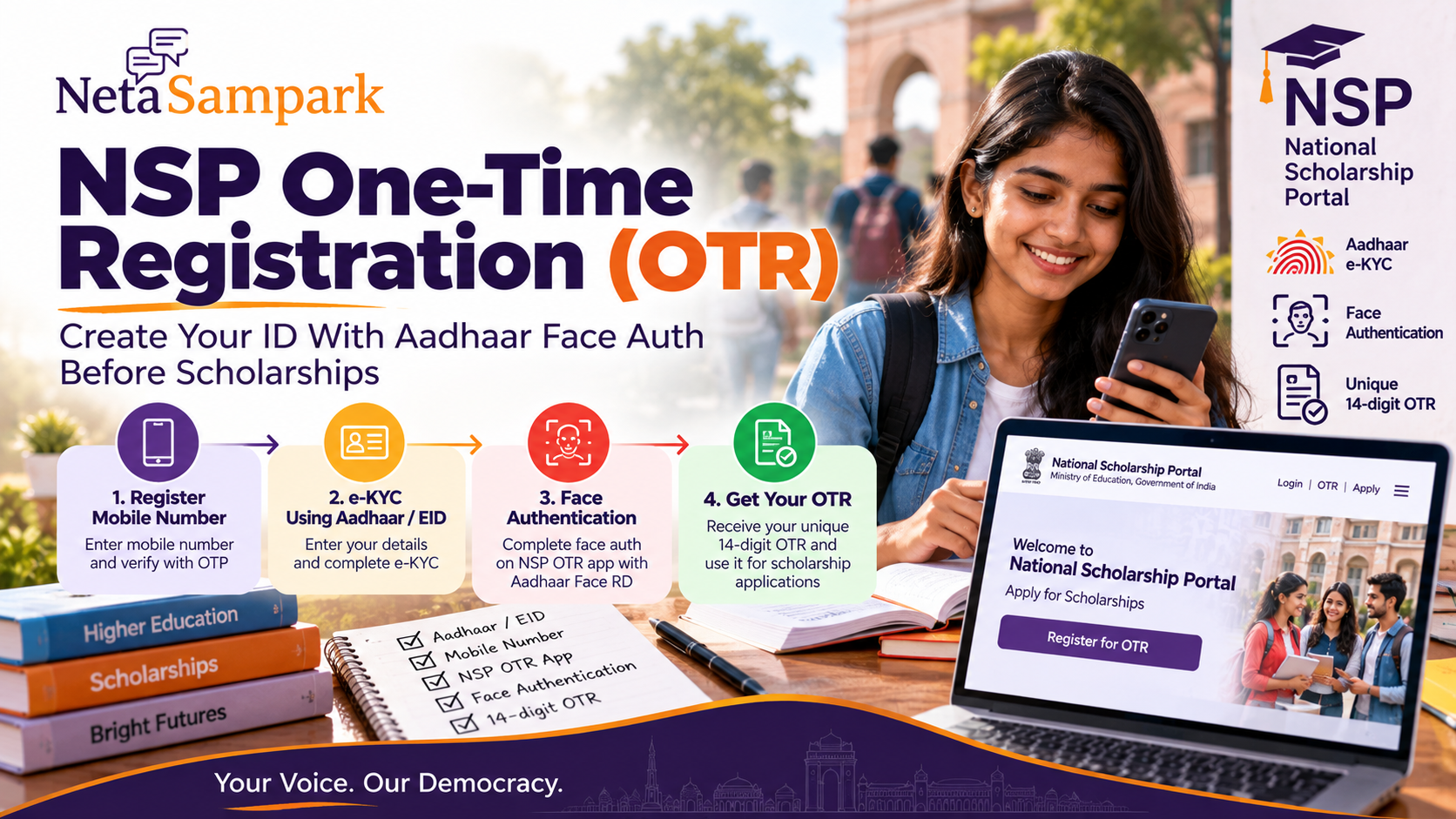
Quick take: If you plan to apply for a scholarship through the National Scholarship Portal (NSP), create your One-Time Registration (OTR) first. For AY 2026–27, NSP states that OTR is mandatory for scholarship applications, and the OTR is a unique 14-digit number intended to remain applicable throughout a student's academic career. The current OTR flow uses mobile registration, Aadhaar/e-KYC or Aadhaar Enrolment ID (EID), and face authentication through the NSP OTR app + Aadhaar Face RD services.
This is the OTR creation + Aadhaar face-auth checklist — not the scholarship application itself and not a general Aadhaar-update guide.
OTR first, scholarship application second
Think of NSP as two separate steps:
Step 1 → Create OTR
Step 2 → Login with OTR → Apply for the eligible scholarship
NSP explicitly says that merely generating an OTR does not mean that a scholarship application has been submitted. (Scholarships)
For AY 2026–27, the NSP portal is open from 1 June 2026 and states that OTR is required to apply for scholarships. (Scholarships)
What you need before starting
Keep these ready:
- Active mobile number
- Aadhaar, if assigned
- Aadhaar Enrolment ID (EID), if Aadhaar has not yet been assigned
- Smartphone capable of running the NSP OTR app
- Aadhaar Face RD service/app as required by the OTR flow
- Your correct name, date of birth and gender
- Parent/legal guardian Aadhaar where the minor-student route applies
NSP advises students to ensure demographic information matches the Aadhaar/EID records. (Scholarships)
Step 1 — Start OTR on NSP
Go to the official National Scholarship Portal:
Open the OTR / One-Time Registration service.
The current registration flow is:
Guidelines → Register Mobile No. → eKYC → Finish. (Scholarships)
Read the declaration before continuing.
Step 2 — Register your mobile number
Enter your active mobile number.
You'll receive an OTP.
Enter:
- OTP
- Captcha
- Required registration details
Use a number you can continue accessing throughout the scholarship process. NSP says correspondence and communication are made through the mobile/email submitted during registration. (Scholarships)
Don't use a friend's number just because your own SIM is temporarily inactive.
Step 3 — Complete e-KYC
NSP currently provides different routes depending on your Aadhaar situation:
If you have Aadhaar
Enter your Aadhaar number and complete the applicable OTP/e-KYC steps.
If Aadhaar has not yet been assigned
You can use your Aadhaar Enrolment ID (EID) under the applicable OTR route. (Scholarships)
If the applicant is a minor without Aadhaar
The NSP OTR flow provides routes involving the Aadhaar of a parent or legal guardian, subject to the conditions shown by NSP. (Scholarships)
Don't select a different route simply to get past an error.
Step 4 — Save the reference number
After the initial registration, NSP generates a reference number and sends it to the registered mobile number.
This is important because the next stage is face authentication.
Screenshot the reference number.
Don't assume the eventual OTR number has already been generated.
Step 5 — Install the official OTR tools
NSP's current instructions say to install:
NSP OTR app + Aadhaar Face RD services
on an Android device for the face-authentication stage. (Scholarships)
Download apps only through the official/recognised app-store route referenced by NSP.
Don't install an APK somebody sends through WhatsApp.
Step 6 — Complete Aadhaar face authentication
Open the NSP OTR app and use the reference number generated during registration.
The face-authentication process verifies the Aadhaar-linked identity through the supported Aadhaar face-authentication stack.
Once successful, the OTR is generated. (Scholarships)
NSP's current portal identifies the resulting OTR as a 14-digit number.
Face authentication fails? Check these first
Don't immediately create another registration.
1. Update Aadhaar Face RD
NSP currently warns that users encountering error 904 during face authentication should update the UIDAI Aadhaar Face RD app/service from the Play Store.
2. Check Aadhaar biometric lock status
NSP specifically notes that face authentication can fail where the Aadhaar holder's biometrics are locked.
Check the biometric lock/unlock status through the official Aadhaar channels and ensure the status required for authentication is available before retrying.
3. Check the camera
Use:
- Good lighting
- Clean camera lens
- No sunglasses
- No face covering unless permitted by the authentication instructions
- Stable internet connection
Follow the live instructions in the app rather than repeatedly moving the phone around.
The biggest mistake: creating two OTRs
Don't create a second OTR because the first one isn't working.
NSP states that one OTR is allowed per student. It also warns that multiple OTRs for a student can lead to scholarship consequences, including possible debarment. (Scholarships)
If you've already generated an OTR, use that OTR and the appropriate account/update options rather than starting again.
What happens after OTR generation?
Now you can move to the actual scholarship application.
OTR → Login → Select eligible scholarship → Fill application → Upload/verify required information → Submit → Institute/authority verification
The OTR itself is not the scholarship application. (Scholarships)
NSP's student portal currently provides separate options for OTR login and scholarship application. (Scholarships)
OTR vs scholarship application
OTRScholarship applicationCreates your NSP student identityApplies for a specific schemeOne-time registrationMay be fresh or renewalUses Aadhaar/EID-based identity flowUses scheme-specific eligibilityFace authentication may be requiredRequires application/verificationIntended for the academic careerApplies to the selected scholarship
Don't stop after seeing your OTR number.
Check your Aadhaar details before starting
NSP advises students to ensure demographic details such as:
- Name
- Date of birth
- Gender
match the Aadhaar/EID information used for registration. (Scholarships)
If your school certificate says “Rahul Kumar” but Aadhaar says “Rahul K.”, don't casually invent a third spelling in the OTR form.
Resolve the underlying record issue through the appropriate authority.
Minor students — parent Aadhaar matters
The OTR system has a specific route for minors.
Where a minor does not have Aadhaar, NSP allows registration using the Aadhaar of the father, mother or legal guardian, depending on the applicable situation. (Scholarships)
The portal also instructs parents/legal guardians to maintain consistency between the child's Aadhaar-enrolment demographic information and the information used during OTR registration. (Scholarships)
Don't confuse OTR with Aadhaar seeding
Creating an OTR does not mean you've completed every scholarship-payment requirement.
NSP's current student portal separately provides an Aadhaar seeding / bank account facility, and its OTR consent information explains the role of Aadhaar in authentication and scholarship payment. (Scholarships)
Before submitting a scholarship application, read that particular scheme's requirements carefully.
CSC option if the phone route fails
NSP currently says scholarship-related services are available through Common Service Centres (CSCs).
The portal states that the total charge for the listed CSC activity — including reference generation, biometric authentication, OTR generation and complete application filing — is fixed at ₹30 inclusive of applicable taxes.
That does not mean you should pay an unofficial “scholarship agent fee.”
Ask for the official CSC receipt.
Citizen mistakes that cause trouble
Mistake 1: Creating multiple OTRs.
Mistake 2: Using an inactive/borrowed mobile number.
Mistake 3: Installing an unofficial OTR APK.
Mistake 4: Ignoring Aadhaar biometric lock status.
Mistake 5: Treating OTR generation as scholarship submission.
Mistake 6: Entering demographic details without checking Aadhaar/EID.
Mistake 7: Losing the reference number before completing face authentication.
Your 20-minute OTR clinic
5 minutes: Check Aadhaar name/DOB/gender and mobile.
5 minutes: Register on NSP and complete e-KYC.
5 minutes: Install the official OTR/Face RD components and complete face authentication.
5 minutes: Save your 14-digit OTR, screenshot it and store it securely.
Then move to the actual scholarship application before its scheme-specific deadline.
Final safety check
Never share:
- Aadhaar OTP
- NSP password
- Bank OTP
- UPI PIN
- Aadhaar authentication details
with a “scholarship agent.”
A CSC operator can assist with the process, but you should control your OTPs and account credentials.
And remember:
OTR is your registration. It is not your scholarship application.
For AY 2026–27, NSP is currently open and explicitly requires OTR for scholarship applications. Check the individual scheme's opening/closing dates before assuming that an open NSP portal means every scholarship is accepting applications. (Scholarships)
How NetaSampark helps
Scholarship rules are national or scheme-specific; the last-mile problem is often a student trying to understand which portal, which document and which deadline applies.
Use NetaSampark to explore citizen-service guides and keep the official NSP link, OTR number and scholarship reference number together.
Be Informed. Be Heard.