
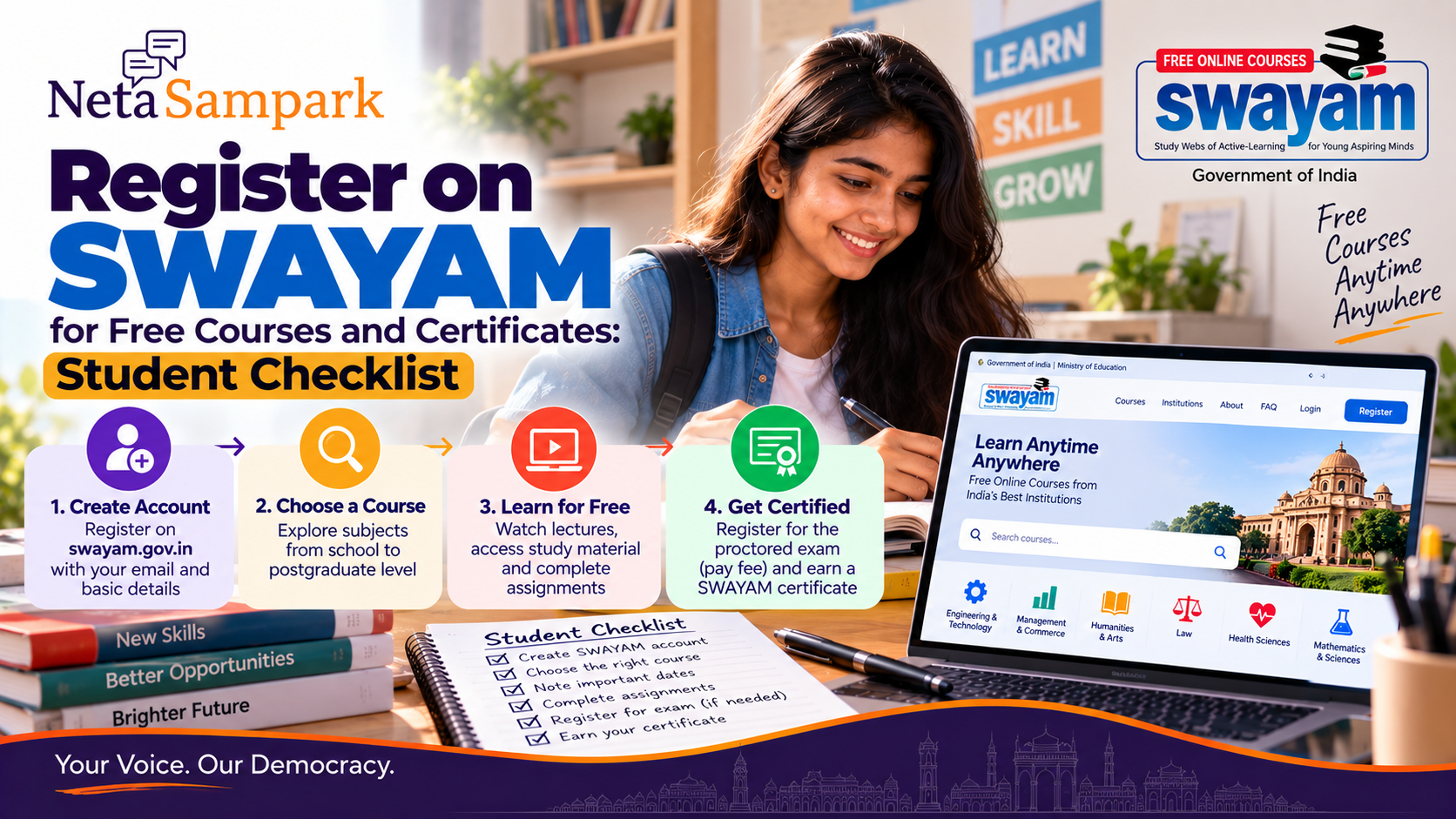
Quick take: SWAYAM is the Government of India's online learning platform offering courses from Class 9 through postgraduate level. Enrolling and learning are generally free. If you want a SWAYAM certificate, however, the course normally requires you to meet its stated eligibility/assessment criteria and register for a paid, in-person proctored final examination. The exact exam fee, dates and certification rules vary by course/national coordinator. (Swayam)
What SWAYAM actually gives you
SWAYAM courses are structured around four components:
- Video lectures
- Downloadable/printable reading material
- Self-assessment tests and quizzes
- Discussion forums for learner questions
The platform hosts courses from school level through postgraduate education and works with national coordinators including NPTEL, UGC, CEC, NCERT, NIOS, IGNOU, IIMB, NITTTR, AICTE and INIs. (Swayam)
Free course vs certificate
This is the distinction students most often miss.
Learning
Course enrolment + course content = generally free.
Certification
Certificate = additional requirements.
SWAYAM says learners seeking certification must register for the final proctored examination, which carries a fee and is conducted at designated centres on specified dates. The certificate is issued only if the learner meets the course's announced criteria. (Swayam)
So:
Free course ≠ automatically free certificate.
Step 1 — Create your SWAYAM account
Go to the official platform:
SWAYAM Student Registration
Choose Register as Student.
The official FAQ says your name and email ID are required for registration. SWAYAM also allows sign-in using Google or Microsoft accounts. (Swayam)
Registration checklist
☐ Use your own email address
☐ Enter your name carefully
☐ Use an active mobile number
☐ Complete account verification
☐ Save your login details
SWAYAM sends account-verification communication to the registered email address. (Swayam)
Step 2 — Find a course
Use All Courses or the search function.
You can search by:
- Keyword
- Subject
- Category
- University/institution
- National Coordinator
The current course catalogue includes areas such as:
Engineering & Technology
Management & Commerce
Humanities & Arts
Health Sciences
Law
Mathematics & Sciences
Architecture & Planning
and others. (Swayam)
Browse SWAYAM Courses
Step 3 — Read the course page before enrolling
Don't choose a course solely from its title.
Open the course page and check:
- Instructor/institution
- National Coordinator
- Course duration
- Start date
- Enrollment deadline
- Syllabus
- Eligibility
- Assignment requirements
- Exam date
- Certification requirements
- Credit information, if applicable
SWAYAM specifically advises learners to use the individual course page for the applicable eligibility and certification information. (Swayam)
Step 4 — Check eligibility
For ordinary SWAYAM online courses, there is generally no universal age or educational eligibility requirement.
However, an individual course may recommend prerequisite knowledge.
SWAYAM says the course page contains the applicable eligibility information. (Swayam)
So a Class 12 student can potentially take a university-level course, but should check whether the subject assumes prior knowledge.
Step 5 — Enrol
Once you've selected the course, choose the enrolment option shown on the course page.
After enrolment, you can access the course material according to the course schedule.
You can also enrol in multiple SWAYAM MOOCs after registering for an account. (Swayam)
Step 6 — Don't miss the course schedule
Scheduled courses have deadlines.
SWAYAM says that for a scheduled course, students cannot enrol after the course has started. Self-paced courses operate differently and do not have the same enrollment deadline. (Swayam)
Before enrolling, write down:
Course start date
Enrollment deadline
Assignment deadlines
Exam-registration deadline
Final exam date
Step 7 — Complete the weekly assignments
If you're aiming for certification, don't treat the videos as the whole course.
SWAYAM's certification guidance says learners need to submit weekly assignments, register/pay for the exam and then take the proctored examination; the precise pass criteria depend on the course. (Swayam)
Assignment deadlines appear on the individual assignment page.
Your submitted assignment scores can be viewed through the progress page after the applicable deadline. (Swayam)
Step 8 — Decide whether you need the certificate
Ask yourself:
Do I only want to learn this subject, or do I need formal certification?
If you only want knowledge
You can take the course without necessarily paying for the certification examination.
If you want the certificate
Check the course's certification requirements and exam timeline.
You will generally need to:
Enrol
↓
Complete required coursework/assignments
↓
Register for the proctored exam
↓
Pay the applicable examination fee
↓
Attend the designated exam centre
↓
Meet the course's pass criteria
↓
Receive the certificate
(Swayam)
The certificate exam is not a take-home exam
This is another important point.
SWAYAM says that certification examinations in India are conducted at designated examination centres, not from home.
The examination date and session shown on your hall ticket must be followed. (Swayam)
Exam fee: don't assume one price
There is no single universal SWAYAM certification fee.
The official FAQ tells learners to check the course page and the applicable National Coordinator's timelines and guidelines. (Swayam)
For example, the current NPTEL information lists an optional in-person proctored certification exam at ₹1,000 per course, while the IIM Bangalore coordinator page lists ₹750 per course for its certification exams. (Swayam)
So don't publish:
“SWAYAM certificate costs ₹X”
as a universal rule.
Check the particular course.
Exam registration
When exam registration opens:
- Open the applicable examination link.
- Select the course(s).
- Enter the required information.
- Upload the required photograph/signature where applicable.
- Select examination-city preferences.
- Pay the examination fee.
- Save the confirmation page.
The official FAQ says candidates should use their own email address, including the email used for SWAYAM registration. (Swayam)
Selecting an exam city
SWAYAM's exam FAQ says candidates can select three city choices in the examination application, subject to the available cities and allocation by the examination partner. (Swayam)
Choose carefully.
Once the admit card has been issued, the exam city generally cannot be changed. (Swayam)
Exam-day checklist
Carry:
☐ Printed admit card
☐ Original valid government photo ID
☐ Any other documents specifically required in your admit-card instructions
The SWAYAM FAQ lists acceptable photo IDs including Aadhaar, passport, driving licence, voter ID and certain education-related identity documents. A mobile-phone photograph or photocopy is not accepted as a substitute for the required original ID. (Swayam)
Don't carry prohibited electronic devices or other items listed in the exam instructions.
What if you miss the exam?
Don't assume there will be a second attempt that semester.
SWAYAM's FAQ states that candidates who cannot attend on the allotted date are not permitted to appear at another date/session, and a retest is not held for that missed examination. (Swayam)
So put the examination date in your calendar as soon as your hall ticket is issued.
Will a SWAYAM certificate give college credits?
Possibly, but don't assume it automatically will.
SWAYAM says UGC and AICTE have frameworks supporting credit transfer for eligible SWAYAM courses, but the student's college/university determines whether and how credits are accepted in the student's academic record. (Swayam)
Before enrolling for credit purposes, ask your college:
“Will you accept this specific SWAYAM course for credit, and how many credits will you recognise?”
Keep the answer/documentation.
Credit course vs self-paced course
This distinction is important.
Credit courses
These follow an academic curriculum and can have formal assessment and credit-transfer provisions.
No-credit/self-paced courses
SWAYAM's FAQ says self-paced non-credit courses do not issue a certificate for completion. (Swayam)
Therefore:
Self-paced + free ≠ automatically certificate-bearing.
Read the course page.
What if the course has already started?
For scheduled courses, SWAYAM says you cannot enrol after the course has started.
For self-paced courses, there is no equivalent deadline. (Swayam)
If you miss a scheduled course, search the catalogue later to see whether the course is offered again in another semester.
SWAYAM says courses are offered according to semester availability and not every course appears in every semester. (Swayam)
Downloading course material
Some course content can be downloaded, but this depends on whether the faculty has enabled download access. SWAYAM says an active internet connection is generally required to consume course content, with offline downloading available where enabled. (Swayam)
Questions for the professor
Each course has a Q&A/discussion facility.
You can post course-related questions there.
SWAYAM notes that this operates as an open forum, so remember that your question may be visible to other enrolled learners. (Swayam)
Don't confuse SWAYAM with a private MOOC site
SWAYAM is a Government of India initiative.
Courses are delivered through designated National Coordinators and participating institutions, including universities and national educational organisations. (Swayam)
That doesn't mean every certificate has identical recognition everywhere.
For a job, admission or credit requirement, check the receiving institution's rules.
Scam warning
Be particularly careful with messages saying:
“Pay ₹500 to activate your SWAYAM certificate.”
or
“Pay this UPI account for your self-paced course.”
AICTE has specifically warned about fraudulent communications impersonating SWAYAM course coordinators. It states that AICTE self-paced SWAYAM courses are completely free and do not charge examination or certification fees. (Swayam)
Never send your:
- Password
- OTP
- Banking credentials
- Card details
to someone claiming to be a SWAYAM coordinator.
Use the official SWAYAM domain and the contact details published by the relevant National Coordinator. (Swayam)
A student's 10-minute SWAYAM check
Before enrolling:
☐ Is this the correct course?
☐ Who is the instructor?
☐ Which National Coordinator offers it?
☐ When does it start?
☐ When does enrollment close?
☐ What assignments are required?
☐ Is certification available?
☐ What is the exam fee?
☐ When and where is the exam?
☐ Will my college/employer recognise it if I need formal recognition?
A good student workflow
Create SWAYAM account
↓
Search course
↓
Read complete course page
↓
Check dates + eligibility
↓
Enrol
↓
Watch lectures + read material
↓
Complete assignments
↓
Register for certification exam if needed
↓
Attend designated exam centre
↓
Meet course-specific pass criteria
↓
Receive certificate
How NetaSampark helps
SWAYAM makes a large range of government-supported online courses accessible in one place. The difficult part for students is often knowing which course to choose, whether certification costs money, which deadlines matter and whether the certificate will actually count for their intended purpose.
Use NetaSampark Explore Guides to understand the process before enrolling.
Be Informed. Be Heard.