
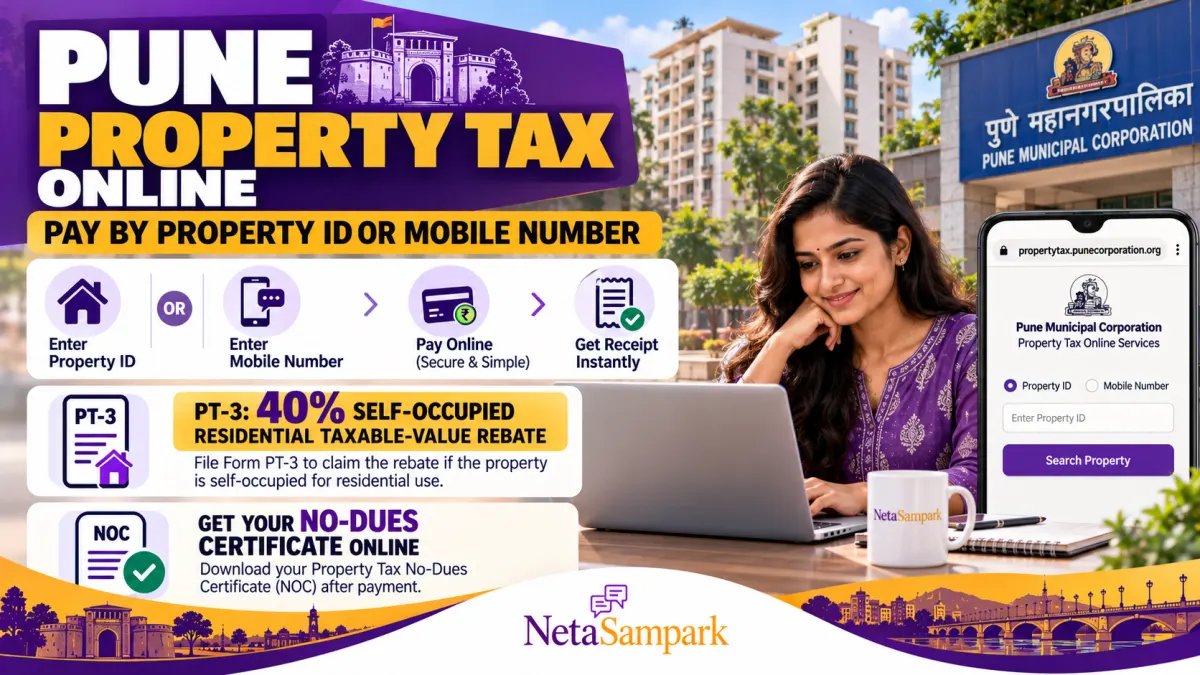
Pune Municipal Corporation (PMC) allows property owners to check their property tax dues, pay online, download payment receipts and obtain a property tax No-Dues Certificate (NOC) through its official property tax portal.
If you own a residential property in Pune and live in it yourself, you may also be eligible to claim a 40% rebate on the residential taxable value by submitting Form PT-3, subject to PMC's eligibility and verification requirements.
You do not necessarily need to remember your Property ID to begin: PMC's portal also provides a facility to search for and pay property tax using a registered mobile number.
This guide explains how to pay Pune property tax online, find your Property ID, apply for the self-occupied property rebate and obtain a No-Dues Certificate.
Official portal: Pune Municipal Corporation Property Tax Department
Pune Property Tax: Important Online Services
| Service | Official facility |
|---|---|
| Pay property tax | PMC Property Tax Portal |
| Search by Property ID | Available through the property search/payment service |
| Search by registered mobile number | Available through the mobile-number payment facility |
| Apply for 40% self-occupied rebate | Form PT-3 |
| Download payment receipt | Tax Receipt service |
| Obtain No-Dues Certificate | Online NOC service |
| Check property tax bill | Tax Bill service |
| Property tax help | propertytax@punecorporation.org |
PMC lists these services on its official Property Tax Department website. https://propertytax.punecorporation.org/
1 How to Pay Pune Property Tax Online Using Your Property ID
If you have your Property ID, the online payment process is straightforward.
Step 1: Open the official PMC property tax website
Visit propertytax.punecorporation.org.
Check that the address belongs to the official Pune Municipal Corporation property tax service before entering your details.
Step 2: Select the property search or online payment option
Choose the appropriate service to search for your property and view the outstanding tax amount.
Step 3: Enter your Property ID
Enter the Property ID exactly as it appears on your previous property tax bill or receipt.
Check the number carefully. An incorrect ID may return the wrong property or no results.
Step 4: Review the property details and outstanding dues
Confirm that the displayed property information matches your property. Check the bill, outstanding amount, applicable charges and payment details before proceeding.
If the amount appears incorrect or old arrears have not been updated, contact PMC's Property Tax Department before paying.
Step 5: Complete the online payment
Follow the payment gateway instructions and use one of the payment methods offered on the portal.
Wait for the transaction confirmation. Avoid closing the payment window while the transaction is being processed.
Step 6: Download your receipt
After successful payment, save the payment receipt and transaction reference. Keep a copy for your records and any future dispute about the payment.
Important: If money is debited but the portal does not show the payment as successful, do not immediately pay again. Check the transaction status and contact PMC using the official contact details.
2 Forgot Your Property ID? Pay Using Your Registered Mobile Number
PMC's official property tax portal lists a dedicated facility to search for and pay property tax using a registered mobile number.
This can be useful if you cannot find an old property tax bill or do not remember the Property ID.
How to use the mobile-number facility
- Visit the PMC Property Tax Portal.
- Select the option to pay property tax using a mobile number.
- Enter the registered mobile number requested by the portal.
- Complete any verification steps shown on the screen.
- Review the property or properties associated with the number.
- Select the correct property and check the outstanding tax.
- Proceed with payment if the details are correct.
- Save the payment confirmation and receipt.
The mobile-number facility depends on the details registered in PMC's records. If your number is not linked to the property, the search may not find it.
In that situation, look for the Property ID on an old bill or contact the Property Tax Department to confirm the property's registered details.
What if the property is registered under a previous owner's name?
If the property has been purchased recently, inherited or transferred but the municipal records still show the previous owner's details, the ownership record may need to be updated.
PMC lists a separate Title Transfer service on its property tax portal. Follow the applicable procedure and document requirements rather than assuming that paying the tax automatically updates the ownership record.
Official website: PMC Property Tax Department.
3 What Is Pune's 40% Self-Occupied Property Tax Rebate?
PMC provides a facility to apply for a 40% self-use rebate on the residential taxable value through Form PT-3.
The official form describes this as an application for a 40% rebate in the residential taxable value for a self-used property. It requires details such as the applicant's name, residential address, Property ID, mobile number, email address and the property being used for self-maintenance.
Does the 40% rebate mean your entire property tax bill falls by 40%?
Not necessarily.
The official Form PT-3 refers to a 40% concession in the residential taxable value. This is not the same as a promise that the final tax bill will always fall by exactly 40%.
Your final bill can depend on the property's assessment, applicable tax components, eligibility and the way PMC applies the rebate.
For example, if a property's residential taxable value is ₹10,000, a 40% rebate on that value would reduce the relevant taxable value by ₹4,000. This is an illustration of the rebate calculation, not a calculation of the final tax payable.
Who should consider applying?
You may consider Form PT-3 if:
- The property is residential.
- You use the property yourself as your residence.
- The property meets PMC's applicable conditions for the self-use rebate.
- You can provide the property and applicant details required by the form.
Do not assume that a property rented to tenants or used for commercial purposes qualifies for the self-occupied concession. Confirm eligibility with PMC if your property has mixed use, multiple units or a change in occupancy.
4 How to Apply for the 40% Rebate Using Form PT-3
PMC provides an official English-language PT-3 form for the self-use rebate.
Download Form PT-3: Official PMC Form PT-3 (English PDF).
Step 1: Download the official form
Open the PT-3 PDF from the PMC property tax website. Use the current official form rather than a third-party template.
Step 2: Enter your personal details
Fill in the requested details, including:
- Applicant's name.
- Residential address.
- Age and other requested particulars.
- Mobile number.
- Email address.
Make sure the information matches the supporting documents and municipal records as far as applicable.
Step 3: Enter the Property ID and property details
Provide your Property ID and the requested address details, such as the locality, house or flat number, building or society name and other identifiers applicable to the property.
Step 4: Declare self-occupation
The form asks the applicant to declare that the property is being used for self-maintenance and to specify the relevant date.
Complete this declaration accurately. Do not claim self-occupation if the property does not meet the applicable conditions.
Step 5: Attach the required documents
The official PT-3 form lists the following supporting documents:
- Current-year property tax bill.
- Property tax No-Dues Certificate.
PMC may require further information or verification depending on the application and property records. Check the latest instructions before submitting.
Step 6: Submit the application through the prescribed channel
The form contains sections for the receiving regional office and municipal processing. Follow the submission instructions provided by PMC and confirm whether the application should be submitted at the relevant ward or regional office.
Keep a copy of the completed form and any acknowledgement or inward number provided to you.
Step 7: Track the application and verify the revised assessment
After submitting Form PT-3, check the application status through the prescribed PMC channel or contact the relevant property tax office.
Once the rebate is approved and applied, review your property tax bill to confirm that the assessment reflects the concession.
Do not assume the rebate has been applied merely because you submitted the form. Verify the status and the revised bill.
5 How to Get a Pune Property Tax No-Dues Certificate Online
A Property Tax No-Dues Certificate confirms that the municipal property tax account has no outstanding dues as reflected in the issuing authority's records at the time of issuance.
PMC lists an online NOC facility on its official property tax website.
Steps to obtain the certificate
- Open the PMC Property Tax Portal.
- Select the Get NOC or No-Dues Certificate service.
- Enter the Property ID or other details requested by the portal.
- Check whether the property has any outstanding tax, penalty or other dues.
- If dues remain, follow the official process to clear them.
- After payment is reflected in the municipal account, follow the NOC application instructions.
- Download and save the certificate if it is issued online.
PMC describes the online NOC facility as a service through which the certificate can be delivered to the applicant's inbox. The exact steps may depend on the portal's current workflow.
What if the NOC option is unavailable?
If you cannot generate the certificate online, contact the Property Tax Department or the relevant ward office.
The department's older FAQ describes an offline process involving payment of a certificate fee after full payment of property tax. Because the online service and procedures may change, confirm any applicable fee and processing time with PMC before visiting an office.
When might you need a No-Dues Certificate?
A property tax NOC may be requested during:
- Property sale or transfer.
- Certain property-related administrative procedures.
- Verification of outstanding municipal dues.
- Other transactions for which the receiving authority requires proof of tax clearance.
The exact document requirements depend on the transaction and the authority requesting the certificate. A property tax NOC should not be treated as a substitute for a title document or a legal ownership certificate.
6 How to Download a Pune Property Tax Receipt
A payment receipt is important proof that you have paid your property tax.
PMC provides a separate Tax Receipt facility on its official portal.
Steps
- Visit the PMC Property Tax Portal.
- Open the Tax Receipt service.
- Enter the Property ID and any other details requested.
- View the property's paid details or payment history.
- Select the relevant payment or challan reference.
- Use the available print or download option to save the receipt.
Keep the receipt with your property documents. It can help if you need to resolve a payment-status issue, verify historical payments or provide evidence to a bank or another authority.
If your payment is missing from the history, retain your bank transaction reference and contact PMC's official property tax support team.
7 What to Do If Your Property Tax Payment or Rebate Is Not Updated
Online payments and assessment changes may not always appear immediately. If the portal does not reflect your payment or rebate, take the following steps.
If your payment is missing
- Check the bank or payment gateway transaction status.
- Save the transaction ID, date, amount and payment reference.
- Check the property tax portal again before making another payment.
- Email the Property Tax Department with the requested details.
If your PT-3 rebate is missing
- Keep your submitted PT-3 form and acknowledgement.
- Confirm that the required supporting documents were accepted.
- Contact the relevant regional or ward property tax office.
- Ask whether the application is pending, rejected or approved but not yet reflected in the bill.
Official contact
Email: propertytax@punecorporation.org
The email address is listed in PMC's property tax FAQ for payment-related queries. Include your Property ID, name, payment date, amount, bank reference number and a contact number when relevant. Avoid sending passwords, OTPs or unnecessary sensitive financial information.
For official information, use the PMC Property Tax Department website.
8 Common Mistakes to Avoid
Using an unofficial payment website
Start from the official PMC property tax portal. Avoid links received from unknown messages or websites that ask you to pay additional service charges without a clear official basis.
Entering the wrong Property ID
Compare the number with the property tax bill before making payment. If multiple properties appear, confirm the address and account details.
Assuming the 40% rebate applies automatically
Form PT-3 is an application for the self-use rebate. Submit the required information and verify that the concession has actually been approved and applied.
Treating the rebate as a guaranteed 40% reduction in the final bill
The official form describes the concession as 40% of the residential taxable value. The final tax impact depends on the applicable assessment and tax calculation.
Applying for an NOC before dues are cleared
Check the outstanding amount first. If the account shows unpaid tax, resolve the dues through the official process and then follow the NOC instructions.
Paying twice when a transaction is pending
If money has been debited but the portal does not confirm payment, check the transaction status and contact PMC before attempting another payment.
Frequently Asked Questions (FAQs)
1. Where can I pay Pune property tax online?
Use the official Pune Municipal Corporation Property Tax Portal. Search for your property, check the amount due and complete the payment through the available payment gateway.
2. Can I pay Pune property tax without a Property ID?
PMC lists a facility to search for and pay property tax using a registered mobile number. If your number is not linked to the property, you may need the Property ID or assistance from the Property Tax Department.
3. What is Form PT-3?
Form PT-3 is PMC's application for a 40% self-use rebate on the residential taxable value of an eligible self-occupied property.
4. Is the 40% rebate applicable to rented properties?
Do not assume that a rented property qualifies. The concession is for eligible self-used residential property. Check the official PT-3 form and PMC's applicable conditions for your circumstances.
5. Does the PT-3 rebate reduce the final property tax bill by 40%?
Not necessarily. The form specifies a rebate on the residential taxable value, which is not the same as a guaranteed 40% reduction in the final tax payable.
6. What documents are required for Form PT-3?
The official form lists the current-year property tax bill and the property tax No-Dues Certificate. Check PMC's latest instructions for any additional documentation or submission requirements.
7. Can I get a Pune property tax NOC online?
Yes. PMC lists an online Get NOC facility on its property tax website. Check the property's dues and follow the portal's instructions to obtain the certificate.
8. How can I download my Pune property tax receipt?
Open the Tax Receipt service on the PMC portal, enter the required property details and select the relevant payment record to access the available receipt.
9. What should I do if my online payment is not updated?
Save your bank transaction reference and payment details, check the status before paying again and contact PMC at propertytax@punecorporation.org for assistance.
10. Is Pune property tax the same as PCMC property tax?
No. Pune Municipal Corporation (PMC) and Pimpri-Chinchwad Municipal Corporation (PCMC) are separate municipal authorities with separate property tax services. Confirm which corporation covers your property before paying.
Official Links and Sources
- PMC Property Tax Portal: propertytax.punecorporation.org
- Form PT-3 — 40% self-use rebate: Download the official English PDF
- PMC Property Tax FAQ: Official FAQ
- PMC Property Tax Services: Official services page
- Government Services Portal — PMC property tax dues: services.india.gov.in
- Property tax helpdesk: propertytax@punecorporation.org
Conclusion
Pune residents can use PMC's official property tax portal to search for their property by Property ID or registered mobile number, pay outstanding dues, download receipts and apply for a No-Dues Certificate.
Eligible owners of self-occupied residential properties can also apply for the 40% residential taxable-value rebate using Form PT-3. Since the concession is subject to eligibility and verification, keep the required documents ready and check that the revised assessment appears in your property tax account.
Before paying or submitting a rebate application, always verify the property details and follow the latest instructions on the official PMC portal.