
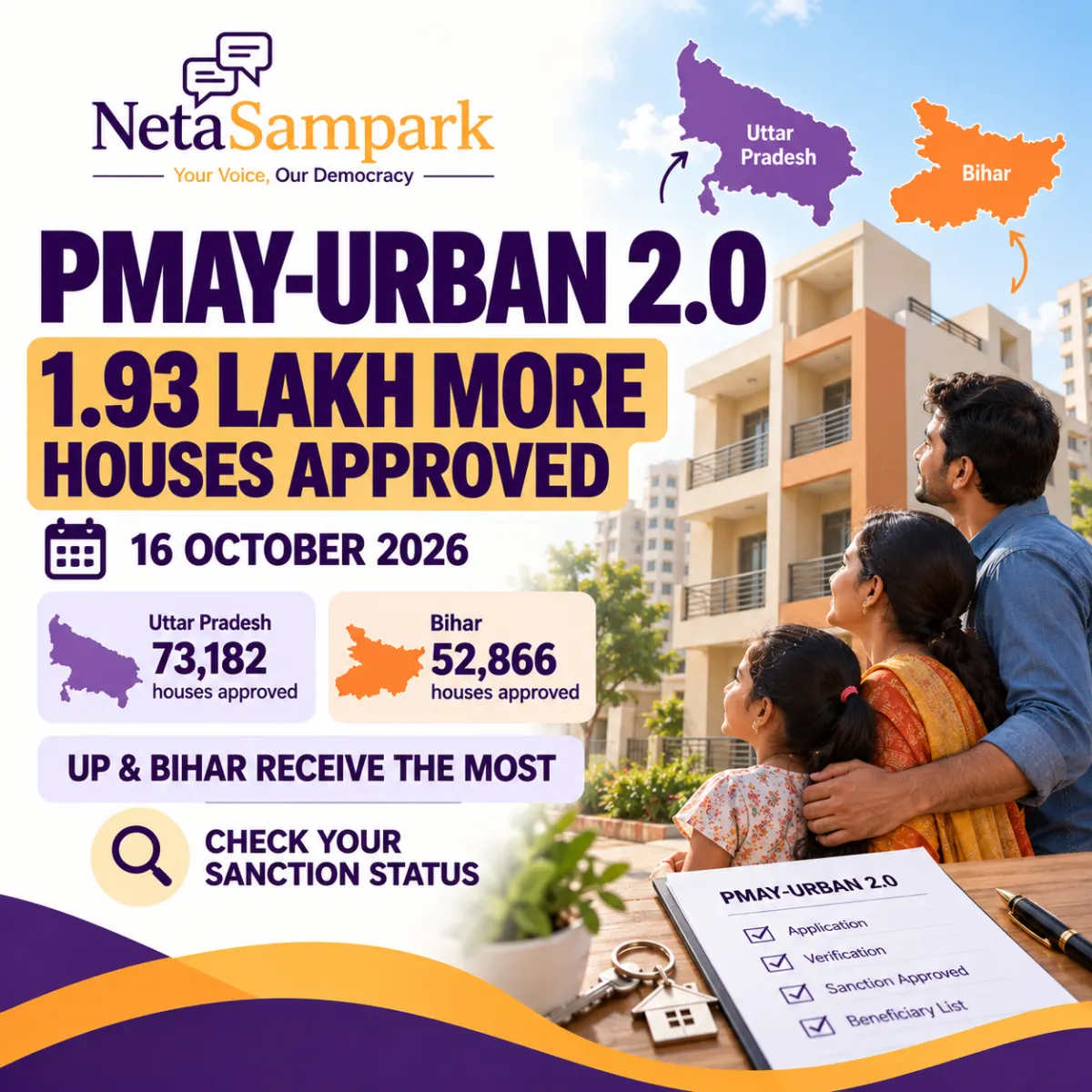
The Union government has approved more than 1.93 lakh additional houses under Pradhan Mantri Awas Yojana–Urban 2.0 (PMAY-U 2.0), bringing the total number of houses sanctioned under the mission to 20.80 lakh.
The announcement was made on 16 October 2026 following the 10th meeting of the Central Sanctioning and Monitoring Committee (CSMC), chaired by the Ministry of Housing and Urban Affairs.
Uttar Pradesh received the largest allocation in this round, followed by Bihar. But if you have applied for a house under PMAY-U 2.0, the question is more personal: Has your application been approved, and how can you verify your sanction status?
This guide explains the latest approvals, the different types of assistance available, how to check your application online and what to do if your status is unclear.
1 PMAY-U 2.0: What was approved on 16 October 2026?
According to the Ministry of Housing and Urban Affairs' announcement published by the Press Information Bureau, the committee approved 1.93 lakh additional houses under the Beneficiary Led Construction (BLC) and Affordable Housing in Partnership (AHP) components of PMAY-U 2.0.
The approvals covered 11 states.
State-wise approvals in the latest round
| State | Houses approved |
|---|---|
| Uttar Pradesh | 73,182 |
| Bihar | 52,866 |
| Telangana | 18,120 |
| West Bengal | 16,559 |
| Gujarat | 14,290 |
| Andhra Pradesh | 6,560 |
| Chhattisgarh | 4,670 |
| Odisha | 3,126 |
| Karnataka | 3,116 |
| Mizoram | 1,003 |
| Sikkim | 29 |
| Total | 1,93,521 |
Source: Ministry of Housing and Urban Affairs, PIB announcement dated 16 October 2026.
The state figures show that Uttar Pradesh and Bihar together accounted for 1,26,048 approvals in this round.
Following these approvals, the total number of houses sanctioned under PMAY-U 2.0 reached 20.80 lakh. This is the cumulative figure for the scheme, not the number of houses approved on 16 October alone.
Official announcement: Read the PIB release.
2 Does this mean your PMAY-U 2.0 application is approved?
Not necessarily.
The government’s announcement concerns approvals made under the scheme. It does not mean every person who has applied—or every person whose name appears in a preliminary survey—has received an individual sanction.
These are different stages:
- Application submitted: Your application has been entered into the system.
- Under verification: The authorities are checking your information and eligibility.
- Beneficiary or project approved: The relevant authority has approved the beneficiary or housing project, as applicable.
- Sanctioned: The applicable approval has been recorded under the scheme.
- Assistance released: Funds or eligible financial assistance have been released through the applicable process.
- House completed or allotted: The construction or allotment process has reached the relevant stage.
Portal terminology and workflows can vary by component. Do not assume that an application reference, survey entry or preliminary list automatically establishes an individual sanction.
The most reliable approach is to check the official PMAY-U 2.0 portal and, if necessary, confirm the result with your municipality or other responsible authority.
3 How to check your PMAY-U 2.0 application status online
Start with the official PMAY-Urban 2.0 portal:
Open the PMAY-U 2.0 official portal
The portal provides citizen services, including options related to beneficiary searches and assessment tracking. Menu labels may change as the portal is updated.
Method 1: Track your assessment status
- Open the official PMAY-U 2.0 portal.
- Look for Citizen Assessment or Track Your Assessment Status.
- Select the status-tracking option available for your application.
- Enter the assessment ID or other requested details.
- Complete any verification step shown on the portal.
- Review the displayed status and save or print the result if the option is available.
If you do not have your assessment ID, check your application acknowledgement, SMS messages, email or documents received when applying.
Do not share your Aadhaar number, OTP or other sensitive information with unofficial websites or agents who claim they can retrieve your status.
Method 2: Search for a beneficiary by name
The official portal also lists a Search Beneficiary section, including a search-by-name option.
- Open the PMAY-U 2.0 portal.
- Find the beneficiary search section.
- Select the search option available to citizens.
- Enter the requested name or identifying details.
- Check whether the result corresponds to your application and location.
A name match alone may not be conclusive, particularly if several applicants have similar names. Verify the application details and confirm with the responsible authority if the result is ambiguous.
Method 3: Check with your municipality or urban local body
If the online status is unavailable, incomplete or unclear, approach the urban local body (ULB) or municipal office responsible for your application.
Carry or retain the following details:
- Application or assessment ID.
- Applicant’s name and registered mobile number.
- Address and ward or locality.
- Application acknowledgement or receipt.
- Any message indicating that the application has been verified or approved.
Ask whether the application is pending verification, included in an approved beneficiary list, sanctioned under the relevant component, or awaiting a subsequent administrative step.
You can also use the portal’s official support or FAQ section to find the appropriate channel for your application.
4 What do the different PMAY-U 2.0 components mean?
PMAY-U 2.0 offers assistance through four components. Understanding which component you applied under will help you interpret your status.
A. Beneficiary Led Construction (BLC)
This component supports eligible families constructing a pucca house on their own land, subject to the scheme’s conditions.
If you applied under BLC, ask whether your application and proposed construction have been verified and whether the beneficiary and project have received the necessary approvals.
B. Affordable Housing in Partnership (AHP)
This component supports eligible beneficiaries purchasing homes in approved public or private affordable-housing projects.
If you applied under AHP, check both your beneficiary status and the status of the relevant housing project or allotment. A project’s approval does not automatically establish that every interested applicant has been allotted a unit.
C. Affordable Rental Housing (ARH)
This component is intended to provide affordable rental housing for eligible urban residents who need rental accommodation.
It follows a different process from beneficiary-led house construction or the purchase of an individual home. Confirm the availability, eligibility conditions and application process with the relevant implementing agency.
D. Interest Subsidy Scheme (ISS)
This component provides eligible households with an interest subsidy on qualifying housing loans, subject to the scheme’s conditions.
If you applied under ISS, check the application and subsidy status through the relevant official process and your participating lending institution. A housing sanction under BLC or AHP is not the same as an ISS subsidy approval.
Official information: PMAY-U 2.0 portal.
5 Who can qualify for PMAY-U 2.0?
PMAY-U 2.0 is intended to support eligible urban families in the Economically Weaker Section (EWS), Low Income Group (LIG) and Middle Income Group (MIG).
The scheme’s published framework uses the following annual household income categories:
| Category | Annual household income |
|---|---|
| EWS | Up to ₹3 lakh |
| LIG | Above ₹3 lakh and up to ₹6 lakh |
| MIG | Above ₹6 lakh and up to ₹9 lakh |
Income classification is only one part of eligibility. Applicants must also satisfy the applicable housing, location and other conditions under the relevant scheme component.
The official scheme information states that eligible families must not own a pucca house anywhere in India in the name of the applicant or any family member. Previous assistance under a government housing scheme can also affect eligibility; the official portal describes a restriction relating to benefits received from central, state or local government housing schemes in the preceding 20 years.
Additional conditions and documentary requirements may differ according to the component and circumstances. Review the current official guidelines rather than relying solely on an informal eligibility checklist.
Official reference: PMAY-U 2.0 portal and scheme information.
6 How much financial assistance can you receive?
PMAY-U 2.0 aims to provide financial assistance of up to ₹2.50 lakh per eligible family under the scheme framework, subject to the applicable component, funding pattern and eligibility conditions.
The type of support matters:
- BLC: Assistance for eligible construction on the beneficiary’s own land.
- AHP: Assistance linked to eligible affordable housing projects and beneficiaries.
- ARH: Affordable rental housing rather than a direct house-purchase benefit.
- ISS: Interest subsidy for eligible housing loans, subject to the scheme’s terms.
The amount, release schedule and required beneficiary contribution can differ. Do not assume that the maximum assistance is guaranteed to every applicant or that approval means the full amount has already been credited.
For ISS, the Ministry’s announcement describes an interest subsidy of up to ₹1.80 lakh for eligible EWS, LIG and MIG households with qualifying housing loans, subject to scheme conditions.
7 What if your application is pending or your name is missing?
If you applied but cannot find your name or status, take these steps in order.
Step 1: Confirm your application details. Check the acknowledgement, assessment ID and registered mobile number. Correctly distinguish your application from other records with similar names.
Step 2: Ask whether verification is complete. Contact the authority responsible for your application and ask whether any document, inspection or eligibility check remains outstanding.
Step 3: Confirm the relevant component. Make sure your application is being processed under the correct component—BLC, AHP, ARH or ISS.
Step 4: Request written clarification. If the status remains unclear, submit a written enquiry to the responsible municipality or implementing agency. Keep a copy and obtain an acknowledgement.
Step 5: Escalate through official channels. If there is an unresolved delay or an apparent error, use the official support or grievance mechanism listed by the scheme or your urban local body.
A missing online entry does not, by itself, establish rejection. It also does not prove that the application has been sanctioned. Obtain confirmation from the responsible authority.
8 Beware of fake PMAY approval messages
When a major housing approval is announced, fraudulent messages and websites may claim to offer guaranteed sanction, faster processing or immediate release of assistance.
Keep these precautions in mind:
- Use the official government portal rather than links sent by unknown agents.
- Do not pay an unofficial fee to “unlock” a sanction or release a subsidy.
- Never disclose an OTP or banking credentials to someone promising approval.
- Verify any beneficiary list or sanction letter with the relevant government authority.
- Do not assume that a viral social-media list is the final approved beneficiary list.
If someone claims your house has been sanctioned, ask for the official application or sanction reference and verify it independently.
9 Frequently asked questions
How many houses were approved under PMAY-U 2.0 on 16 October 2026?
The Centre announced 1,93,521 additional approvals in 11 states. The cumulative number of houses sanctioned under PMAY-U 2.0 reached 20.80 lakh.
Which state received the most houses in the latest round?
Uttar Pradesh received 73,182 approvals, followed by Bihar with 52,866.
Where can I check whether my PMAY-U 2.0 application is sanctioned?
Start at the official PMAY-U 2.0 portal. Look for beneficiary search or assessment-status tracking. If you cannot confirm the result online, contact the responsible urban local body.
Does the announcement mean that all pending applicants have been approved?
No. The announcement concerns additional houses approved under the scheme. Individual applications must still be checked against the relevant beneficiary and project records.
Is PMAY-U 2.0 only for people who want to construct a house?
No. The scheme has four components: BLC, AHP, ARH and ISS. The relevant conditions and process depend on whether the applicant seeks construction support, affordable housing, rental accommodation or an eligible housing-loan interest subsidy.
What should I do if my application is not showing online?
Check your application reference and contact the authority handling your application. Ask whether verification is pending, whether the application was included in an approved list, or whether any additional documents are required.
Conclusion
The approval of 1.93 lakh additional houses on 16 October 2026 is a significant development under PMAY-U 2.0, with Uttar Pradesh and Bihar receiving the largest numbers in this round.
However, a national or state-level announcement is not a substitute for checking your individual application. Use the official portal, verify your assessment or beneficiary details and contact your urban local body if the result is unclear.
Your next step: Visit the official PMAY-U 2.0 portal and check your application status.
About NetaSampark
NetaSampark helps citizens understand government schemes, public services and civic processes through practical, accessible guides.
Explore more resources at NetaSampark.com.