
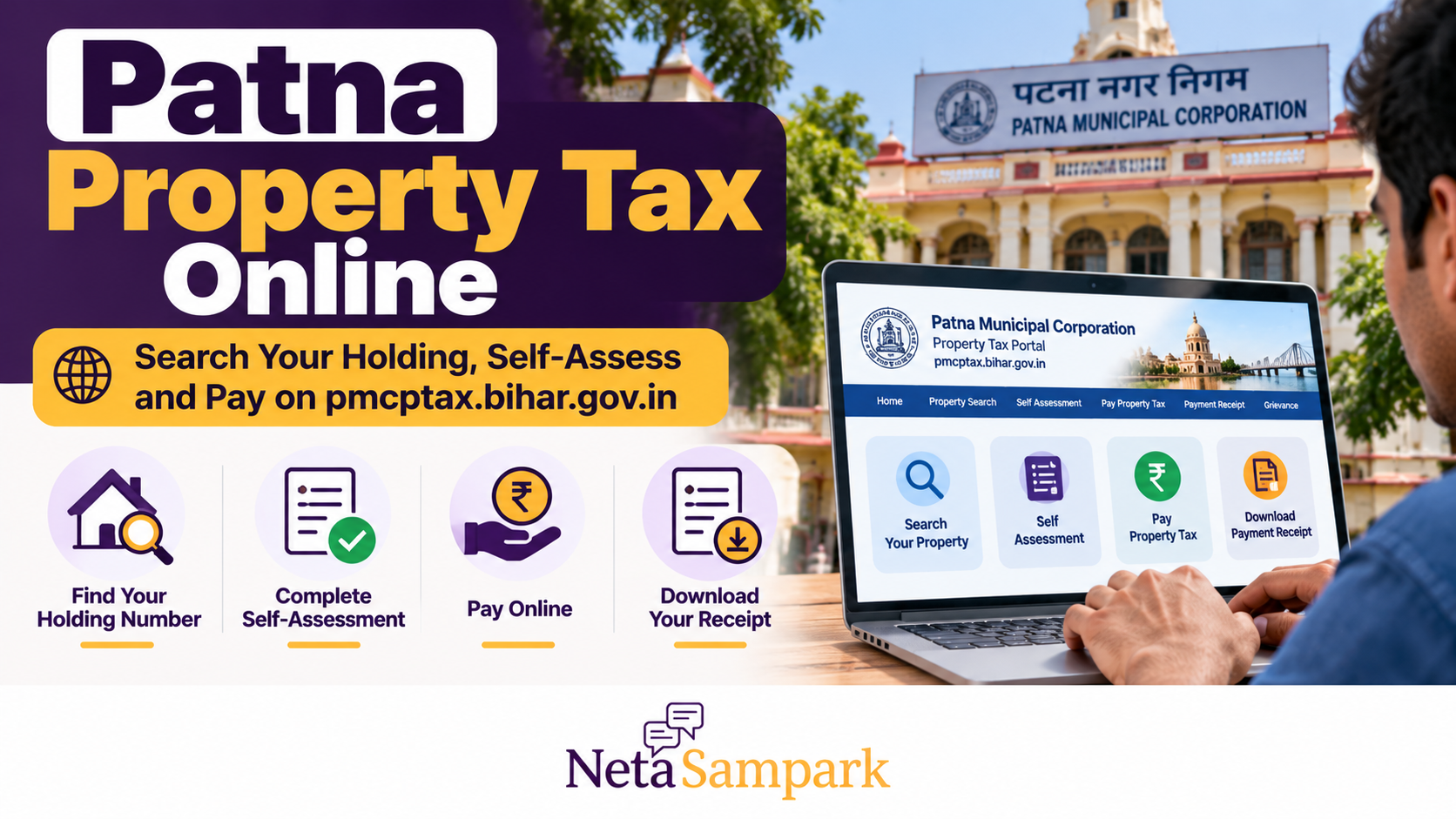
Patna Property Tax Online: Search Your Holding, Self-Assess and Pay on pmcptax.bihar.gov.in
Own a house, flat, shop or other property within Patna Municipal Corporation (PMC)? You can use the corporation’s official property-tax portal to search your holding, view assessment details, check outstanding dues, complete self-assessment and pay property tax online.
The official portal is pmcptax.bihar.gov.in. It provides services including property search, new assessment, self-assessment, payment details and receipt printing.
PMC has also published notices concerning changes to property-tax assessment, including a 15% increase in annual rental value (ARV) for properties within its jurisdiction. Property owners should check the current assessment and demand shown against their own holding rather than assuming that every property will have the same tax increase.
This guide explains how to find your holding number, complete self-assessment, pay online, download your receipt and resolve common problems.
What Is Property Holding Tax in Patna?
Property or holding tax is a municipal tax payable on properties within the jurisdiction of Patna Municipal Corporation, subject to applicable assessment rules.
The tax helps fund municipal services and infrastructure. PMC administers property-tax assessment and collection under the applicable Bihar municipal laws and rules.
The amount payable depends on factors such as the property's assessed characteristics, use, occupancy, location and applicable valuation rules.
The municipal corporation provides online services for:
- Searching an existing property or holding.
- Viewing assessment details.
- Applying for a new assessment.
- Completing self-assessment.
- Checking payment history.
- Paying outstanding property tax.
- Printing payment receipts.
You can access these services through the official PMC property-tax portal.
Documents and Details to Keep Ready
Before starting, gather the information relevant to your property.
For an existing holding, you may need:
- Current or previous holding number.
- Old Property Identification Number (PID), if available.
- Previous property-tax receipt.
- Property owner's name.
- Ward number and municipal circle.
- Registered mobile number, where requested.
For a new assessment, PMC's published guidance identifies documents such as:
- PAN or Aadhaar for identity verification, as applicable.
- Electricity bill or other relevant address evidence.
- Sale deed or other property documents.
- Property measurements and details of the building.
- Other information requested by the assessment process.
Requirements may differ according to the property and application type. Check the current portal instructions before submitting documents.
How to Search Your Property or Holding Number Online
If you have misplaced your holding number, start with the property-search facility.
Step 1: Open the official website
Visit PMC Property Tax.
On the home page, look under Property / Holding Tax for the Search Property option.
Step 2: Select a search method
PMC's search page allows users to search using available property identifiers and other details, including:
- Property number or old PID.
- SAS number.
- New or old holding number.
- Circle name.
- Ward number.
- Owner name.
The exact fields displayed may vary by search page.
Open the official Search Property page.
Step 3: Enter the available information
Enter the details you know. If you do not have the holding number, try the owner's name, ward, circle or another available identifier.
Check spelling and numeric details carefully. If a name-based search returns several results, compare the property location and other available details before selecting a record.
Step 4: Review the property details
Once you find a matching record, verify the owner's name, property location, holding number and assessment details.
If the information does not match your property, do not proceed with payment until you have clarified the discrepancy with PMC.
What if your property does not appear?
Try another available search parameter, such as an old holding number or PID. You can also check an earlier tax receipt or contact PMC for assistance.
A missing search result does not automatically mean that the property is exempt from tax or that no assessment is required.
How to Complete Property Tax Self-Assessment
Self-assessment allows the property owner to provide the information used to calculate the applicable tax.
The official portal provides a Self Assessment option. The process and fields can vary depending on whether you are registering a new property or updating an existing record.
Step 1: Open Self Assessment
Visit the PMC property-tax portal and select Self Assessment.
Follow the instructions displayed for your property and application type.
Step 2: Enter the property information
Provide the details requested by the form. These may include:
- Property address and ward.
- Owner information.
- Property use, such as residential or commercial.
- Built-up area and other required measurements.
- Occupancy details.
- Construction or property-type information.
Use accurate measurements and details. Do not classify a commercial property as residential or omit additional construction simply to reduce the tax amount.
Step 3: Review the assessment inputs
Before submitting, verify the property area, use, occupancy and other details.
PMC's published assessment guidance explains that tax calculations can depend on carpet area, occupancy factors and the applicable annual rental value associated with the road classification and property type.
If you are unsure how to measure the property or select a classification, contact the corporation before submitting the form.
Step 4: Submit and follow the portal's instructions
Submit the form and complete any verification or confirmation steps requested.
Save the application or acknowledgement details. If the portal asks for supporting documents or further verification, follow those instructions.
Step 5: Check the assessment and demand
Review the assessment result and the tax demand generated for your property. If anything appears incorrect, seek clarification before paying.
Self-assessment is not the same as a guarantee that the corporation has approved every detail. PMC may verify property information and take action if the declared details differ from the actual property.
For official assessment information, see PMC's Property Tax Assessment and Collection page.
How to Pay Patna Property Tax Online
Once you have identified the correct holding and checked the demand, you can proceed to payment.
Step 1: Open Pay Property Tax
Visit the official PMC property-tax portal.
Choose Pay Property Tax (Online) from the property-tax menu.
Step 2: Search for your holding
Enter the holding number or other information requested by the payment page.
Confirm that the displayed property corresponds to your own property.
Step 3: Check the outstanding demand
Review the amount payable, including any outstanding dues, interest or other charges shown by the system.
If the amount is different from your previous receipt, check whether the assessment, annual demand or property details have changed.
Step 4: Complete the payment
Follow the payment gateway's instructions and select one of the available payment methods.
PMC's official information also states that property tax can be paid through supported Bharat Bill Payment System channels, including participating services such as GPay, PhonePe and Paytm. Availability depends on the channel and property details.
Use only a payment option you can verify as an official or supported route.
Step 5: Save the transaction details
After payment, save the transaction reference and wait for confirmation.
Do not assume that a payment has succeeded merely because money was deducted from your bank account. Check the transaction status and the PMC payment record.
How to Download or Print Your Property Tax Receipt
Your receipt is important proof of payment. Keep it for future tax checks, property transactions and municipal correspondence.
After payment:
- Return to the PMC property-tax portal.
- Open the receipt-printing or payment-details option.
- Enter the holding or property identifier requested.
- Retrieve the relevant payment record.
- Download or print the receipt, if available.
- Check the payment amount, date, holding details and transaction reference.
You can also access the official PMC receipt-search page.
Keep an electronic copy in a secure location. If the payment is not reflected immediately, retain the bank or payment-app reference and follow up with PMC.
Patna Property Tax: Important Assessment and Payment Rules
1. Check the current assessment, not just last year's amount
PMC's portal displays a notice concerning a 15% increase in annual rental value (ARV) for properties within its jurisdiction, following approval by the Bihar government.
ARV is an input used in the assessment process; it is not necessarily the same as the final amount payable by every property owner. Your final tax demand depends on the applicable assessment rules and the characteristics of your property.
Check your own holding details and current demand rather than calculating the increase by simply adding 15% to last year's bill.
2. Understand the annual payment deadline
The Bihar Property Tax (Assessment, Collection and Recovery) Rules, 2013 provide for property-tax self-assessment and payment. The rules also state that after 30 September of a financial year, penal interest at 1.5% per month is applicable to unpaid tax, subject to the applicable provisions and any valid relief or waiver.
As the current date is October 2026, property owners with unpaid dues should check their outstanding demand promptly.
The amount shown by the official portal and any applicable government notifications should be checked before payment. Do not assume that every property has identical dues or that a general exemption applies to your holding.
You can consult the Bihar Property Tax Rules, 2013.
3. Declare changes to your property
If you have added a floor, extended the built-up area or changed the use of your property, you should notify PMC through the applicable assessment or correction process.
PMC's published guidance warns that differences between declared and actual construction or property use may lead to reassessment and recovery of the tax difference, along with applicable additional charges or penalties.
Common Problems and How to Resolve Them
I cannot find my holding number
Try the old holding number, PID, SAS number, owner's name, ward or circle using the official search page.
If you still cannot find the property, contact PMC or visit the appropriate municipal circle with an earlier tax receipt and property documents.
My property details are incorrect
Do not pay against a record that appears to belong to another property or contains material errors.
Keep a screenshot of the incorrect information and approach the appropriate PMC office to request verification or correction. Ask for an acknowledgement of your request.
The tax amount is higher than expected
Compare the current demand with the previous receipt and check the assessment details, property classification, road category, occupancy and any applicable revised valuation.
If the discrepancy remains unexplained, contact PMC before submitting a payment you believe is incorrect.
Money was deducted but the receipt is missing
Save the payment gateway reference, bank transaction ID and date.
Check the payment-details page before attempting another payment. If the transaction remains unresolved, contact PMC and the payment provider. Avoid making a second payment until you have checked whether the first transaction succeeded.
The portal is not working
Try again later or use the official PMC website to access the property-tax services. You can also contact the municipal helpline for assistance.
PMC lists 155304 as its citizen-service helpline.
Where to Get Help
If you cannot complete the process online, use the official contact information published by Patna Municipal Corporation.
Patna Municipal Corporation
- Official property-tax portal: https://pmcptax.bihar.gov.in/pmc/public/index.html
- Main PMC website: https://www.pmc.bihar.gov.in/
- Citizen helpline: 155304
- Office address: Second Floor, Block-C, Maurya Lok Complex, Budhha Marg, Patna, Bihar – 800001
- Telephone: 0612-2223791
- Email: patnamc-bih@gov.in
For assessment, ownership-record or payment disputes, explain the issue clearly and provide the relevant holding number, payment reference or previous receipt. Keep copies of all correspondence and acknowledgement numbers.
Frequently Asked Questions
Can I pay Patna property tax without knowing my holding number?
You can try the official property-search service using other available identifiers, including the old PID, SAS number, owner name, ward or circle. If you cannot locate the property, contact PMC for assistance.
Can I complete self-assessment online?
PMC provides a Self Assessment option on its property-tax portal. Follow the current form instructions and supply accurate property details and any required documents.
Can I pay property tax through UPI?
PMC's official website states that online payment is available and also identifies supported Bharat Bill Payment System channels. Check the payment options displayed by the official portal or supported service before proceeding.
How do I prove that I paid?
Download or print the official PMC payment receipt and retain the transaction reference. If the payment is not reflected in the municipal record, follow up with PMC using your payment details.
What should I do if the demand is wrong?
Check the holding information and assessment calculation. If the discrepancy remains, approach PMC for verification or correction and keep a written acknowledgement. Do not alter or omit property information to reduce the tax.
Does the 15% ARV increase mean my final tax will rise by exactly 15%?
Not necessarily. ARV is an assessment input, and the final demand depends on the applicable rules and property-specific details. Check the current assessment for your holding.
Final Checklist Before You Pay
Before completing your Patna property-tax payment, make sure you have:
- Located the correct holding or property record.
- Verified the owner's name and property details.
- Reviewed the current assessment and outstanding demand.
- Checked any applicable revised valuation or additional charges.
- Completed any required self-assessment or correction.
- Saved the payment reference and downloaded the official receipt.
The safest approach is to use PMC's official portal, verify the holding before paying and keep a record of every transaction. If the property details or demand appear incorrect, seek clarification from the municipal corporation rather than paying against an unverified record.
Official links
- PMC property-tax portal: https://pmcptax.bihar.gov.in/pmc/public/index.html
- Search property: https://pmcptax.bihar.gov.in/pmc/public/property/search_property.html
- Search payment receipt: https://pmcptax.bihar.gov.in/pmc/public/property/search_reciept.html
- PMC assessment and collection information: https://www.pmc.bihar.gov.in/ptaxAssessment.aspx
- Bihar Property Tax Rules, 2013: https://pmc.bihar.gov.in/PTax/Documents/Bihar%20Municipal%20Tax%20Rule%202013.pdf