
SIR Is Over in Your State: How Continuous Updation of the Voter List Works Now — Form 6, 7 and 8 Explained
The Special Intensive Revision (SIR) of electoral rolls is a time-bound exercise to verify and update voter lists. But when the SIR process ends in your state, voter registration and corrections do not automatically stop. The Election Commission of India (ECI) continues to accept applications for inclusion, deletion, shifting and correction through the regular electoral-roll process, subject to applicable rules and election-related deadlines.
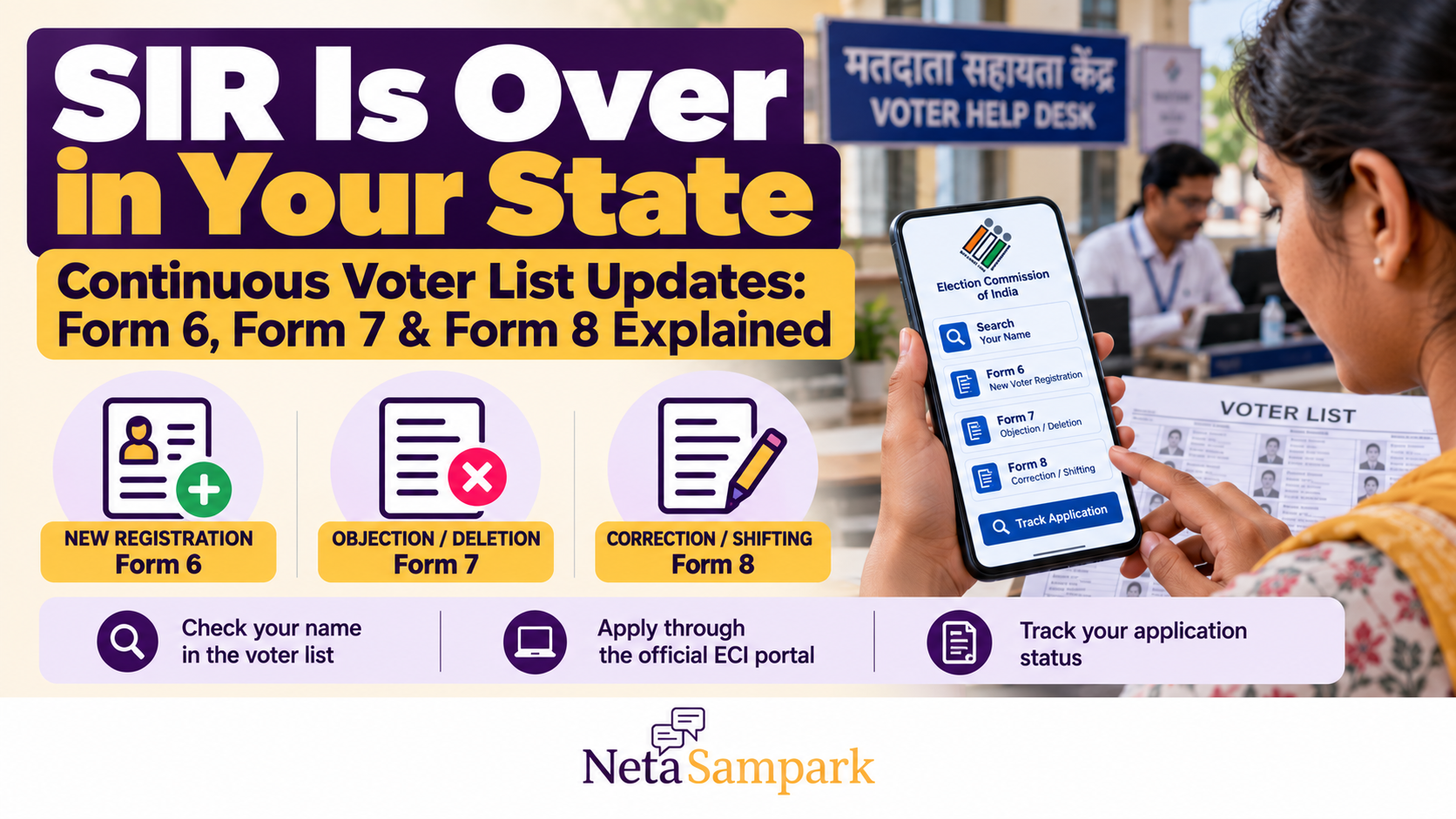
For citizens, the key is knowing which form to use. Form 6 is generally for new voter registration, Form 7 is for objections or deletion, and Form 8 is for shifting residence, correcting details, replacing an Elector Photo Identity Card (EPIC), or marking a person with a disability (PwD).
This guide explains how continuous updation works after SIR, how to use the three forms, where to apply, and what to do if your application is rejected or your name is missing.
What Happens After SIR Ends?
SIR and continuous updation are different processes.
- Special Intensive Revision (SIR): A special exercise to verify and revise electoral rolls according to the Election Commission's notified schedule.
- Continuous updation: The regular process through which eligible voters can apply to register, correct details, shift their registration or raise objections, subject to the applicable rules.
The ECI confirms that electoral rolls continue to be updated after final publication. Eligible citizens can submit Form 6 during continuous updation rather than waiting for the next annual revision.
Read the ECI's official guidance: How to Register to Vote.
Important: Continuous updation does not mean every application is approved immediately. Electoral Registration Officers (EROs) may verify details, seek documents, issue notices or decide objections under the prescribed procedure.
First, Check Whether Your Name Is Already on the Voter List
Before submitting any form, check your existing electoral-roll entry. This can help you avoid unnecessary duplicate applications.
Step 1: Open the official voter services portal
Visit the Election Commission of India Voters' Service Portal.
Step 2: Search for your name
Use the electoral-roll search facility. Depending on the available options, you may be able to search using your EPIC number or personal details.
Step 3: Verify the details
Check your name, constituency, polling station and other displayed information. If you have recently moved, make sure the entry corresponds to your current electoral registration.
Step 4: Choose the appropriate form
- Your name is missing and you need first-time registration: consider Form 6.
- You need to correct details or shift your registration: consider Form 8.
- You want to raise an objection to an entry or request deletion on a valid ground: consider Form 7.
Do not file Form 6 simply because you have misplaced your voter ID card. If you are already registered and need a replacement EPIC, Form 8 is generally the appropriate form.
Form 6: Register as a New Voter
Form 6 is used by eligible Indian citizens applying for inclusion in the electoral roll as general electors.
Who can apply?
You may apply if you meet the applicable requirements, including:
- You are an Indian citizen.
- You are at least 18 years old on an applicable qualifying date.
- You are ordinarily resident in the constituency where you seek registration.
- You are not disqualified from registration under the applicable law.
The ECI recognises four qualifying dates for voter registration: 1 January, 1 April, 1 July and 1 October.
If you are approaching 18, check the portal's current instructions for advance applications and the relevant qualifying date.
How to apply using Form 6
- Visit the official Voters' Service Portal.
- Select Form 6 for new voter registration.
- Enter your personal and residence details accurately.
- Provide the required declaration and supporting information.
- Upload the documents requested by the official form.
- Submit the application and save its reference number.
- Track the application through the portal.
You may also submit the form offline through the appropriate ERO, Assistant Electoral Registration Officer (AERO) or Booth Level Officer (BLO), following the official process.
What documents may be required?
The form may request evidence relating to age, ordinary residence and identity, along with a photograph and other prescribed details. The exact requirements depend on the current form and the applicant's circumstances.
Use the current ECI Form 6 service and its instructions rather than relying on an old document checklist.
A caution about SIR-specific declarations
In October 2026, questions arose over an additional declaration associated with Form 6 during SIR. The Election Commission subsequently indicated that, in states where SIR had concluded, only the statutory forms would be used outside the revision exercise. The Supreme Court separately clarified that it had not approved the disputed changes and sought information from the ECI.
If you are applying after SIR has ended in your state, use the current official portal and the statutory Form 6 instructions. Do not assume that a declaration used during a special revision is required for every regular application. If the portal displays an unexpected requirement, seek clarification from your ERO or the ECI helpline before abandoning your application.
For background, see the Indian Express report on the Supreme Court's clarification and the ECI Voters' Service Portal.
Form 7: Object to an Entry or Request Deletion
Form 7 is used to raise an objection to the inclusion of a name in an electoral roll or to request deletion on a permitted ground.
It may be relevant in cases involving a deceased elector, a person who has permanently shifted, duplicate entries or other grounds recognised under the applicable rules.
When should you use Form 7?
Form 7 may be appropriate if you have a valid basis to report that:
- An elector has died.
- A person has permanently shifted away from the relevant address.
- An entry is duplicated.
- A person is otherwise ineligible under the applicable provisions.
- An inclusion is being challenged on a legally recognised ground.
Do not use Form 7 to target someone because of their political views, community, language or voting preferences. Objections must be based on valid grounds and supported by accurate information.
How to submit Form 7
- Open the ECI Voters' Service Portal.
- Select Form 7 for deletion or objection.
- Enter the details requested by the form.
- Identify the entry being challenged and select the relevant ground.
- Provide the supporting information or documents requested.
- Submit the form and retain the acknowledgement.
The ERO must consider the objection under the applicable procedure. A Form 7 submission does not automatically remove a person's name.
New limits on Form 7 submissions
In October 2026, the Election Commission announced limits on the number of Form 7 submissions an individual may make. The reported limits are:
- During a claims-and-objections period: Up to 10 submissions per individual.
- During normal continuous updation: Up to five submissions per month.
The ECI also directed that EROs personally hear cases and follow the prescribed verification process before deleting names.
These limits are intended to address bulk filings and avoidable inconvenience. Before filing, check the latest official instructions and make sure the objection is accurate and based on a valid ground.
Read the Financial Express report on the Form 7 limits.
Form 8: Correct Details, Shift Residence or Replace Your Voter ID
Form 8 is used by an existing elector to request certain updates to their registration or EPIC.
It covers several common situations.
1. You have moved to another address
If you have shifted residence, Form 8 is generally used to request the appropriate change in electoral registration.
Provide the required details and supporting evidence for the new address. The ERO will process the request under the applicable rules.
Do not submit a second Form 6 merely because you have moved if you are already registered as an elector.
2. Your name or other details are incorrect
If your name, date of birth, photograph or another permitted entry requires correction, select the relevant Form 8 service and provide the information requested.
Check spellings and supporting documents carefully before submitting.
3. Your voter ID card is lost or damaged
Form 8 can be used to request a replacement EPIC under the applicable process. The exact requirements depend on the request type and the portal's current instructions.
A lost physical card does not necessarily mean your name has been removed from the electoral roll. Check your registration status first.
4. You need to mark yourself as a person with a disability
Form 8 also provides for marking a person with a disability (PwD) in the electoral roll. This helps maintain the relevant voter information and supports accessibility-related electoral services.
How to apply using Form 8
- Visit the ECI Voters' Service Portal.
- Choose Form 8.
- Select the appropriate request: shifting, correction, replacement EPIC or PwD marking.
- Enter the required details.
- Upload the supporting documents requested for your chosen service.
- Submit the application and save its reference number.
- Track the application status online.
Form 6 vs Form 7 vs Form 8: Which One Do You Need?
| Your situation | Form to consider | Purpose |
|---|---|---|
| You are eligible but not registered as a general elector | Form 6 | New voter registration |
| You want to object to an entry or request deletion on a valid ground | Form 7 | Objection or deletion |
| You have shifted residence | Form 8 | Shifting of electoral registration |
| Your existing voter-list details need correction | Form 8 | Correction of entries |
| Your EPIC is lost, damaged or needs replacement | Form 8 | Replacement EPIC |
| You need your PwD status marked in the roll | Form 8 | PwD marking |
For overseas Indian electors, Form 6A is generally the relevant registration form. The standard Form 6 process is for general electors.
Official form descriptions are available on the ECI Forms Dashboard.
How to Track Your Application
After submitting a form, keep the acknowledgement or reference number.
To track your request:
- Visit voters.eci.gov.in.
- Sign in if required.
- Open the application-status or tracking facility.
- Enter the reference details requested.
- Review the current status and any instructions.
If the portal asks for additional information, follow the official instructions and submit the requested material through the prescribed channel.
A status such as “submitted” does not necessarily mean that the application has been approved. Wait for the final decision and verify the electoral roll after the application is processed.
What If Your Name Is Missing After SIR?
If you cannot find your name after SIR, do not immediately assume that you have been permanently excluded.
First, check the final electoral roll and search using your EPIC number or personal details. Confirm that you are searching in the correct constituency and that your details have not changed.
If your name is genuinely missing:
- Contact your BLO or the relevant ERO to understand the recorded status.
- Ask whether any notice, objection or verification is pending.
- If you are eligible and not registered, follow the current Form 6 procedure.
- Keep copies of your application, acknowledgement and any notice.
- If an application is rejected or an order is passed against you, check the applicable appeal process and deadline.
The correct remedy depends on the circumstances. A person who was previously registered but has been removed should explain that history to the ERO rather than automatically treating the case as an ordinary first-time registration.
Can You Apply Anytime After SIR?
In general, electoral rolls continue to be updated after final publication, and eligible citizens can apply through the prescribed forms.
However, continuous updation has election-related limits. The ECI explains that electoral rolls are updated until the applicable cut-off associated with the last date for filing nominations. Once the roll is frozen for the relevant election, changes may not be reflected in time for that election.
If an election is approaching, check the ECI's current schedule and the status of your constituency. Do not assume that submitting a form immediately guarantees that your name will appear on the roll used for the upcoming poll.
See the ECI's official voter registration guidance.
Where to Get Help
If you cannot submit a form online or need clarification, you can contact the following official channels:
- ECI Voters' Service Portal: https://voters.eci.gov.in/
- Election Commission of India: https://www.eci.gov.in/
- Voter helpline: Call 1950 for voter-registration assistance.
- Booth Level Officer (BLO): Contact the BLO for your polling area.
- Electoral Registration Officer (ERO): Contact the ERO responsible for your constituency.
The ECI portal also provides facilities to find election officials, track applications and access electoral rolls.
What If Your Application Is Rejected?
If your application is rejected, read the order or status message carefully and identify the reason.
You may need to provide missing documents, correct information or follow the prescribed appeal process.
According to the ECI's published FAQ, an appeal against an ERO's order during continuous updation lies with the District Magistrate, Additional District Magistrate, Executive Magistrate or District Collector, as applicable. A further appeal may lie with the Chief Electoral Officer of the state.
Check the exact appeal authority and deadline in your case. Do not assume that the process or deadline is identical during SIR and continuous updation.
Frequently Asked Questions
Does the end of SIR mean I can no longer register to vote?
No. Continuous updation generally continues after final publication of the electoral roll. Eligible citizens can apply through the prescribed process, subject to applicable election cut-offs.
Which form should I use if my name is missing?
If you are eligible and not registered, Form 6 is generally used for new registration. If you were previously registered and believe your name was wrongly removed, contact the ERO to clarify the record and the appropriate remedy.
Should I use Form 6 if I have moved to a new house?
If you are already registered, Form 8 is generally used for shifting your electoral registration. Form 6 is for new registration as a general elector.
Can anyone submit Form 7 to delete another person's name?
An objection must be based on a valid ground and processed under the prescribed procedure. Filing Form 7 does not itself delete a person's name; the ERO must consider the objection and follow the required safeguards.
Is Aadhaar compulsory for voter registration?
The submission of Aadhaar details for electoral-roll authentication is voluntary under the applicable law. Follow the current form instructions and provide the required information without assuming that Aadhaar submission is universally mandatory.
How can I check my polling station?
Use the voter-search service on the ECI portal or consult the relevant electoral roll and polling-station information.
Final Checklist: Keep Your Voter Registration Up to Date
- Search your name in the current electoral roll.
- Use Form 6 for eligible new registration.
- Use Form 7 only for a valid objection or deletion request.
- Use Form 8 for shifting, correction, replacement EPIC or PwD marking.
- Save your application reference number.
- Track the application and respond to official notices.
- Check election-specific cut-offs if polling is approaching.
- Call 1950 or contact your BLO/ERO if you need help.
The end of SIR is not the end of voter registration services. Continuous updation provides a regular route for eligible citizens to register or update their details. The most important step is to check your entry, choose the correct form and keep a record of your application until the ERO has made a decision.
Official resources
- ECI Voters' Service Portal: https://voters.eci.gov.in/
- ECI — How to Register to Vote: https://www.eci.gov.in/faq/en/how-to-register/
- ECI Forms Dashboard: https://voters.eci.gov.in/home/forms
- ECI Electoral Roll Services: https://www.eci.gov.in/electors
- ECI — Electoral Roll FAQ: https://www.eci.gov.in/Documents/Final-ER-FAQ.pdf