
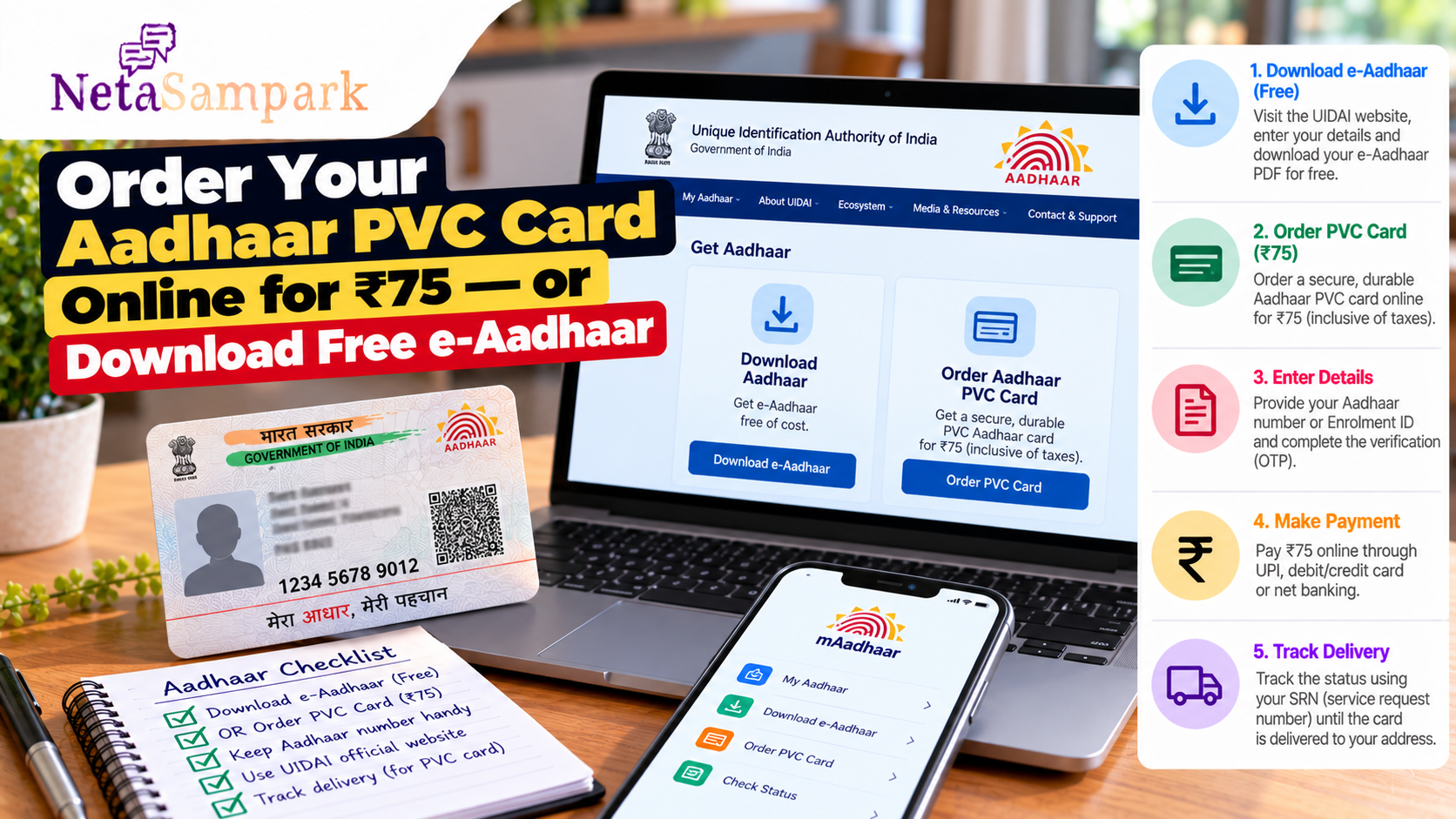
Order Your Aadhaar PVC Card Online for ₹75 — or Download Free e-Aadhaar
If you need a copy of your Aadhaar, you do not necessarily have to order a physical card. UIDAI currently provides a free downloadable e-Aadhaar, while an Aadhaar PVC Card can be ordered online for ₹75, including applicable taxes and delivery charges. UIDAI
The two formats are both issued through UIDAI, but they serve different practical needs. e-Aadhaar is convenient when you need a digital copy immediately, while the PVC card is a compact, durable physical version.
e-Aadhaar vs Aadhaar PVC Card
| Feature | e-Aadhaar | Aadhaar PVC Card |
|---|---|---|
| Format | Digital PDF | Physical card |
| UIDAI charge | Free | ₹75 |
| Delivery | Instant download | Delivered by post |
| Authentication | Digitally signed | Secure QR code and security features |
| Convenience | Useful for digital sharing/printing | Easy to carry in a wallet |
| How to get it | MyAadhaar / Aadhaar app | UIDAI MyAadhaar / Aadhaar app |
UIDAI describes e-Aadhaar as a password-protected electronic copy digitally signed by UIDAI and says it is equally valid as the physical Aadhaar copy. The PVC card is a durable, credit-card-sized version with security features and the same validity. UIDAI
How to Download e-Aadhaar for Free
You can download your e-Aadhaar through UIDAI's official MyAadhaar service.
Step 1: Open the UIDAI website
Go to the official UIDAI website and select Download Aadhaar under the Aadhaar services.
You can also use the MyAadhaar portal.
Step 2: Enter your Aadhaar details
Depending on the available option, you can use your Aadhaar number or other permitted identification details.
You will need to complete the required verification using an OTP.
Step 3: Download the PDF
After successful authentication, download your e-Aadhaar PDF.
The file is password protected. UIDAI provides instructions for opening the downloaded e-Aadhaar.
There is no charge for downloading e-Aadhaar. UIDAI
How to Order an Aadhaar PVC Card Online
If you prefer a physical card, UIDAI allows you to order an Aadhaar PVC Card online.
Step 1: Open the PVC Card service
Use the official MyAadhaar portal and select the option to Order Aadhaar PVC Card.
UIDAI also provides the service through the official Aadhaar mobile application. UIDAI
Step 2: Enter your Aadhaar details
You can place the request using your Aadhaar number and complete the required verification.
UIDAI also provides options involving an Enrollment ID or Virtual ID in the PVC-card ordering process. UIDAI
Step 3: Verify with OTP
Complete the authentication process using the OTP or other verification method offered by UIDAI.
Step 4: Pay ₹75
The current PVC Card charge is ₹75, inclusive of applicable taxes and speed-post delivery charges. UIDAI revised the charge from ₹50 to ₹75 with effect from 1 January 2026. UIDAI
Payment can be made through the payment options provided on the UIDAI portal, including UPI, cards and net banking. UIDAI
Step 5: Save the receipt and track delivery
After successful payment, you receive a Service Request Number (SRN). UIDAI says the SRN can be used to track the request.
Once the card is dispatched, an AWB number is provided for postal tracking. UIDAI
What Security Features Does the PVC Card Have?
The Aadhaar PVC Card is not simply a plastic printout.
UIDAI lists security features including:
- Secure/tamper-resistant QR code
- Micro text
- Ghost image
- Guilloche pattern
- Embossed Aadhaar logo
- Issue and print details
These features are intended to make the physical card more durable and easier to verify. UIDAI
Do You Need to Pay ₹75 for Aadhaar?
No.
If you simply need your Aadhaar document, you can download e-Aadhaar free of charge through UIDAI.
The ₹75 charge applies when you specifically order the Aadhaar PVC Card. UIDAI's current MyAadhaar page lists e-Aadhaar download as free and online PVC-card ordering at ₹75. UIDAI
This distinction is useful if someone is asking you to pay for an e-Aadhaar download.
Can You Use the Aadhaar App?
Yes. UIDAI's current Aadhaar app provides several services, including downloading e-Aadhaar and tracking requests. UIDAI
Use only the official UIDAI app and official UIDAI websites rather than third-party websites offering Aadhaar downloads or PVC-card orders.
What If Your Mobile Number Is Not Linked?
UIDAI's service information indicates that a PVC-card request can be made even where the mobile number is not linked with Aadhaar, subject to the verification options provided during the request. UIDAI
However, some Aadhaar online services require mobile-based authentication. If an online service is asking for an OTP that you cannot receive, check the specific service requirements or use an authorised Aadhaar service centre where applicable.
Before You Order: Five Things to Check
- Need it immediately? Download e-Aadhaar for free.
- Want a physical wallet-sized card? Order the PVC version.
- Check the price: Current PVC-card charge is ₹75.
- Use official UIDAI services: Avoid unofficial Aadhaar websites.
- Save your SRN: Keep it until your PVC card is delivered.
Keep Your Aadhaar Details Safe
Never share your Aadhaar OTP, Aadhaar-app PIN or other authentication credentials with someone who contacts you unexpectedly.
When using Aadhaar online, check that you are on an official UIDAI service before entering your Aadhaar number or OTP.
For assistance, UIDAI lists its helpline as 1947. UIDAI
Bottom Line
You have two straightforward options:
Need Aadhaar right now? Download e-Aadhaar free through UIDAI.
Want a durable physical card? Order the Aadhaar PVC Card for ₹75, with taxes and speed-post delivery included.
The safest route is to start from the official UIDAI website or MyAadhaar portal rather than searching for third-party Aadhaar services. UIDAI