
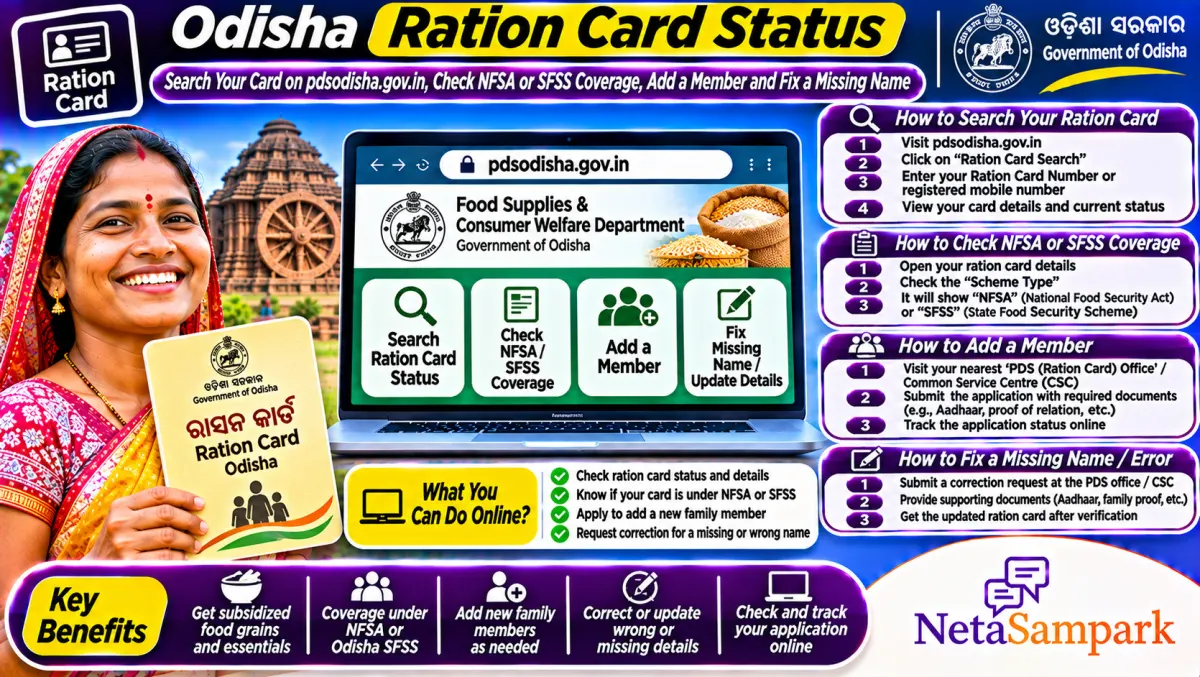
To check an Odisha ration card, open pdsodisha.gov.in, use the ration card search, pick your district and enter your card number to see members, card type and fair price shop. Odisha covers families under NFSA and its own State Food Security Scheme. New cards and corrections go through the supply office or the online window when open.
Updated 11 November 2026
In Odisha, the ration card is more than rice. It's used to prove eligibility for Subhadra, health cover under the state scheme and many other benefits. So when a family member's name is missing or the card seems to have vanished from the list, it causes trouble well beyond the ration shop.
Here's how to check your card, understand which scheme you're under, and fix the common problems.
Quick facts: Odisha ration card
| Item | Details |
|---|---|
| Official portal | pdsodisha.gov.in (Food Supplies and Consumer Welfare Department, Odisha) |
| Helpline | 1967 (food and civil supplies helpline); Block Supply Office or Civil Supplies Officer |
| Fee | No fee for the card; a kiosk may charge a service fee |
| Deadline | New applications only when the state opens a window; corrections any time |
| Documents | Aadhaar of all members, bank account, income or category proof, residence proof, photo |
| Schemes | NFSA (priority households and Antyodaya) and SFSS (State Food Security Scheme) |
| Search options | Ration card number, district-wise lists |
| e-KYC | Aadhaar authentication at the fair price shop |
NFSA or SFSS: which one are you under?
Odisha runs two systems. The National Food Security Act covers priority households and Antyodaya families, with the quota set by the Centre. The State Food Security Scheme, funded by Odisha, covers families who were eligible but left out of the NFSA limit. Your card details on the portal show which scheme you're in. Entitlements and some benefits differ, so it's worth knowing.
How to search your ration card
1. Open pdsodisha.gov.in.
2. Go to the ration card search or beneficiary search option.
3. Pick your district and enter the ration card number.
4. View the card: head of family, members, card type, scheme and fair price shop.
5. Save a screenshot.
If you don't have the card number, check an old ration receipt or ask the dealer. District-wise lists on the portal can also help.
How to add a member or correct details
1. Visit the Block Supply Office (rural) or the Civil Supplies office (urban), or use the online service if available.
2. To add a newborn, give the birth certificate and the child's Aadhaar if available.
3. To add a bride, give the marriage certificate and proof that her name was removed from her parents' card.
4. To correct a name or age, give Aadhaar and supporting proof.
5. Note the application or receipt number and follow up.
Applying for a new card
The state opens new applications in windows. When it does, forms are available online and at designated centres, and families apply with Aadhaar, bank, income and residence details. Applications go through verification, and selected families are added under NFSA or SFSS. Watch official notices on pdsodisha.gov.in or the department's announcements, and avoid agents who claim they can "get a card made" outside the window.
e-KYC at the fair price shop
Every member should complete Aadhaar e-KYC at the shop's ePoS machine. Members who skip it can be marked for deletion after checks. If fingerprints fail for an elderly member, ask the dealer for iris or other options. Our explainer on why ration card e-KYC became mandatory has the background.
Common problems and fixes
| Problem | Likely reason | Fix |
|---|---|---|
| Card not found | Wrong number or deleted after checks | Check with the dealer; apply for reinclusion at the supply office |
| Member missing | Never added, or removed for no e-KYC | Apply to add; complete e-KYC |
| Less rice than due | Dealer error or quota change | Ask for the receipt; complain on 1967 |
| Wrong scheme shown | Category mismatch | Ask the supply office for review with proof |
| Name spelling wrong | Data entry error | Apply for correction with Aadhaar |
A real-life example
Gitanjali in Cuttack found her mother-in-law's name missing from the card in 2026. The dealer said she hadn't done e-KYC. Her mother-in-law's fingerprints didn't read, so the family went to the Civil Supplies office, where they did an alternative authentication and applied to restore her name. In the following distribution cycle, her share was back on the card.
Documents checklist
☐ Ration card number
☐ Aadhaar of every member
☐ Bank passbook
☐ Birth or marriage certificate for additions
☐ Death certificate to remove a member
☐ Income or category proof for new applications
Your ration card and Subhadra
Many Odisha schemes, including Subhadra, check whether the family is covered by NFSA or SFSS. A missing or wrong card can block those too. For similar status-check tips, see our Annapurna Bhandar guide, and read the One Nation One Ration Card guide if you work in another state.
Where to complain
Call 1967 for ration issues. If the supply office doesn't act, write to the District Civil Supplies Officer. You can also file an RTI to ask why your name was removed; our Odisha RTI guide explains how. Your MLA can push the district too. Find them on NetaSampark's Odisha page.
What you get on an Odisha ration card
Under NFSA, priority households get foodgrains per member each month, and Antyodaya families get a fixed family quota, with rice distributed free under the central free foodgrain scheme. SFSS families get rice under the state's own scheme. The quantity and any extra items depend on current orders, so check the board at your fair price shop. Always ask for the ePoS receipt and match the quantity with what you take home.
Removing a member who has died
It feels hard to do, but remove a deceased member's name with the death certificate. Leaving it can trigger an inquiry, and in some cases the whole card gets flagged. Clean records also make it easier to add new members later.
Moving within Odisha
If you shift to another block or town, you can usually draw rations at any fair price shop in the state using Aadhaar authentication, and you can apply to transfer the card to a shop near your new home. Ask at the supply office for the transfer process.
Watch out for fake new-card links
Every time there's talk of a new ration card window, fake websites and WhatsApp links pop up asking for Aadhaar and money. Only use pdsodisha.gov.in or official department notices, and never pay anyone to "approve" a card.
Keep the receipts
Save every ePoS receipt for a few months, or take a photo. If there's ever a dispute about quantity or a missed month, the receipts are your proof when you complain.
Final reminder
Search your card on pdsodisha.gov.in, check every member and your scheme, and make sure everyone has done e-KYC at the shop. Fix missing names now, because other schemes depend on this card.
Frequently asked questions
How do I check my Odisha ration card online?
Use the ration card search on pdsodisha.gov.in with your district and card number.
What is SFSS in Odisha?
The State Food Security Scheme, funded by Odisha, covers eligible families left out of the NFSA limit.
How do I add my child to the ration card in Odisha?
Apply at the Block Supply Office or Civil Supplies office with the birth certificate, or online if available.
When can I apply for a new ration card in Odisha?
When the state opens an application window. Watch notices on pdsodisha.gov.in.
What is the ration helpline number?
1967, the food and civil supplies helpline.
Sources
• PDS Odisha, Food Supplies and Consumer Welfare Department