
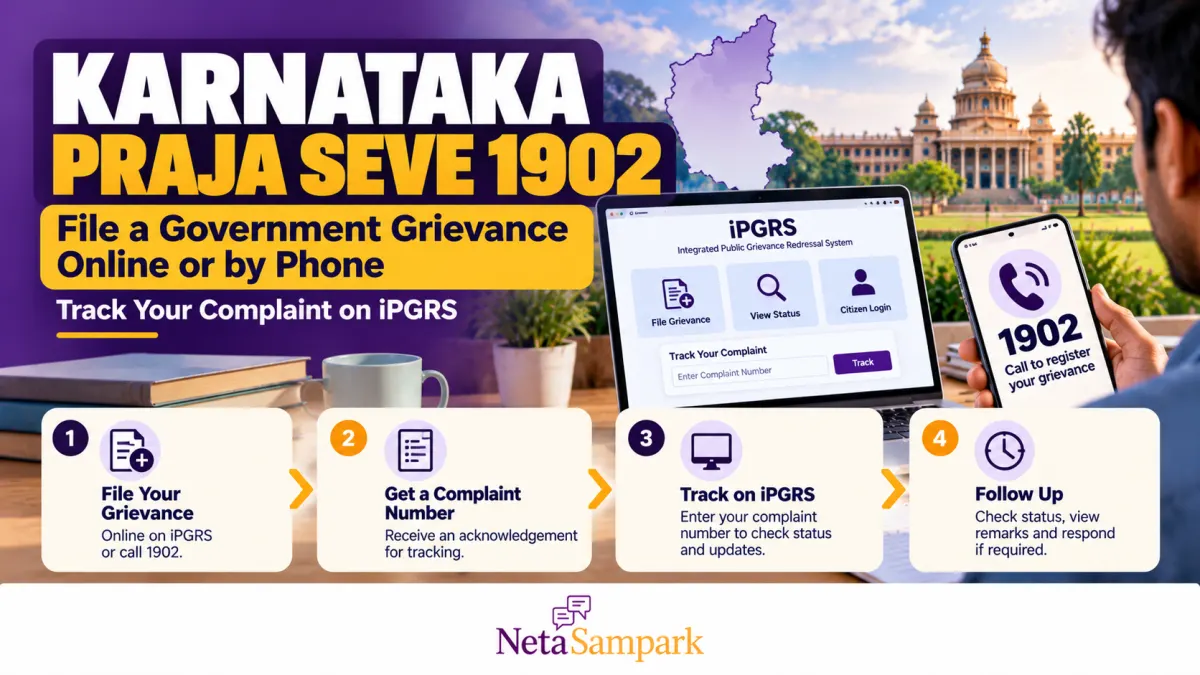
Have you complained about a delayed government service, a pension payment that has not arrived, a missing benefit or an application that has been pending for months? If the department has not resolved the issue, Karnataka’s Janaspandana — Integrated Public Grievance Redressal System (iPGRS) gives citizens a way to register and track grievances.
You can submit a complaint online, use the official Janaspandana mobile app, or call 1902, the state grievance helpline. The system routes complaints to the concerned government department and generates a grievance ID that you can use to follow up.
This guide explains how to file a complaint, what information to provide, how to check its status and what to do if the department closes it without resolving your problem.
Karnataka Praja Seve 1902: Quick Overview
| Detail | Information |
|---|---|
| Grievance helpline | 1902 |
| Official iPGRS portal | ipgrs.karnataka.gov.in |
| Mobile app | Janaspandana, published by the Government of Karnataka’s Directorate of e-Governance |
| Main purpose | Register and track public grievances relating to government departments, schemes and services |
| Online registration | Mobile-number and OTP-based verification |
| Complaint reference | A system-generated grievance ID |
| Alternative assisted channel | Bapuji Seva Kendra, where available |
The Government of India’s National e-Governance Division describes Karnataka’s Janaspandana-iPGRS as a centralised platform for registering, processing and resolving public grievances. It supports multiple filing channels, including the portal, app, helpline and service centres.
Official references: Karnataka iPGRS portal and National e-Governance Division — Janaspandana-iPGRS.
1 What Complaints Can You File Through Karnataka iPGRS?
The platform is intended for public grievances concerning government departments, services and schemes. Depending on the department and the categories available in the portal, you may be able to raise issues such as:
- Pensions and welfare schemes: Delayed payments, application-status problems or difficulties accessing an eligible benefit.
- Revenue services: Delays or problems with applications handled by the relevant revenue authorities.
- Public services: Unresolved complaints about a government service or an application.
- Certificates and applications: Delays, incorrect records or other service-delivery problems.
- Departmental inaction: A complaint that has already been submitted to the responsible office but remains unresolved.
- Local administration: Public-service issues requiring action by the appropriate district or departmental authority.
The exact complaint categories available depend on the department and service selected in iPGRS. If your issue does not appear in the available categories, contact the helpline or the responsible department to confirm the correct route.
Important: A grievance portal does not replace every statutory appeal or legal remedy. If a law prescribes a specific appeal, deadline or authority for your matter, follow that process separately.
2 How to File a Grievance Online on the Karnataka iPGRS Portal
You can register a complaint through the official website without visiting a government office.
<text>Step 1: Open the official portal</text>
Visit https://ipgrs.karnataka.gov.in/. Check that the address is correct before entering your personal details.
<text>Step 2: Register as a new citizen or log in</text>
If you are using the portal for the first time, select the login option and then choose New User Registration.
Enter your mobile number and request an OTP. Enter the OTP received on your phone to verify the number.
Complete the citizen-registration details requested by the system. The official citizen manual describes identification using a Family Member ID or FRUITS ID, where applicable, and provides a No ID Proof option for users who do not have those IDs.
If you already have an account, log in using your registered mobile number and OTP.
<text>Step 3: Open the grievance-submission option</text>
After logging in, select the grievance-submission option from the available menu.
The system may ask you to complete a self-declaration before proceeding. Read it carefully and answer according to your circumstances.
<text>Step 4: Select the correct department and complaint category</text>
Choose the relevant options from the available lists, which may include:
- Department name
- Line department
- Service name
- Grievance
- Grievance category
- Grievance subcategory
The portal also provides a keyword-search option to help identify the appropriate grievance combination.
For example, if your complaint concerns a delayed pension, choose the department and service responsible for that pension rather than selecting an unrelated department.
<text>Step 5: Enter the complaint details</text>
Explain what happened, when it happened, which office is involved and what action you want.
If you have already submitted an application or complaint, include its reference number and date. Keep the description factual and specific.
<text>Step 6: Enter the location of the grievance</text>
The portal allows you to select the location of the issue. Depending on your case, choose your registered address or the option for another location.
Provide the requested district, taluk, village or Gram Panchayat, address and other location details relevant to the complaint.
<text>Step 7: Upload supporting documents, if available</text>
Attach relevant evidence, such as an application acknowledgement, previous complaint, payment record, notice or screenshot of the service status.
Upload only documents relevant to the issue, and avoid sharing unnecessary sensitive information.
<text>Step 8: Submit and save your grievance ID</text>
Review your entries and select the registration button.
After successful submission, the system generates a unique grievance ID. The official citizen manual states that the complaint is forwarded to the concerned officials and that the citizen should retain the ID for future reference.
You should also receive an SMS confirmation on your registered mobile number. Save the SMS and take a screenshot of the acknowledgement.
Official step-by-step guide: Janaspandana iPGRS Citizen User Manual (PDF).
3 How to File a Grievance by Calling 1902
If you do not have reliable internet access or find the online form difficult to use, call 1902, Karnataka’s grievance helpline.
Before calling, prepare the following information:
- Your name and registered mobile number
- District, taluk, village or locality
- Name of the department or government service involved
- A brief description of the problem
- Date and reference number of any earlier application or complaint
- The action you want the department to take
Explain the issue clearly and ask the operator how the grievance will be registered.
If a grievance is registered, ask for the complaint or grievance ID and note it down. Confirm whether an SMS acknowledgement will be sent to your registered number.
If the operator advises you to use a different department or service channel, note the instructions. Keep your application documents ready in case you need to submit the complaint online later.
Do not assume that simply calling the helpline has created a registered complaint. Make sure you receive a reference number or other confirmation of registration.
The official Janaspandana-iPGRS service description lists 1902 among the available grievance-registration channels.
4 How to Track Your Grievance on iPGRS
Once your complaint is registered, you can check its current status through the portal.
Follow these steps:
- Open https://ipgrs.karnataka.gov.in/.
- Log in through the citizen-login option using your registered mobile number and OTP.
- Open your citizen home page.
- Find the grievance or status section.
- Use the search box to locate the complaint by entering your grievance ID.
- Review the status and any remarks or updates displayed.
The official citizen manual confirms that the citizen home page displays grievance status and that the grievance ID can be used to search for a particular complaint.
Keep a record of the status whenever you check it. If the complaint is pending, note the date and any instructions or remarks from the department.
Track your complaint using the original grievance ID. If you contact the helpline or department for a follow-up, quote that number so officials can identify the same case.
5 What Do Different Grievance Statuses Mean?
The exact labels displayed by the portal may vary. Use the following as a general guide, and rely on the actual status and remarks shown against your complaint.
| Status or update | What it generally indicates | What you should do |
|---|---|---|
| Registered or submitted | Your grievance has been entered into the system | Save the ID and check for further updates |
| Forwarded or assigned | The complaint has been sent to the relevant department or officer | Note the department and follow up if needed |
| Pending or under process | The complaint has not yet reached a final recorded outcome | Read any remarks and check again for updates |
| Clarification or documents requested | The department needs more information | Provide the requested information through the instructed channel |
| Resolved or disposed | The system records an outcome or response | Read the response carefully and verify whether the issue is actually resolved |
| Closed but unresolved in practice | The recorded outcome has not fixed the underlying problem | Preserve evidence and ask the department or grievance authority about the appropriate review or fresh-complaint route |
A status update is not the same as a satisfactory resolution. Read the officer’s remarks, check whether the requested action was actually completed, and keep evidence if the problem continues.
6 What to Do If Your Complaint Is Pending for Too Long
If your grievance remains pending, follow up systematically rather than submitting several identical complaints without a clear reason.
Step 1: Check the latest status
Log in to iPGRS and search using your grievance ID. Review the department assigned to the case, the current status and any remarks.
Step 2: Contact the helpline
Call 1902 and explain that you have an existing grievance. Give the original ID and ask for the current status, the responsible department and the appropriate next step.
Step 3: Contact the responsible office
If the portal identifies the department or office handling the complaint, contact that office using its official contact details. Explain what remains unresolved and refer to the original grievance.
Step 4: Submit additional evidence if requested
If the department needs a missing document, corrected application number or further information, provide it through the channel it specifies. Keep a copy of your submission.
Step 5: Ask about escalation
The Karnataka iPGRS system is described as supporting automated escalation for unresolved grievances. If the complaint remains pending, ask the helpline or responsible office how escalation applies to your case.
Do not assume that every complaint follows the same deadline or escalation schedule. Check the current status, any timeline communicated by the department and the applicable service rules.
7 What If Your Complaint Is Marked Resolved but the Problem Continues?
A complaint may receive a response without fully addressing the problem. For example, an office may record that an application has been processed even though the benefit has not reached your account.
If this happens:
- Read the recorded response and identify exactly what the department says it has done.
- Gather evidence showing what remains unresolved, such as an application acknowledgement, payment statement or recent service-status screenshot.
- Contact 1902 or the responsible office and quote the original grievance ID.
- Ask whether the complaint can be reopened, reviewed or escalated under the current procedure.
- If the system does not permit further action on the closed grievance, ask whether you should submit a fresh complaint referencing the earlier ID.
- If a statutory appeal or another formal remedy applies, follow that process separately and within its prescribed deadline.
When submitting a fresh complaint, explain why the earlier response did not resolve the issue. Include the original grievance ID, the date of closure and the specific action still required.
Avoid making unsupported allegations against individual officials. A clear record of what happened, which action is missing and what evidence supports your request is more useful for review.
8 How to Write a Complaint That Is Easier to Act On
A complaint should tell the department what went wrong, what you have already tried and what action you want.
Use this simple structure:
Subject: [Service or scheme] — [specific problem] — [village/district]
Details:
- Applicant: Your name
- Location: Village/locality, taluk and district
- Department/service: The office responsible for the service
- Application reference: Number and date, if available
- Problem: What happened and when
- Previous follow-up: Dates of earlier applications or complaints
- Requested action: The correction, payment, response or service you are seeking
- Attachments: Relevant acknowledgement, documents or screenshots
Example: Pension payment delayed
“My pension payment for [month/year] has not been credited. My application or beneficiary reference is [number]. I checked the available status on [date] and found that the issue remains unresolved. I request the concerned department to verify the payment status, identify the reason for the delay and inform me of the action required.”
This is more useful than a complaint that only says, “My pension has not come.”
9 Can You File a Grievance Through the Janaspandana Mobile App?
Yes. The official Janaspandana mobile app is listed on Google Play under the Government of Karnataka’s Directorate of e-Governance.
The app supports citizen grievances and status tracking. Use the official Janaspandana app listing on Google Play to confirm the publisher before installing it.
After installing:
- Open the app and follow the citizen-registration or login instructions.
- Verify your mobile number as requested.
- Select the appropriate department and grievance category.
- Enter the complaint details and attach supporting evidence where available.
- Submit the grievance and save the generated ID.
- Return to the app to check updates.
The website remains a useful alternative if the app does not work on your device.
10 When Should You Use Another Grievance Channel?
iPGRS is intended for public grievances concerning Karnataka government services and departments. However, some issues require a different process.
| Type of issue | What to consider |
|---|---|
| A specific Karnataka government service or scheme | Janaspandana-iPGRS or 1902 |
| A matter involving a central government department | The department’s own grievance mechanism or CPGRAMS |
| An RTI application or appeal | The relevant Right to Information procedure |
| A matter before a court or tribunal | The applicable judicial or tribunal process |
| An emergency involving immediate danger | Contact the appropriate emergency service rather than waiting for a grievance response |
| A statutory appeal with a prescribed deadline | Follow the specific appeal process and deadline |
The central government’s CPGRAMS portal provides a separate route for grievances involving participating central ministries and departments and can route relevant state-government grievances to the concerned state.
Do not use a general grievance complaint as a substitute for an urgent legal filing or a deadline-bound statutory appeal.
Frequently Asked Questions
Is 1902 the Karnataka government grievance helpline?
Yes. The Government of Karnataka’s Janaspandana-iPGRS service lists 1902 as a channel for registering public grievances. Keep your grievance ID if a complaint is registered.
Is it free to file a complaint on iPGRS?
The official online portal is a government grievance-registration service. If you use an assisted service centre, ask about any service charges before proceeding.
Can I file a complaint without registering online first?
You can use the 1902 helpline or other available assisted channels. The exact registration details and confirmation process depend on the channel you use.
How do I track a complaint if I lose the grievance ID?
Check your SMS messages and any acknowledgement saved after registration. If you still cannot find the ID, contact the helpline and provide the details requested to identify your complaint. Do not share an OTP with anyone claiming to retrieve it.
How long does Karnataka iPGRS take to resolve a grievance?
The time depends on the department, the type of complaint and the applicable service rules. Check the current status and any timeline communicated by the responsible authority. Do not assume that every grievance has the same deadline.
Can I file another complaint if the first one was closed?
If the original complaint was closed without resolving the issue, first ask whether the current procedure permits reopening or review. If you must file a fresh complaint, reference the original grievance ID and explain what remains unresolved.
What if I am not satisfied with the department’s response?
Keep the response and supporting evidence, contact the responsible office or helpline, and ask about review or escalation. If a separate statutory appeal or formal remedy applies, use that process as well.
Official Links and Contact Details
- Karnataka Janaspandana-iPGRS portal: https://ipgrs.karnataka.gov.in/
- Grievance helpline: 1902
- Citizen user manual: Download the official PDF
- Janaspandana Android app: Google Play — Government of Karnataka
- National e-Governance Division service description: Janaspandana-iPGRS
- Central government grievance portal: CPGRAMS
Final Checklist Before You File
- Identify the correct department and service.
- Keep your application number and relevant documents ready.
- Register through the official portal, app, 1902 or an available assisted channel.
- Save the grievance ID and acknowledgement.
- Track the complaint through your iPGRS account.
- Read the department’s response rather than relying only on the status label.
- Follow up or seek escalation if the issue remains unresolved.
- Use a separate statutory appeal or emergency channel where required.
Bottom line: Karnataka’s Praja Seve 1902 and Janaspandana-iPGRS give citizens a formal way to report unresolved government-service problems and track their progress. The most important habit is to keep your grievance ID, document each follow-up and verify that the department’s recorded response actually addresses the problem.