
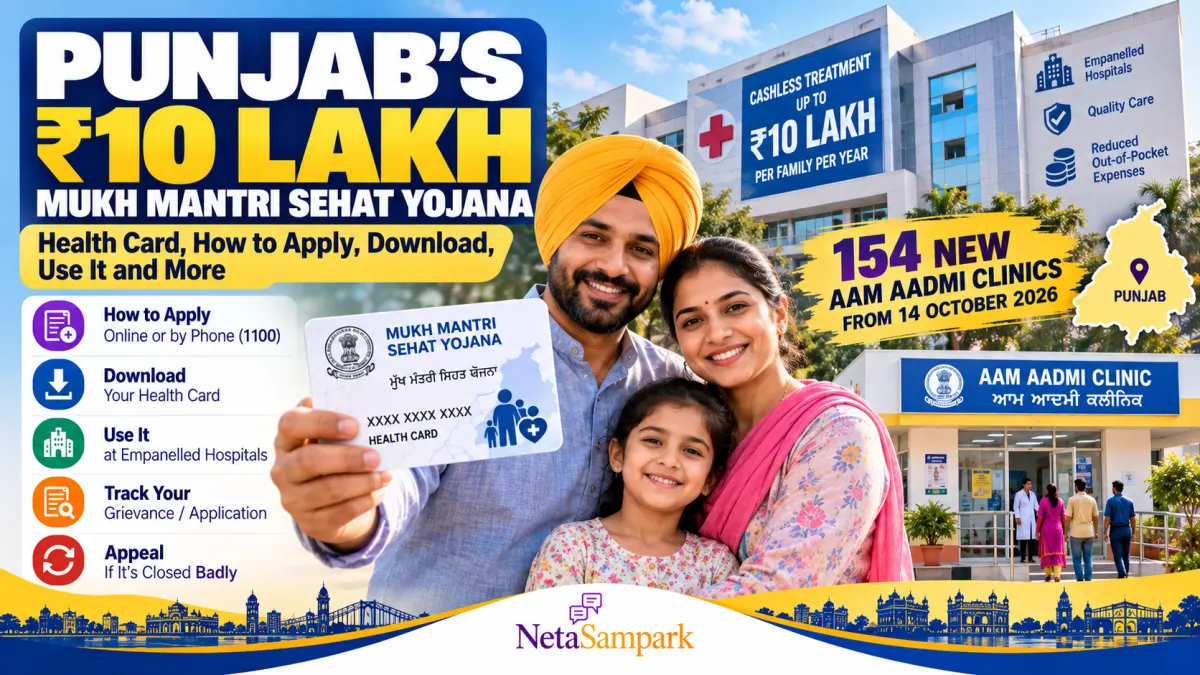
Punjab’s ₹10 Lakh Mukh Mantri Sehat Yojana: How to Get Your Health Card, Download It and Use It — Plus 154 New Aam Aadmi Clinics
Punjab residents can access cashless hospital treatment of up to ₹10 lakh per family per year under the Mukh Mantri Sehat Yojana (MMSY). The scheme is intended to help eligible families access healthcare without paying the full cost of covered treatment upfront at participating hospitals.
A new digital facility introduced in September 2026 allows beneficiaries who have completed the required verification and e-KYC to download their health cards online. This means you may not need to visit a centre simply to obtain another copy of an already verified card.
Punjab also inaugurated 154 additional Aam Aadmi Clinics on 14 October 2026, expanding the state's network of neighbourhood primary healthcare facilities. The two initiatives serve different purposes: the health scheme supports eligible cashless hospital treatment, while Aam Aadmi Clinics provide primary healthcare services, including consultations, medicines and diagnostic tests.
This guide explains how to register, download your Sehat Card, check participating hospitals, use the scheme, and locate the right healthcare facility.
What Is Mukh Mantri Sehat Yojana?
Mukh Mantri Sehat Yojana is Punjab's state health coverage programme, designed to provide eligible residents with cashless treatment of up to ₹10 lakh per family per year.
The scheme covers eligible treatments at participating government and private hospitals, subject to the applicable treatment packages, beneficiary verification and scheme rules.
The Punjab government's published scheme notification describes eligibility for bona fide Punjab residents and their family members. Adults are required to provide Aadhaar and voter ID as proof of residence under the notification. Different documentation provisions apply to children under 18.
Official scheme notification: https://pcla.co.in/images/2025/2/00000076-Notification.pdf
The ₹10 lakh figure is the maximum annual family coverage, not a cash payment made directly to each family. Actual treatment eligibility depends on the scheme's rules and approved packages.
What Changed in September and October 2026?
Two developments are particularly relevant to Punjab residents.
1. Health Cards Can Be Downloaded Online
In September 2026, the State Health Agency, Punjab, enabled verified beneficiaries to access and download their Sehat Cards digitally.
Beneficiaries can locate their family record using details such as their Family ID, Health Card Number, registered mobile number or Aadhaar number, followed by the required OTP verification.
Important: Photograph verification and e-KYC must be completed before the verified card can be downloaded. Downloading a card does not replace the initial registration or verification process.
Source: The Times of India — Health card download facility
2. Punjab Opened 154 More Aam Aadmi Clinics
On 14 October 2026, Punjab inaugurated 154 additional Aam Aadmi Clinics. Reports on the launch put the statewide total at approximately 1,244 clinics, although some reports give a slightly different total.
The clinics are intended to bring primary healthcare closer to residents, with services including medical consultations, prescribed medicines and diagnostic tests.
The reported services include 107 types of medicines and 47 types of diagnostic tests, subject to availability and the clinic's service arrangements.
Source: ThePrint/PTI — 154 additional Aam Aadmi Clinics
Who Is Eligible for Mukh Mantri Sehat Yojana?
The Punjab government's published notification provides for eligibility for bona fide residents of Punjab and their family members.
The scheme is intended to cover residents across income groups rather than only a narrowly defined income category. However, applicants must meet the applicable residency, identity and registration requirements.
Before applying, keep these points in mind:
- Adults should have the Aadhaar and voter ID documents required under the scheme notification.
- For children under 18, the notification provides for the child's Aadhaar and the voter ID of a parent or guardian establishing Punjab residence.
- Family members must be recorded and verified according to the registration process.
- Employees and pensioners covered by other government healthcare or reimbursement arrangements should check the applicable rules on overlapping benefits.
Do not assume that possessing an Aadhaar card alone automatically creates a Sehat Card. Complete the scheme's prescribed registration and verification process.
Documents to Keep Ready
The exact documents requested may depend on the applicant and the status of the family record. As a practical checklist, keep the following ready:
- Aadhaar card.
- Voter ID as proof of residence, where required.
- Registered mobile number for OTP verification.
- Family ID or existing Health Card Number, if available.
- Aadhaar and parent or guardian documents for children, as applicable.
- Any additional documents requested during registration or e-KYC.
Use the official scheme portal or an authorised registration centre to confirm the current requirements. Avoid sharing OTPs with anyone claiming to be able to issue a card on your behalf.
How to Get a Mukh Mantri Sehat Yojana Health Card
If your family has not yet registered, begin with the official scheme information and follow the registration instructions provided by the State Health Agency, Punjab.
Step 1: Check the Official Scheme Website
Visit the State Health Agency, Punjab website:
Look for the Mukh Mantri Sehat Yojana information, registration instructions and authorised service locations.
Step 2: Visit an Authorised Registration Centre if Needed
If you do not have a registered family record or have not completed verification, contact an authorised Common Service Centre (CSC), Seva Kendra or other designated registration facility.
Ask whether new registrations are being processed at that location and which documents are required.
Step 3: Provide the Required Details
Submit the requested identity and residence documents. Ensure that the names and other details match your official records.
Step 4: Complete Photograph Verification and e-KYC
Follow the prescribed verification process for the head of the family and other family members as instructed.
If the system identifies a mismatch, ask the authorised centre how to correct it rather than repeatedly submitting inconsistent information.
Step 5: Save Your Registration Details
Keep the acknowledgement, Family ID or Health Card Number, and any other reference information provided during registration.
You can use these details to locate the family record and access the digital card once verification is complete.
Official State Health Agency website: https://sha.punjab.gov.in/
How to Download Your Sehat Card Online
If your family is already registered and the required photograph verification and e-KYC are complete, you can download the card digitally.
Step 1: Open the Official Portal
Start from the State Health Agency, Punjab website:
Follow the official Mukh Mantri Sehat Yojana health-card link. Use only the government-linked portal for entering your personal information.
Step 2: Find Your Family Record
Depending on the options available, search using one of the following:
- Family ID.
- Health Card Number.
- Registered mobile number.
- Aadhaar number.
Enter the requested information carefully.
Step 3: Complete OTP Verification
Authenticate the request using the OTP verification process linked to your registered mobile or Aadhaar details, as instructed by the portal.
Never share an OTP with an unknown caller or agent.
Step 4: Download the PDF
After successful authentication, view the verified health card and download it in PDF format.
Save a copy on your phone and, if convenient, print a copy for your records. Keep it accessible when arranging treatment at a participating hospital.
If you cannot download the card: Check whether photograph verification and e-KYC are complete. If your family record cannot be found or the OTP does not arrive, contact the State Health Agency or an authorised registration centre for assistance.
Source: The Times of India — Digital Sehat Card facility
How to Use the Sehat Card at a Hospital
Having a health card is only one part of accessing cashless treatment. The hospital, treatment and beneficiary must meet the scheme's applicable requirements.
Follow these steps before planned treatment whenever possible.
- Find a participating hospital. Check the hospital list through the State Health Agency, Punjab website.
- Contact the hospital's scheme help desk. Confirm that the facility participates in the scheme and handles the specialty or procedure you need.
- Carry your health card and identification. Keep the digital or printed card and the identity documents requested by the hospital.
- Complete beneficiary verification. The hospital will check your eligibility and the details required for treatment authorisation.
- Confirm coverage before planned admission. Ask whether your proposed treatment is covered under an approved package and whether pre-authorisation is required.
- Keep the paperwork. Retain the admission documents, treatment records and any authorisation or discharge papers provided.
For eligible, approved treatment, the scheme is intended to enable cashless care within the applicable coverage limit. It does not mean every treatment, medicine or service at every hospital is automatically covered.
How to Check Participating Hospitals
Visit the State Health Agency, Punjab website:
Look for the hospital or empanelled-hospital directory. Before travelling, call the hospital to confirm its current participation, the relevant specialty, and the availability of the treatment you require.
Do not rely only on an old hospital list or a social media post.
What Are Aam Aadmi Clinics?
Aam Aadmi Clinics are neighbourhood primary healthcare facilities intended to make basic medical services more accessible.
They are different from the Mukh Mantri Sehat Yojana's cashless hospital-treatment benefit.
Depending on the clinic and services available, residents can access:
- Primary medical consultations.
- Prescribed medicines provided under the programme.
- Diagnostic tests offered by the clinic.
- Initial assessment of common illnesses.
- Guidance on whether a referral to a higher-level facility is necessary.
The reported service package includes 107 types of medicines and 47 diagnostic tests, subject to availability and the applicable arrangements.
For serious symptoms or a medical emergency, do not delay urgent care while searching for a clinic or trying to obtain a health card.
How to Find Your Nearest Aam Aadmi Clinic
To locate a nearby clinic:
- Visit the Punjab Health Department or National Health Mission Punjab website.
- Look for the Aam Aadmi Clinic directory or district-level healthcare information.
- Search for your district, town or village.
- Confirm the clinic's address, operating hours and available services before visiting.
Useful official starting points:
- Punjab State Health Agency: https://sha.punjab.gov.in/
- National Health Mission Punjab: https://nhmpunjab.in/
If the online directory does not show a recently opened clinic, contact the district health office for the latest address and operating information.
Which Should You Use: Aam Aadmi Clinic or Sehat Yojana?
The right option depends on the kind of care you need.
For common illnesses and initial medical advice: An Aam Aadmi Clinic may be an appropriate first point of contact if the required service is available.
For hospital admission or a covered procedure: Check your eligibility under Mukh Mantri Sehat Yojana and contact a participating hospital.
For an emergency: Seek urgent medical assistance immediately. Do not wait for routine registration, card downloading or administrative verification.
The two services can complement each other, but they are not interchangeable. A clinic visit does not automatically authorise hospital treatment under the health scheme.
Common Mistakes to Avoid
- Assuming that the ₹10 lakh benefit is paid directly into your bank account.
- Assuming that Aadhaar alone is sufficient to complete registration.
- Trying to download a card before completing required e-KYC and photograph verification.
- Believing that every hospital or every medical procedure is covered.
- Travelling to a hospital without checking its current empanelment and specialty.
- Sharing OTPs or identity details with unofficial agents.
- Confusing primary healthcare at Aam Aadmi Clinics with cashless hospital treatment under the Sehat Yojana.
Frequently Asked Questions
How much health coverage does Mukh Mantri Sehat Yojana provide?
The scheme provides eligible families with cashless treatment coverage of up to ₹10 lakh per family per year, subject to the applicable rules and approved treatment packages.
Can I download my health card from home?
Yes. Verified beneficiaries who have completed the required photograph verification and e-KYC can access and download their card online through the official scheme portal.
Which details can I use to find my health card?
The digital facility has been reported to support searches using Family ID, Health Card Number, mobile number or Aadhaar number, followed by the required authentication.
Do I need to visit a centre to download the card?
Not necessarily. If your registration and verification are complete, you may be able to download the card at home. A visit may still be needed if your family record, photograph or e-KYC requires attention.
Are all Punjab residents eligible?
The published scheme notification provides for bona fide Punjab residents and their family members, subject to the applicable documentation and registration requirements. Check the official notification for the requirements that apply to your circumstances.
Are Aam Aadmi Clinics covered by the Sehat Card?
Aam Aadmi Clinics provide primary healthcare services under a separate service arrangement. The Sehat Yojana provides cashless treatment at participating hospitals for eligible, covered procedures. Do not assume that the two programmes have identical rules.
Where can I check the hospital list?
Start with the State Health Agency, Punjab website at https://sha.punjab.gov.in/ and confirm participation directly with the hospital before planned treatment.
What should I do if my card cannot be downloaded?
Check whether your photograph verification and e-KYC are complete. If the problem continues, contact the State Health Agency or visit an authorised registration centre with your reference details.
Conclusion
Punjab's Mukh Mantri Sehat Yojana provides eligible families with cashless hospital-treatment coverage of up to ₹10 lakh per year. The online download facility makes it easier for verified beneficiaries to keep a digital copy of their Sehat Card, while the inauguration of 154 additional Aam Aadmi Clinics on 14 October 2026 expands access to neighbourhood primary healthcare.
If your family has not registered, check the official scheme requirements and complete the prescribed process. If you already have a verified card, download it, keep a copy on your phone, and confirm the hospital's participation before planned treatment.
Official resources
- State Health Agency, Punjab: https://sha.punjab.gov.in/
- Punjab government scheme notification: https://pcla.co.in/images/2025/2/00000076-Notification.pdf
- National Health Mission Punjab: https://nhmpunjab.in/
- Digital health-card facility: https://timesofindia.indiatimes.com/city/chandigarh/mukh-mantri-sehat-yojana-goes-digital-punjab-beneficiaries-can-now-download-their-rs-10-lakh-health-card-from-home/articleshow/133755947.cms
Information is based on the published scheme notification and reports available as of 16 October 2026. Confirm the latest eligibility rules, registration instructions, hospital list and clinic availability through official sources before applying or arranging treatment.