
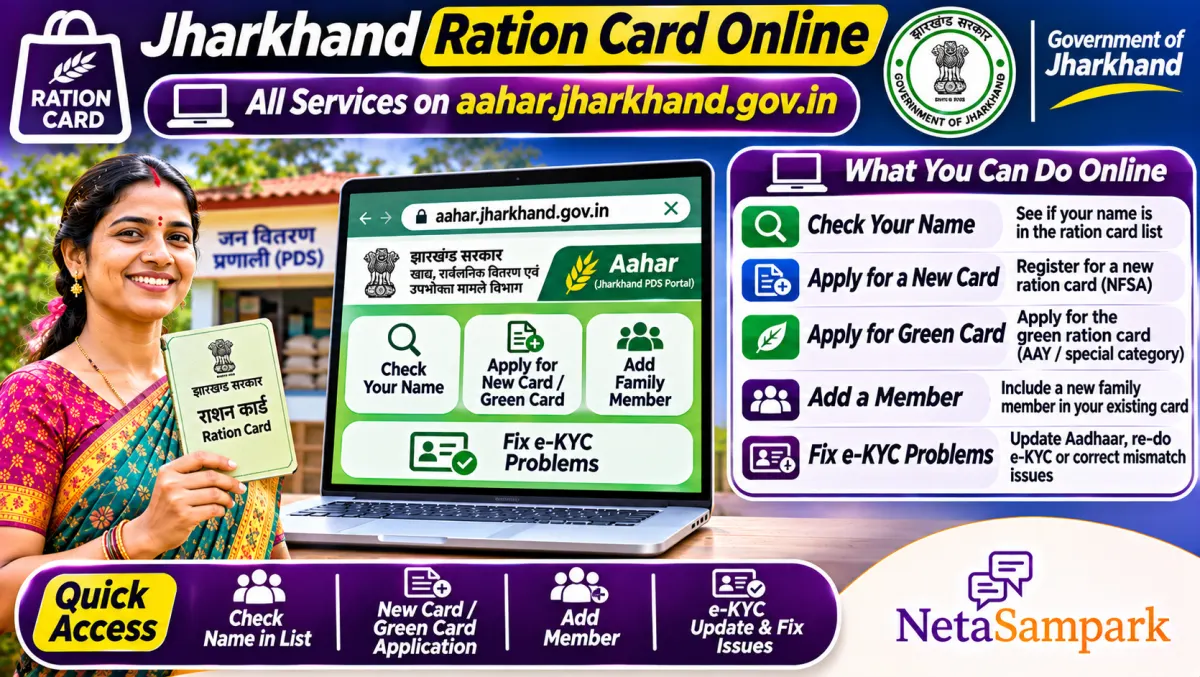
To check a Jharkhand ration card, open aahar.jharkhand.gov.in, go to the ration card or beneficiary search, choose your district and enter the card number or search the village or ward list. New cards and corrections are applied for on Aahar or at a Pragya Kendra. Families outside NFSA can be covered under the state's Green Card scheme.
Updated 11 November 2026
In Jharkhand, families have been through two big ration shake-ups in recent years: mandatory e-KYC of every member and the cleaning of lists. Some found names missing. Others were told their card was "cancelled" and didn't know why. Meanwhile, eligible families left out of the central list were given a separate route through the state's Green Card.
This guide explains how to check your card, apply or correct it, and fix the usual problems.
Quick facts: Jharkhand ration card
| Item | Details |
|---|---|
| Official portal | aahar.jharkhand.gov.in (Food, Public Distribution and Consumer Affairs Department, Jharkhand) |
| Helpline | 1967 (food and civil supplies helpline); Block Supply Officer and District Supply Officer |
| Fee | No fee for the card; Pragya Kendra may charge a small service fee |
| Deadline | None for checking; new applications as per state windows |
| Documents | Aadhaar of all members, bank passbook, residence proof, income or category proof, photo |
| Card types | NFSA cards (Antyodaya and priority households) and the state Green Card (Jharkhand State Food Security Scheme) |
| e-KYC | Aadhaar authentication of every member at the PDS shop |
| Where to apply | Online on Aahar or at a Pragya Kendra (CSC) |
NFSA card or Green Card?
The National Food Security Act has a fixed coverage limit for each state. Jharkhand created its own Jharkhand State Food Security Scheme, known as the Green Card, to cover poor families who couldn't be added under NFSA because the central quota was full. Both are ration cards, but they're under different schemes, with entitlements decided by central and state orders. Your card details on Aahar show which one you have.
How to check your ration card on Aahar
1. Open aahar.jharkhand.gov.in.
2. Go to the ration card or beneficiary search option.
3. Choose your district.
4. Search by ration card number, or open the village or ward-wise list and find your family.
5. Check the head of family, members, card type and dealer.
6. Save a screenshot.
How to apply for a new card
1. On Aahar, open the new ration card application option, or go to a Pragya Kendra.
2. Fill in the head of family (usually the eldest woman), members, Aadhaar, bank and address details.
3. Upload or attach documents.
4. Submit and note the application number.
5. The Block Supply Officer verifies, and the card is approved under NFSA or the Green Card depending on eligibility and available coverage.
How to add a member or correct details
1. Log in on Aahar or visit a Pragya Kendra.
2. Choose member addition, deletion or correction.
3. For a newborn, attach the birth certificate. For a bride, the marriage certificate, after her name is removed from her parents' card.
4. For corrections, attach Aadhaar and supporting proof.
5. Submit and track with the application number.
e-KYC: the most common reason names disappear
Every member needs Aadhaar e-KYC at the PDS shop's ePoS machine. Members who haven't done it can be flagged and removed after checks. Go with all members and their Aadhaar. If fingerprints fail for elderly members or children, ask the dealer about iris or face authentication, or go to the block office. Our explainer on why ration card e-KYC is mandatory explains the rule.
Common problems and fixes
| Problem | Likely reason | What to do |
|---|---|---|
| Name missing | e-KYC not done or removed in checks | Do e-KYC; apply for reinclusion at the block |
| Card cancelled | Duplicate, ineligible or inactive | Ask the Block Supply Officer for the reason; appeal with proof |
| Less grain than due | Dealer error | Ask for the ePoS receipt; complain on 1967 |
| Application pending for long | Verification slow | Follow up at the block with the application number |
| Wrong head of family | Data error | Apply for correction on Aahar |
A real-life example
Mamta in Ranchi applied for her daughter-in-law's addition in 2026. The application showed "pending at block" for weeks. She went to the Block Supply Office with the marriage certificate and the application number and learned that the bride's name was still on her parents' card in Hazaribagh. Once that was removed, the addition went through.
Documents checklist
☐ Aadhaar of every member
☐ Bank passbook of the head of family
☐ Residence proof
☐ Income or category proof
☐ Birth, marriage or death certificate for changes
☐ Application number after you apply
Your ration card and other schemes
Jharkhand schemes, including Maiyan Samman, often use the ration card and family details for verification. A correct card avoids trouble elsewhere. See our Maiyan Samman payment guide for that scheme, and the One Nation One Ration Card guide if you work outside Jharkhand.
Where to complain
Call 1967 for ration issues, then go to the Block Supply Officer and District Supply Officer. If nothing happens, use the state's grievance system or file an RTI asking why your name was removed. Your MLA can raise it too. Find yours on NetaSampark's Jharkhand page.
What your card gets you
NFSA priority households get foodgrains per member each month, and Antyodaya families get a fixed family quota, with grain given free under the central free foodgrain scheme. Green Card families get grain under the state scheme as notified. Some months, the state also distributes extra items like salt, dal or sugar through PDS shops. Check the board at your shop or ask the dealer for the current list, and match it with the ePoS receipt.
Removing a deceased member
When a family member dies, apply on Aahar or at the block to remove the name, with the death certificate. Keeping it can lead to the card being flagged during verification, which then affects everyone on the card.
Changing your PDS shop
If you've moved to another area within Jharkhand, you can apply to shift your card to a shop near your new home. Until then, you can usually draw rations at another ePoS-enabled shop through Aadhaar authentication.
Avoid agents and fake links
There's no fee to get a ration card approved. If someone asks for money to add a name or make a Green Card, refuse and report it to the Block Supply Officer. Only use aahar.jharkhand.gov.in and official notices for applications.
Keep the head of family's mobile active
Updates about your application and card come to the registered mobile. If it's changed, update it on Aahar or at the Pragya Kendra so you don't miss messages about verification or e-KYC.
One more tip
Keep your card active. Lift your ration regularly and finish e-KYC for every member, because cards that show no lifting for a long time can be flagged for review. If you move to another district, ask the supply office about moving your card instead of applying for a fresh one.
Final reminder
Check your card on Aahar, make sure every member has done e-KYC, and fix missing names now. If you were left out of NFSA, ask at the block about the Green Card route.
Frequently asked questions
How do I check my Jharkhand ration card online?
Use the ration card or beneficiary search on aahar.jharkhand.gov.in with your district and card number, or the village list.
What is the Green Card in Jharkhand?
A ration card under the Jharkhand State Food Security Scheme for poor families left out of NFSA coverage.
How do I add a member to my ration card?
Apply on Aahar or at a Pragya Kendra with the birth or marriage certificate, and track with the application number.
Why was my name removed from the ration card?
Usually because e-KYC wasn't done, or the name was flagged in verification. Do e-KYC and apply for reinclusion.
What is the ration helpline?
1967, the food and civil supplies helpline.
Sources
• Aahar, Food, Public Distribution and Consumer Affairs Department, Jharkhand