
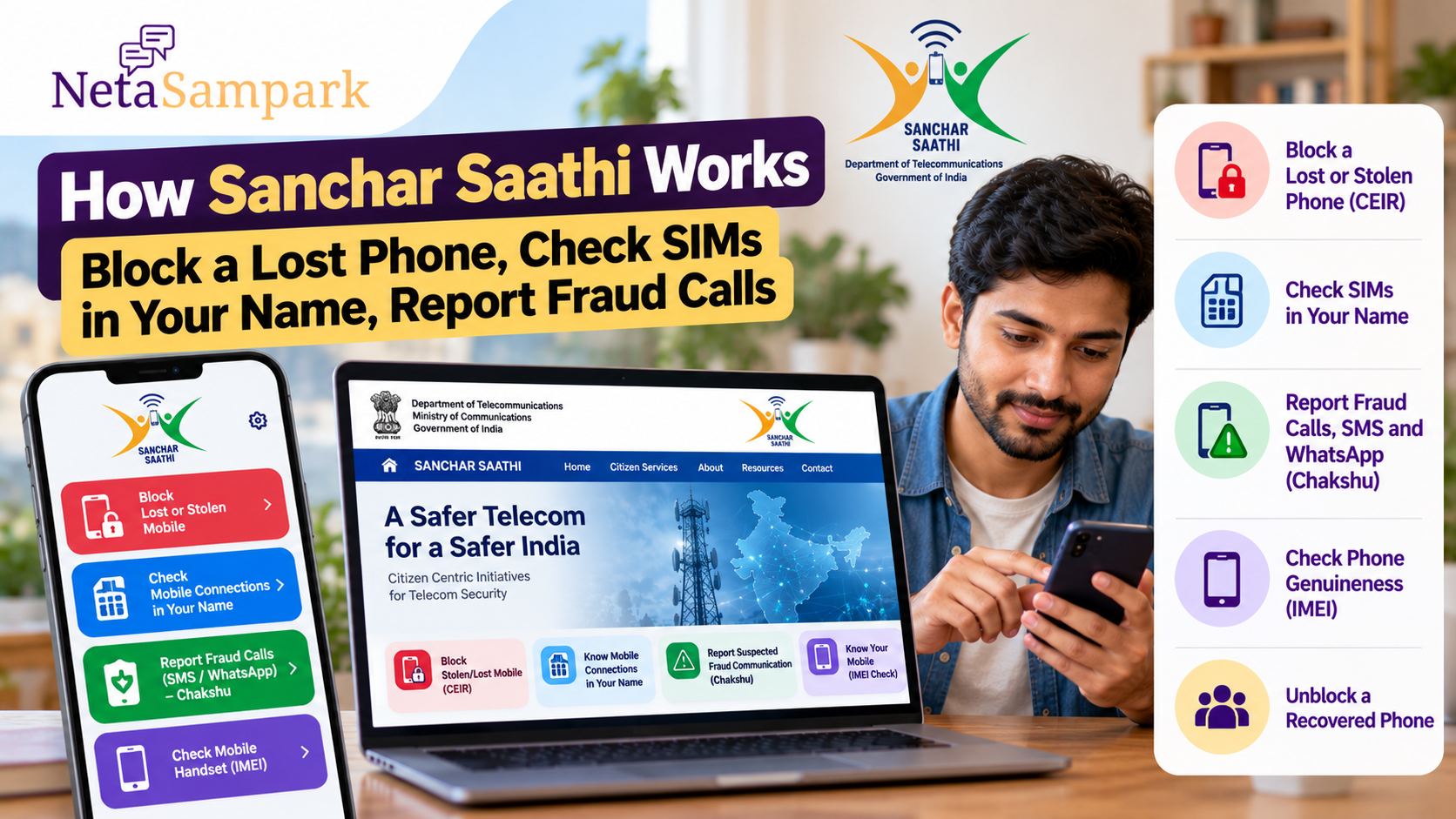
Your mobile number is now connected to everything from banking and UPI to Aadhaar, government services and social accounts. If your phone is lost, an unknown mobile connection is registered in your name, or you receive a suspicious call pretending to be from a bank or government department, the Sanchar Saathi platform can help you take action.
Sanchar Saathi is a citizen-facing initiative of the Department of Telecommunications (DoT), Ministry of Communications. Its services include blocking lost or stolen handsets, checking mobile connections issued in your name, reporting suspected fraud communications through Chakshu, and checking the genuineness of a mobile handset. Sancharsaathi
Here is how to use the three services most people are likely to need.
What Can You Do With Sanchar Saathi?
The platform brings several telecom-security services together:
- Block a lost or stolen mobile phone
- Check mobile connections issued in your name
- Report suspected fraud calls, SMS and WhatsApp messages
- Unblock a phone if it is recovered
- Check the genuineness of a mobile handset before buying it
The Sanchar Saathi mobile app provides these services as well, including access to Chakshu directly from mobile call and SMS logs. Sancharsaathi
1 Lost Your Phone? Block the Handset First
If your phone is lost or stolen, Sanchar Saathi's Central Equipment Identity Register (CEIR) service can be used to request blocking of the handset's IMEI.
Blocking the handset prevents it from being used on Indian telecom networks after the request is processed. If the handset is subsequently used with another SIM, the system can generate traceability information for the police and send an alert to the citizen. Sancharsaathi
This is different from simply blocking your SIM.
Your SIM/mobile number and your handset are two separate things.
If your phone has been stolen, contact your telecom provider to secure the mobile connection and use CEIR to block the device itself.
What Do You Need to Block a Lost Phone?
The current CEIR blocking form asks you to keep several things ready:
- Police report/FIR or police complaint
- Re-issued or duplicate SIM for the lost mobile number
- Valid identity proof
- IMEI number, if available
- Mobile purchase invoice, if available
The re-issued SIM is important because the mobile number is used for OTP verification. CEIR
If you don't know the IMEI, check your original phone box, purchase invoice or other records where the IMEI may be printed.
For a dual-SIM phone, there can be two IMEI numbers, so keep both if available.
How to Block the Phone
Go to the official CEIR/Sanchar Saathi service and select “Block Stolen/Lost Mobile.”
The basic process is:
- File the police report/complaint.
- Get a replacement SIM for the lost number.
- Keep your identity proof and IMEI details ready.
- Submit the blocking request.
- Complete OTP verification.
- Save the Request ID.
The Request ID can be used to check the status of the request. CEIR
Sanchar Saathi — Official Portal
What Happens If the Phone Is Found Later?
A blocked handset does not have to remain blocked forever.
If you recover your phone, Sanchar Saathi provides an “Un-Block Found Mobile” facility. You can submit the required request using the Request ID generated when the device was blocked. CEIR
So keep the Request ID after reporting the loss.
2. Check How Many SIMs Are Registered in Your NameAnother useful Sanchar Saathi service is “Know Mobile Connections in Your Name.”
It allows you to see mobile connections issued using your identity and report connections that you do not recognise or no longer require.
The Department of Telecommunications originally introduced this facility as TAFCOP — Telecom Analytics for Fraud Management & Consumer Protection. Users authenticate with their mobile number and OTP to see connections issued in their name. Sancharsaathi
This is worth checking periodically, particularly if you have:
- Changed telecom operators several times
- Lost an old SIM
- Given documents to a telecom retailer in the past
- Closed a number but are unsure whether it was properly disconnected
- Received a message about a mobile connection you do not recognise
What Should You Do If You See an Unknown Number?
Don't panic, but don't ignore it either.
First check whether the number actually belongs to you or someone in your household who may have used your documents.
If you genuinely do not recognise a connection, use the Sanchar Saathi facility to report it.
The system was specifically designed to allow citizens to identify mobile connections registered in their name and report fraudulent or unnecessary connections for action. Sancharsaathi
This can help prevent your identity documents from being associated with a mobile connection you never requested.
Don't Confuse an Old Number With a Fraudulent Number
An unfamiliar number is not automatically fraudulent.
For example, a family member may have obtained a SIM using your documents where the connection was legitimately registered to you.
Check the details first.
If you are certain that you never requested or authorised the connection, report it through the official Sanchar Saathi process.
3. Received a Suspicious Call? Use ChakshuChakshu is Sanchar Saathi's facility for reporting suspected fraud communications.
It covers suspicious communications received through:
- Phone calls
- SMS
Examples include messages or calls claiming that:
- Your SIM will be disconnected
- Your KYC has expired
- Your bank account or payment wallet needs verification
- Your electricity or gas connection will be cancelled
- You have committed a legal offence
- The caller is a government official
- A relative needs urgent money
- You have won a prize
- You need to click a link or provide personal information
The Department of Telecommunications specifically encourages citizens to report suspected fraud communications through Chakshu to help identify and prevent misuse of telecom resources. Sancharsaathi
How Chakshu Reporting Works
If you receive a suspicious communication, go to the Chakshu reporting facility on Sanchar Saathi.
You may need to provide information such as:
- How you received the communication
- The phone number or communication details
- The suspected fraud category
- Date and time
- Supporting information or screenshot where applicable
The service uses OTP-based verification. Sancharsaathi
The DoT's published Chakshu information says suspected fraud communications received within the previous 30 days can be reported through the facility. Sancharsaathi
Chakshu — Report Suspected Fraud Communication
Important: Chakshu Is Not the Same as Reporting a CybercrimeThis distinction matters.
If you received a suspicious call or message but did not lose money, Chakshu can be used to report the suspected fraud communication.
But if you have already lost money or become a victim of cybercrime, don't rely only on Chakshu.
The Department of Telecommunications advises victims of cybercrime or financial fraud to report the incident through the 1930 cybercrime helpline or the official National Cyber Crime Reporting Portal. Sancharsaathi
In other words:
Suspicious communication → Chakshu
Money lost / cybercrime already committed → 1930 + cybercrime reporting
What If Someone Says Your SIM Will Be Disconnected?Be especially cautious.
The Department of Telecommunications has specifically warned about fraudulent calls threatening citizens with mobile-number disconnection.
DoT has stated that it does not make calls threatening citizens with disconnection of their mobile numbers. Sancharsaathi
A caller may claim to be from:
- DoT
- TRAI
- Police
- Cybercrime department
- A telecom operator
- A bank
- Another government authority
The caller may then ask you to:
- Press a number
- Share an OTP
- Install an app
- Share your screen
- Transfer money
- Provide Aadhaar or banking information
Do not provide sensitive information merely because the caller claims to represent a government department.
If the communication appears suspicious, report it through Chakshu.
You Can Also Check a Phone's IMEISanchar Saathi includes a “Know Your Mobile” facility that lets consumers check the genuineness/status of a handset using its IMEI.
You can find the IMEI by:
- Dialling *#06# on the phone
- Checking the phone's packaging
- Checking the purchase invoice
The official CEIR service also allows IMEI verification through its website. CEIR
The system can flag a device as blacklisted, duplicate or already in use. The official portal advises consumers to avoid purchasing a device with such a status. CEIR
This is particularly useful when buying a second-hand smartphone.
Sanchar Saathi App vs WebsiteYou don't necessarily need to use a computer.
The Department of Telecommunications launched the Sanchar Saathi mobile app for Android and iOS. It provides access to:
- Chakshu
- Mobile connections registered in your name
- Lost/stolen handset blocking
- Handset genuineness checking
The app also allows suspected calls and SMS to be reported directly from mobile logs. Sancharsaathi
For important requests involving identity documents or a lost phone, make sure you are using the official Sanchar Saathi app or website, rather than a third-party application claiming to provide the same service.
A Simple Sanchar Saathi Safety RoutineYou don't have to wait until something goes wrong to use Sanchar Saathi.
Consider doing these checks:
Check your mobile connections
Look at the numbers registered in your name and identify anything you don't recognise.
Save your phone's IMEI
Keep the IMEI somewhere safe, such as your purchase invoice or a secure personal record.
Know where to report suspicious calls
If you receive a suspicious call, SMS or WhatsApp message, remember Chakshu.
Act quickly after losing a phone
Contact your telecom operator, file the required police complaint and submit the CEIR blocking request.
Keep the Request ID
If you block a handset, save the Request ID until the case is resolved.
Sanchar Saathi ChecklistSituationWhat to usePhone lost or stolenCEIR – Block Stolen/Lost MobilePhone recoveredCEIR – Un-Block Found MobileWant to see SIMs in your nameKnow Mobile Connections in Your NameUnknown SIM registered to youReport the connection through Sanchar SaathiSuspicious callChakshuSuspicious SMSChakshuSuspicious WhatsApp messageChakshuAlready lost money to fraud1930 + cybercrime.gov.inChecking a second-hand phoneKnow Your Mobile / IMEI verification
What You Should Do Today
Open the official Sanchar Saathi portal and check whether the mobile connections associated with your identity are all familiar.
If your phone is lost in the future, remember that blocking the SIM and blocking the handset are separate steps. The CEIR service is specifically designed to block the device's IMEI across Indian networks. Sancharsaathi
And if a suspicious caller claims that your SIM is about to be disconnected, asks for an OTP or pretends to be a government official, don't act under pressure. Preserve the communication details and use Chakshu to report it.
Sanchar Saathi is essentially a set of telecom-safety tools: check what is registered in your name, protect a lost device, verify a handset and report suspicious communications before they become a bigger problem.