
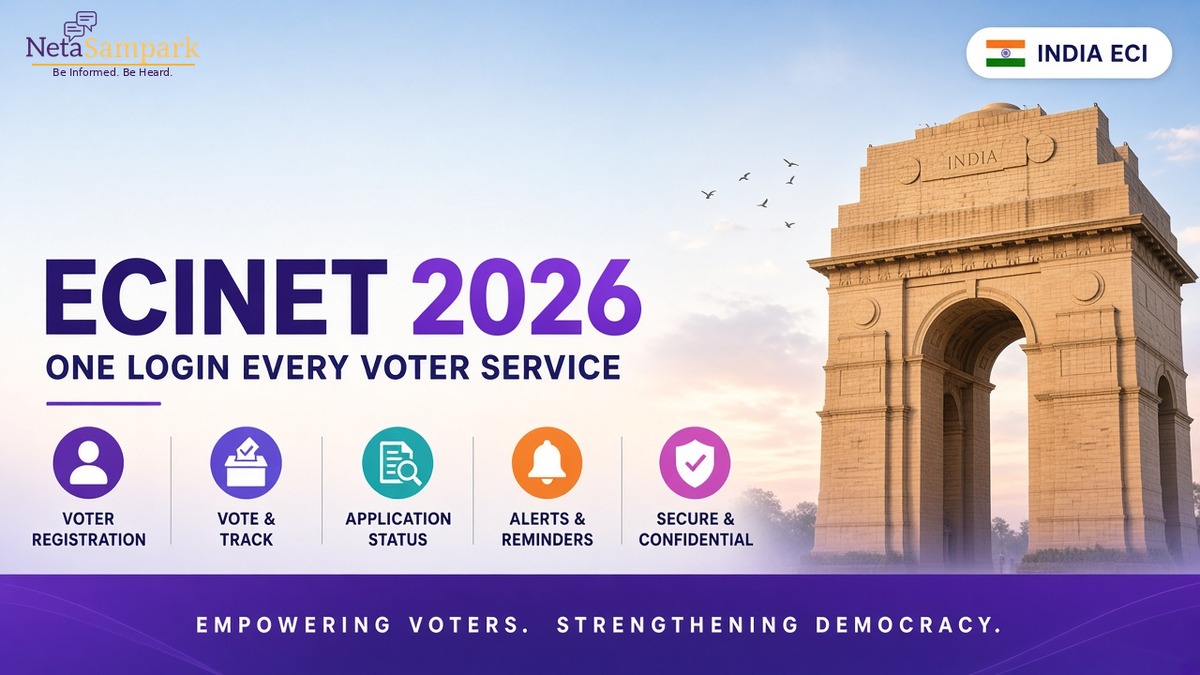
For many Indian voters, election-related services have traditionally meant remembering several different websites and mobile apps: one for voter registration, another for electoral-roll searches, another for applications, another for complaints, and separate platforms for election information.
The Election Commission of India (ECI) is bringing these services together through ECINET, a unified digital platform for election-related information and services.
ECINET was officially launched in January 2026 at the International Conference on Democracy and Election Management (IICDEM). The ECI says the platform was created to integrate more than 40 existing web and mobile applications into a single digital ecosystem. It is available in 22 scheduled languages and English. (Election Commission of India)
For ordinary voters, the idea is straightforward:
One digital ecosystem for checking your voter information, managing applications, accessing electoral services and getting election-related information.
The official ECI citizen-service portal is:
What Is ECINET?
ECINET is the Election Commission of India's unified digital platform for election-related services and information.
Before ECINET, the ECI operated numerous separate applications and websites. In May 2025, the Commission announced that ECINET would integrate and reorient more than 40 existing ECI applications to provide a simpler user experience. The list included the Voters' Service Portal, Electoral Search, National Grievance Service Portal, Voter Helpline and several election-management applications. (Press Information Bureau)
The platform was officially launched on 22 January 2026.
The ECI said at launch that ECINET was developed in accordance with the country's electoral laws and would be available in 22 scheduled languages plus English. (Election Commission of India)
The platform is not limited to voters. It brings together services and information for different election stakeholders, including citizens, election officials, candidates and political parties.
For voters, however, the most important question is much simpler:
What can I actually use it for?
The Most Useful ECINET Services for VotersThe current ECI Citizen Service Portal provides a number of voter-facing services, including:
- Search your name in the electoral roll
- New voter registration
- Correction of electoral-roll details
- Deletion requests
- Application-status tracking
- e-EPIC download
- Electoral-roll downloads
- Booking a call with your BLO
- Election-related complaints and suggestions
- Appeals
- Election and candidate information
- Election results
- Polling information
- Special Intensive Revision-related services where applicable (ECI Voters)
That makes ECINET particularly useful for one simple task:
checking your own electoral information instead of relying on someone else's screenshot or WhatsApp message.
1. Check Whether Your Name Is on the Electoral RollThis should be one of the first things you do before an election—or whenever electoral-roll revision is taking place in your area.
The ECI's citizen portal provides a Search Your Name in Voter List service that can also provide polling-related information and details such as your MP/MLA. (ECI Voters)
You can access the official citizen portal here:
Search and manage voter services through ECI
You can also use the ECI's electoral-search service where applicable.
Don't rely on an old voter card alone
Having an EPIC number or an old physical voter card does not mean you should stop checking the electoral roll.
If you are concerned that your name has disappeared, been moved or contains an error, check the current electoral-roll information and use the appropriate ECI form or grievance route.
2. New Voter RegistrationIf you are eligible to register as a voter, ECINET provides access to Form 6 for new voter registration.
The current ECI portal specifically provides Form 6 for people who are 18 or above, as well as those approaching the qualifying age under the applicable registration process. (ECI Voters)
For Indian citizens living abroad, the portal separately provides Form 6A for NRI electors. (ECI Voters)
The important thing is to use the correct form rather than submitting multiple applications for the same issue.
3. Correct Your Voter DetailsMade a spelling mistake?
Moved to another address?
Need another correction to your electoral-roll entry?
The ECI's voter-service system provides the relevant correction and shifting processes.
For existing electors, Form 8 is used for correction of entries and for shifting an electoral-roll entry, subject to the applicable procedure. The ECI's citizen-service guidance confirms that Form 8 can be submitted online or through the concerned BLO. (ECI Voters)
Before submitting anything, check whether the change you need is actually a correction, shifting request or another type of application.
4. Track an Application You Already SubmittedSubmitting a form is only the beginning.
The ECI Citizen Service Portal currently has a dedicated Track Application Status service. (ECI Voters)
This is useful if you have already submitted:
- Form 6
- Form 7
- Form 8
- another voter-service application
- an application related to your electoral record
Keep the application/reference number you received.
Instead of submitting another application because you haven't received an immediate response, check the existing application's status first.
A good habit
Create a small note on your phone:
Application: Form 8
Reference ID: XXXXX
Submitted: 10 September 2026
Current status: Pending
That one record can save considerable confusion later.
5. Download Your e-EPICThe e-EPIC is the digital version of the Elector Photo Identity Card.
The ECI's current portal provides an e-EPIC download service, with authentication through the registered mobile number or other supported credentials. (ECI Voters)
The official portal's e-EPIC flow requires login and OTP verification. (ECI Voters)
If you download your e-EPIC, keep a copy securely on your phone or other appropriate storage.
But don't assume that possessing an e-EPIC by itself resolves every polling-day requirement. Always follow the latest instructions issued by the Election Commission and the relevant Chief Electoral Officer for your election.
6. Book a Call With Your BLOOne of the more useful citizen-facing features is Book a Call with BLO.
BLO means Booth Level Officer.
BLOs are part of the field-level electoral machinery and can assist with matters concerning electoral-roll verification and related processes.
The ECI's current citizen portal specifically provides a Book A Call Request With BLO option. (ECI Voters)
This can be particularly useful when you have a specific unresolved issue and need to communicate with the officer responsible for the relevant polling area.
Before requesting a call, prepare:
- EPIC number
- application/reference number
- current address
- relevant documents
- one clear question
For example:
“My Form 8 application has been pending since 20 August. What is the current status?”
is much more useful than:
“My voter card has many problems. Please help.”7. File an Election-Related Complaint
The ECI's citizen portal includes a Register Complaint / Share Suggestion service.
The National Grievance Redressal System section also provides options to register complaints and track their status. The portal currently highlights Voter Mitra, the ECI's chatbot, for registering and tracking complaints. (ECI Voters)
This creates an important distinction:
Don't just complain publicly.
If you have an actual electoral-service problem, use the official complaint mechanism and obtain a reference number.
That gives you something you can track and refer to later.
How to Write a Better Election GrievanceA good grievance should be factual and specific.
Weak version
“My voter details are completely wrong and nobody is helping me.”
Better version
“My EPIC record shows an incorrect house number. I submitted Form 8 on 20 August 2026 under reference number XXXXX. The correction has not yet been reflected. Please verify the application status and update the electoral-roll entry if the application is otherwise in order.”
The second version tells the officer:
what is wrong → what you already did → when you did it → what you want.
That is the structure you want.
8. Use ECINET During Special Intensive RevisionECINET's current citizen portal has dedicated services for Special Intensive Revision (SIR) 2026 where applicable.
The portal currently provides options including:
- Fill Enumeration Form
- Search Your Name in the Last SIR
- Submit documents against a notice issued (ECI Voters)
The SIR search facility can allow users to search by EPIC number or elector details and provides state-specific search fields. (ECI Voters)
However, SIR is a specific electoral-roll revision process.
It should not be confused with ordinary voter-service functions.
If your State is undergoing an SIR, follow the specific schedule and claims-and-objections process notified by the relevant election authorities.
ECINET Is Not a Replacement for Every Electoral ProcessA digital platform does not eliminate the legal processes behind electoral-roll management.
Depending on the application, there may still be:
- field verification
- BLO verification
- ERO-level decision-making
- document requirements
- claims and objections
- appeals
- deadlines notified by the relevant election authority
The ECI's own voter-service information explains, for example, that field verification reports can be submitted by BLOs and verified by AEROs before further action by the ERO. (ECI Voters)
So don't assume:
“I submitted the form online, therefore the change is automatically approved.”
Online submission is not the same thing as approval.
Track the application.
ECINET and Election InformationECINET is broader than voter registration.
The ECI says its platform integrates more than 40 existing applications and provides election-related information and services across different stakeholders. (Press Information Bureau)
The ECI's current ICT applications page lists ECINET modules including:
- Know Your Candidates
- Model Code of Conduct complaints
- Past Elections
- Current Elections
- Polling Trends
- Suvidha 2.0 (Election Commission of India)
This means ECINET can also become useful during an active election, when citizens want to access official election information instead of depending entirely on social-media posts.
Know Your Candidate: Use Official InformationElection periods produce an enormous amount of political information.
Not all of it is equally reliable.
Where the ECI provides candidate information and disclosures, use the official source to check the underlying information before forwarding claims to family groups or social media.
The purpose is not to tell you who to vote for.
The purpose is to help you access information about the candidates through an official election-information ecosystem.
What About Election Results and Polling Trends?ECINET also brings together election information such as current and past election information, results and polling trends.
The ECI's citizen portal currently provides links for viewing election information and results. (ECI Voters)
During elections, this can be particularly useful because information can change quickly.
For important figures, however, always distinguish between:
official results
and
early trends or unofficial social-media claims.
A screenshot circulating on WhatsApp is not equivalent to an official ECI result.
ECINET and CybersecurityElection systems are high-value targets, so cybersecurity is a major part of the ECINET initiative.
The ECI said cybersecurity was a key consideration in the platform's development. (Press Information Bureau)
The Government later reported that during the 2026 elections, ECINET handled extremely high traffic volumes and that its cybersecurity protocols countered millions of malicious hits targeting key election platforms. (Press Information Bureau)
That does not mean voters should become careless.
Follow basic digital-security rules:
- Use the official ECI website or official app-store listing.
- Don't share OTPs with anyone.
- Don't give your login credentials to someone claiming to be a BLO.
- Be cautious of links sent through WhatsApp.
- Check that you are on the genuine government domain before entering personal information.
When in doubt, navigate directly to the official ECI website rather than clicking a forwarded link.
ECINET vs CPGRAMS: Don't Mix Them UpThis distinction is important.
Election-related issue
Use the appropriate ECI/ECINET grievance mechanism.
Examples:
- electoral-roll problem
- voter-registration issue
- election-related complaint
- polling-related information
- candidate/election-service issue
General government-service grievance
For an appropriate Central Government service grievance, CPGRAMS may be the relevant platform.
Examples:
- pension service issue
- Central Government department service
- scholarship or government-service grievance outside the election system
The two systems serve different purposes.
Don't file an election-roll complaint as a generic CPGRAMS complaint just because you know the CPGRAMS name.
Start with the authority responsible for the electoral service.
A 15-Minute Family Voter CheckYou don't need to wait until election day.
Once every few months—or whenever an electoral-roll revision is taking place—consider doing a quick household check.
Step 1
Search the electoral-roll record for each eligible family member.
Step 2
Check the spelling of the name.
Step 3
Check the address.
Step 4
Check the polling information.
Step 5
Check any pending applications.
Step 6
Save important application/reference numbers.
Step 7
Download the e-EPIC where appropriate.
Step 8
Resolve discrepancies before an election deadline approaches.
This is especially useful for families where someone has:
- recently turned 18
- moved house
- changed address
- married and moved
- changed personal details
- recently applied for registration
- recently requested a correction
This may sound boring.
It is actually one of the most useful habits you can develop when dealing with government services.
Keep a simple record:
ServiceReferenceDateStatusForm 6XXXXX10 AugApprovedForm 8XXXXX20 AugPendingGrievanceXXXXX25 AugUnder process
When you contact a BLO, ERO or grievance authority, you can immediately provide the relevant reference.
Numbers create a paper trail.
What ECINET Does Not DoECINET is powerful, but it does not eliminate the need for citizens to understand the electoral process.
It does not:
- automatically approve every application
- eliminate field verification where required
- replace statutory deadlines
- override the authority of the relevant electoral officer
- guarantee that every electoral-roll discrepancy will be resolved instantly
- replace official State/UT election notifications
- make social-media claims authoritative
And it certainly isn't a substitute for reading the actual instructions issued for your constituency or State.
Before You File Anything, Ask These Five Questions1. What exactly is wrong?
Write it in one sentence.
2. Do I already have an application number?
If yes, track it before filing another application.
3. Which service do I actually need?
Registration, correction, deletion, shifting, e-EPIC, grievance or something else?
4. What evidence do I have?
Keep the relevant documents ready.
5. What result am I asking for?
State it clearly.
These five questions can prevent a surprising amount of unnecessary back-and-forth.
Where NetaSampark Fits InECINET is the official election-service ecosystem.
NetaSampark has a different role.
Elections are only one part of civic participation.
Between elections, citizens still need to know:
- Who represents them?
- Which MP, MLA or councillor is responsible for their area?
- How can they raise a local issue?
- How can they follow up on an unresolved problem?
- How can they stay engaged beyond election day?
That is where NetaSampark's civic tools can complement official government services.
You can use NetaSampark to explore representatives and civic participation tools, while continuing to use the Election Commission's official platforms for electoral services.
The Bottom LineYou don't need to remember every election-related website anymore.
Start with the official ECI citizen-service ecosystem.
Check your name.
Track your applications.
Correct errors early.
Keep your reference numbers.
Use the BLO contact facility when necessary.
File an official grievance when something goes wrong.
And when an election is approaching, don't wait until polling day to discover that something in your electoral record needs attention.
Your vote begins with your name being correctly recorded in the electoral roll.
Be informed. Be heard. Stay connected.
Official sources
- ECI Citizen Service Portal / ECINET
- Election Commission of India
- ECI ICT Applications — ECINET
- PIB — ECINET launch, January 2026
- PIB — ECINET integration of 40+ applications
Non-partisan civic explainer. Electoral services, deadlines and portal interfaces can change. Always verify the latest instructions on the official Election Commission of India or relevant Chief Electoral Officer website before taking action.