
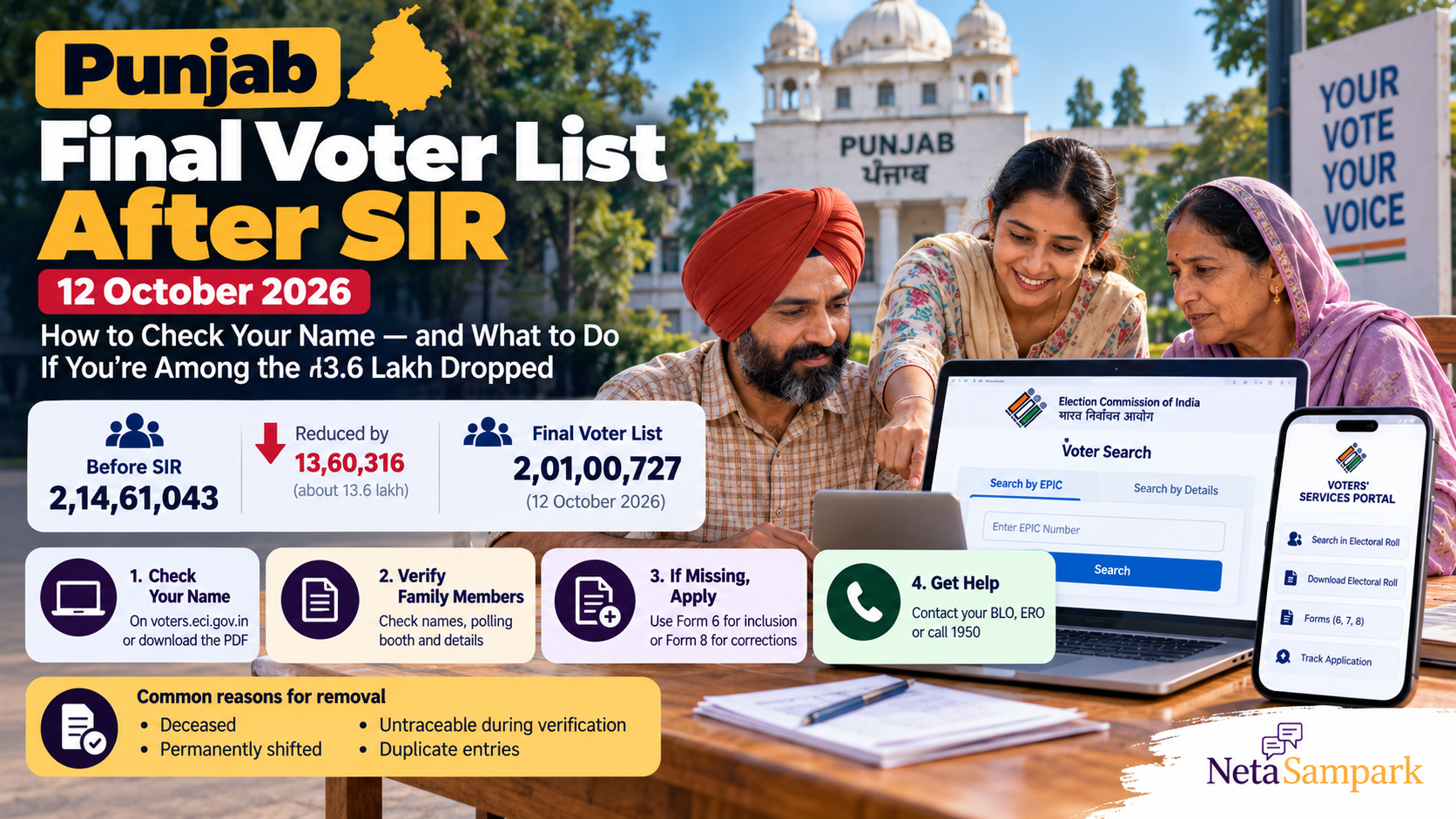
Punjab Final Voter List After SIR (12 October 2026): How to Check Your Name — and What to Do If You’re Among the 13.6 Lakh Missing
Punjab published its final electoral roll after the Special Intensive Revision (SIR) on 12 October 2026. The updated list contains 2,01,00,727 electors, around 13.60 lakh fewer than the 2,14,61,043 registered when the revision began.
If you live in Punjab, check your name now—even if you have a Voter ID card and voted in a previous election.
The important distinction is that the 13.6 lakh figure represents the net reduction in the electorate, not necessarily the number of individual entries deleted without replacement. The final roll also added 7,97,263 new electors. If your own name is missing, you should establish what happened to your entry and use the appropriate registration process.
This guide explains how to search the final voter list, download the official PDF, check the status of a missing entry and apply for inclusion or correction.
1 What changed in Punjab’s final voter list?
The final electoral roll covers all 117 Assembly constituencies in Punjab.
| Electoral roll milestone | Number of electors |
|---|---|
| Electors when SIR began, 9 June 2026 | 2,14,61,043 |
| Draft electoral roll, 13 August 2026 | 1,93,94,435 |
| Final electoral roll, 12 October 2026 | 2,01,00,727 |
| Net reduction from the starting electorate | 13,60,316 |
| New electors added to the final roll, as reported by the CEO | 7,97,263 |
Sources: The Tribune and India Today.
The final list contains more voters than the August draft, but fewer than the electorate recorded before SIR began. This reflects additions and deletions during the revision process.
Why were names removed?
Reported reasons included:
- The elector had died.
- The elector had permanently shifted residence.
- The elector could not be traced during verification.
- Duplicate entries were identified.
These are categories used in the revision process; they do not establish that every individual removal was correct. If you are eligible to vote and cannot find your name, check your personal record rather than relying on the statewide numbers.
2 Where to check the final Punjab voter list
Use official Election Commission of India (ECI) services to search your name or download the electoral roll.
Official links
- Search your name: ECI Voters’ Services Portal
- Download the electoral roll: ECI electoral-roll download page
- Punjab election department: Chief Electoral Officer, Punjab
You can search electronically or download the relevant polling-part PDF. If you are checking several members of your household, the PDF can be useful for comparing names and polling details.
Always use the current electoral roll. An old voter-list printout or possession of a Voter ID card alone does not confirm that your name appears in the current roll.
3 How to check your name online
Method 1: Search using your EPIC number
Your EPIC number is the identification number printed on your Voter ID card.
- Open the ECI Voters’ Services Portal.
- Select the option to search your name in the electoral roll.
- Choose the EPIC-number search, if available.
- Enter your EPIC number and the requested verification details.
- Submit the search.
- Check the result, including your name, constituency and polling-station information.
If your record appears, confirm that the details are correct and save the relevant information.
Method 2: Search by personal details
If you do not have your EPIC number, use the search-by-details facility.
Enter the requested details, which may include your name, relative’s name, age or date of birth, state and constituency.
If your name does not appear immediately, try reasonable spelling variations. Names may be recorded differently in English and Punjabi, and a minor spelling difference can affect search results.
A failed search is not, by itself, proof that your name has been deleted. Check your details and constituency before taking further action.
Method 3: Download the final electoral-roll PDF
- Open the official ECI roll-download page.
- Select Punjab.
- Choose the applicable revision year and constituency or other requested filters.
- Select the relevant polling part.
- Download the PDF and search for your name.
If you cannot identify your polling part, use the online voter search or ask your Booth Level Officer (BLO) for assistance.
4 What if your name is missing from the final list?
Do not assume that your voting rights have permanently ended. First establish whether your entry is missing, incorrectly recorded or associated with a different address or polling part.
Step 1: Search again carefully
Check the following:
- Your EPIC number.
- Your name using alternative spellings.
- Your name in Punjabi, if supported by the search.
- Your father’s, mother’s or spouse’s name.
- Your previous address, if you moved.
- The correct Assembly constituency and polling part.
If the search still fails, move to the next step.
Step 2: Check the relevant SIR or ASDD list
During electoral-roll revision, election authorities may publish lists identifying entries classified as absent, shifted, deceased or duplicate. These are often referred to as ASDD lists.
Check the relevant district election website for available SIR documents and the final electoral roll.
For example, the Shaheed Bhagat Singh Nagar district website provides access to its final integrated electoral roll and ASDD lists.
If you find your name in one of these lists, note the category and verify the details. If the classification is incorrect, retain the relevant information and contact the election authorities about the appropriate inclusion process.
Step 3: Contact your BLO or Electoral Registration Officer
Your BLO can help clarify local electoral-roll information and explain how to submit an application. The Electoral Registration Officer (ERO) is the authority responsible for deciding applications relating to registration and electoral-roll entries.
Ask these specific questions:
- Is my name present in the final roll?
- If it is missing, what is the recorded status of my entry?
- Which application should I submit?
- What documents or declarations are required?
- How can I track the application?
You can find official election contacts through the CEO Punjab website or call the ECI voter helpline at 1950.
5 Which form should you use?
The correct application depends on whether your name is entirely missing or whether an existing entry needs correction.
| Your situation | Application to check |
|---|---|
| You are eligible but need to be included in the electoral roll | Form 6 |
| Your name appears, but personal details are incorrect | Form 8 |
| You have shifted residence and need to update your existing entry | Form 8 |
| You need a replacement EPIC or another applicable Form 8 service | Form 8 |
| You want to object to an existing entry or request deletion on permitted grounds | Form 7 |
You can access the forms through the official ECI forms portal.
Form 6: If your name is missing
Form 6 is the standard application for inclusion of a new elector in the electoral roll.
If you were registered previously but cannot find your name after SIR, do not assume that correcting your old Voter ID details is enough. Ask the ERO whether you need to apply for inclusion using Form 6 and whether any SIR-specific declaration or supporting information is required.
Complete the form according to the current instructions and provide the documents requested by the authority.
Form 8: If your existing details need correction
Form 8 covers specified corrections to an existing electoral-roll entry and requests such as shifting residence, replacement of an EPIC and marking a person with a disability, as applicable.
If your name is already present but your address or other details are wrong, check whether Form 8 is appropriate.
Important: Form 8 is not a substitute for Form 6 when your name is entirely absent from the current roll and you need inclusion.
6 What documents should you keep ready?
The required evidence depends on your application and circumstances. Before applying, keep relevant documents accessible:
- Your EPIC number or Voter ID card.
- Proof of age, where required.
- Proof of ordinary residence, where required.
- Details of your previous electoral-roll entry.
- Any notice or communication received from election authorities.
- The relevant SIR or ASDD entry, if available.
- Previous application acknowledgements, if applicable.
Follow the current form instructions rather than assuming that one document will resolve every case.
Use official websites to submit personal information. Never share OTPs or sensitive documents with an unofficial agent who promises to restore your name.
7 How to apply online if your name is missing
Once you have confirmed the appropriate form, follow these steps.
- Open the ECI Voters’ Services Portal.
- Sign in or register if required.
- Select Form 6 for inclusion, or Form 8 for an applicable correction or shift.
- Enter your personal and address details accurately.
- Upload the supporting documents requested by the form.
- Review the information before submitting.
- Save your acknowledgement or reference number.
- Use the portal’s application-status service to follow the progress.
Depending on the service and your circumstances, you may also be able to submit an application through the Voter Helpline app or the applicable offline process.
Submitting an application does not automatically restore your name. The ERO must process it under the applicable rules. Check the electoral roll again after receiving a decision.
8 What if your application is rejected or remains pending?
If your application is rejected, read the decision and the reasons given. The issue may concern eligibility, missing documents, residence verification or another requirement.
If you believe the decision is wrong, ask the ERO for clarification and check the available statutory appeal process and its deadline.
If the application remains pending:
- Keep your acknowledgement number.
- Check the online application status.
- Contact the BLO or ERO.
- Ask whether further documents or verification are required.
- Retain written records of responses and follow-ups.
For general assistance, call 1950 or use the CEO Punjab website.
Do not wait until polling day to discover that your name is missing. Apply and follow up as early as possible.
9 What if several family members are missing?
Check each family member individually. Do not assume that one person’s inclusion means the entire household is registered.
For each person:
- Search by EPIC number, if available.
- Search by personal details if the EPIC search fails.
- Confirm the correct constituency and polling part.
- Check any relevant SIR or ASDD entry.
- Submit the appropriate application if the person is eligible but absent.
- Save the acknowledgement and track the decision.
If several people are missing, ask the BLO or ERO whether the entries share a common issue, such as an address or enumeration problem. Each person’s eligibility and application must still be assessed under the applicable rules.
10 Does a Voter ID card guarantee that you can vote?
No. Your name must appear in the electoral roll applicable to the election.
Keep your Voter ID card safe, but also verify your current entry and polling details through the official voter-search service.
If your name is missing, use the prescribed registration process rather than relying only on possession of the card.
Frequently Asked Questions
When was Punjab’s final voter list after SIR published?
The final electoral roll for Punjab was published on 12 October 2026.
Were exactly 13.6 lakh names deleted?
The electorate fell by 13,60,316 compared with the number recorded when SIR began. That is the net reduction. The process also added 7,97,263 new electors, so the reduction should not be interpreted as the number of individual entries removed without accounting for additions.
Can I check my name without a Voter ID number?
Yes. Use the search-by-details facility on the ECI Voters’ Services Portal, where available.
Which form should I use if my name is missing?
Form 6 is the standard route for inclusion. Form 8 is used for specified corrections and shifting requests. If your entry was affected by SIR, confirm the correct procedure with your ERO.
Can I vote if my name is missing but I have my Voter ID card?
A Voter ID card alone is not sufficient if your name is absent from the applicable electoral roll. Contact your BLO or ERO and follow the prescribed inclusion process.
What is the official voter helpline?
The Election Commission’s voter helpline is 1950. You can also access online services through voters.eci.gov.in.
The bottom line
Punjab’s final voter list after SIR was published on 12 October 2026 and records 2,01,00,727 electors. The electorate is down by around 13.6 lakh compared with the pre-revision count, but that statewide figure cannot tell you whether your own entry was correctly handled.
Search your name, confirm your polling details and contact your BLO or ERO immediately if your entry is missing. Use Form 6 for inclusion where applicable, Form 8 for relevant corrections or shifting requests, and keep your acknowledgement until the issue is resolved.
Official and supporting sources
- Chief Electoral Officer, Punjab
- ECI Voters’ Services Portal
- Download electoral rolls
- ECI application forms
- Shaheed Bhagat Singh Nagar district: SIR final roll and ASDD lists
- The Tribune: Punjab’s final electoral roll and SIR figures
- India Today: Punjab’s final electoral roll after SIR