
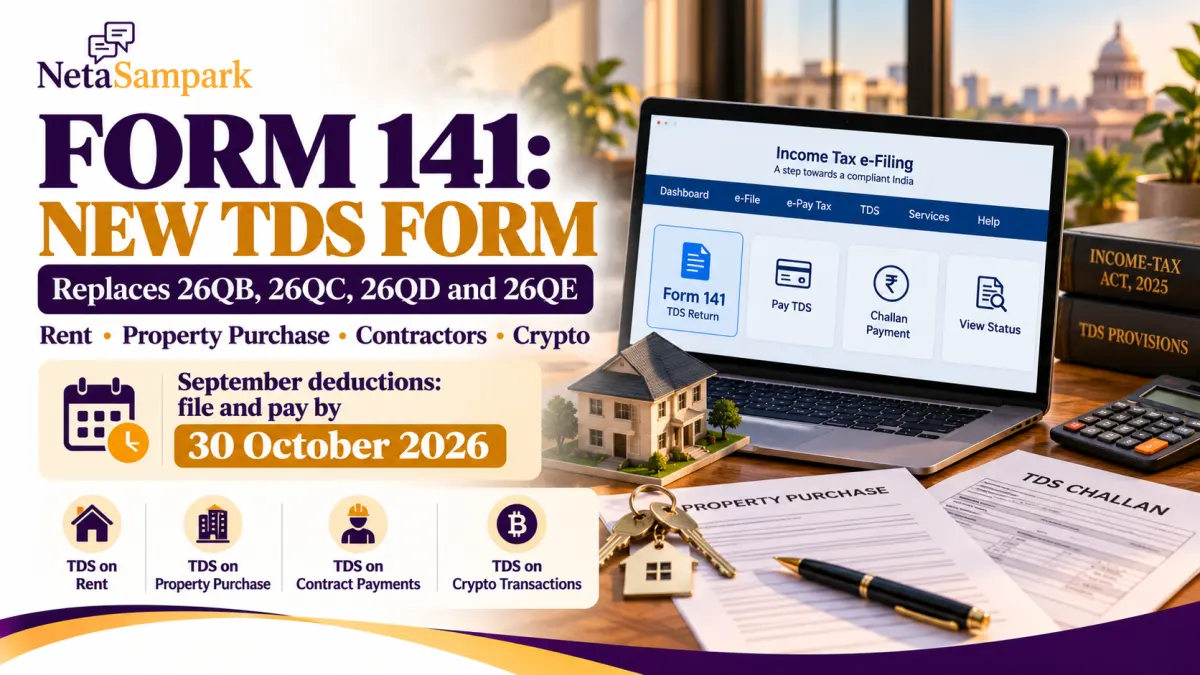
Paying TDS on rent, buying a property, or reporting certain contractor payments? From 1 April 2026, India’s new Income-tax Act, 2025 introduced Form 141, a single challan-cum-statement that combines four earlier forms: 26QB, 26QC, 26QD and 26QE.
If you deducted TDS during September 2026 under one of these categories, the deadline to deposit the tax and submit Form 141 is 30 October 2026.
Official source: Income Tax Department — Form 141 guide
1 What is Form 141?
Form 141 is used to report and pay TDS for specified transactions under Section 393 of the Income-tax Act, 2025. Instead of navigating four separate forms, eligible taxpayers can use one form with the relevant schedule.
Here is how the old forms map to Form 141:
| Earlier form | Transaction | Form 141 schedule |
|---|---|---|
| Form 26QC | Rent payments by eligible individuals or HUFs | Schedule A |
| Form 26QB | Purchase or transfer of immovable property | Schedule B |
| Form 26QD | Payments by individuals or HUFs to contractors and professionals | Schedule C |
| Form 26QE | Transfer of specified virtual digital assets, including crypto | Schedule D |
A separate form is required for each transaction category. You should select the schedule that matches the payment you are reporting.
Important: Form 141 does not replace every TDS return or statement. It covers specified transaction-based TDS payments.
2 Who needs to use Form 141?
The form is relevant to people responsible for deducting TDS in the following situations.
A. Paying rent
Schedule A covers specified rent payments made by an individual or Hindu Undivided Family (HUF). Under the relevant provisions, this generally applies where rent exceeds ₹50,000 per month.
The tenant responsible for deducting tax must report the transaction and deposit the amount within the prescribed time.
B. Buying a property
Schedule B covers TDS on the transfer of immovable property where the applicable threshold is met. For the usual resident-seller transaction, this generally applies when the consideration or stamp-duty value meets the ₹50 lakh threshold under the relevant provisions.
The buyer is responsible for deducting and reporting the tax. If the seller is a non-resident, check the separate rules and applicable schedule before filing.
C. Paying contractors or professionals
Schedule C covers specified payments by individuals or HUFs to contractors and professionals, subject to the applicable threshold and conditions. The relevant category includes certain payments exceeding ₹50 lakh by individuals or HUFs who are not required to have their accounts audited under the specified provisions.
D. Transferring virtual digital assets
Schedule D covers specified transactions involving virtual digital assets, including cryptocurrency, where TDS applies.
The applicable rate and reporting requirements depend on the transaction and the law. Do not assume the same rate applies to all four schedules.
For the precise applicability rules, use the Income Tax Department’s official Form 141 FAQs.
3 What is the due date for September 2026 deductions?
For the specified Form 141 transactions, the tax must generally be deposited and the challan-cum-statement furnished within 30 days from the end of the month in which the deduction was made.
| Month of deduction | Due date |
|---|---|
| August 2026 | 30 September 2026 |
| September 2026 | 30 October 2026 |
| October 2026 | 30 November 2026 |
For September deductions, do not confuse the Form 141 deadline with the regular quarterly TDS-return deadlines. Form 141 follows its own challan-cum-statement timeline.
If you deducted tax in September but have not deposited it, complete the process promptly and check the applicable interest or late-filing consequences.
4 How to pay TDS and file Form 141 online
You can access Form 141 through the Income Tax Department’s e-Filing portal. It is available in post-login mode, so keep your PAN login credentials ready.
Step-by-step process
- Open the Income Tax e-Filing portal.
- Log in using your PAN-based credentials.
- Go to e-File → e-Pay Tax.
- Select New Payment.
- Choose Form 141 — Challan-cum-statement of deduction of tax under Section 393(1).
- Select the appropriate deductee type and the relevant schedule for your transaction.
- Enter the deductor, deductee and transaction details requested by the portal.
- Check the amount on which TDS is calculated, the deduction date and the applicable rate.
- Generate the challan reference and complete payment using an available payment method.
- Complete the Form 141 submission and save the acknowledgement and payment receipt.
The exact fields depend on the schedule you select. For a property purchase, for example, the portal asks for property details and stamp-duty value. For rent, it asks for the relevant rent and deduction details.
Follow the official Form 141 filing instructions if you are unsure which fields apply.
5 What documents and details should you keep ready?
Before starting, gather the information relevant to your transaction.
- Your PAN and login credentials
- The deductee’s PAN and name
- The month and date of deduction
- The payment amount and amount liable for TDS
- Property address, agreement date and stamp-duty value for a property transaction
- Rent details for a rent transaction
- Contractor or professional payment details, where applicable
- Transaction records and bank details needed to complete payment
Check the PAN and deductee category carefully. Incorrect details can cause validation errors or require a correction later.
6 Do you need a TAN to file Form 141?
For the specified PAN-based challan-cum-statement transactions covered by Form 141, a separate TAN is generally not required. You file through the Income Tax Department’s e-Filing portal using your PAN login.
This is one of the practical differences between these transaction-based filings and regular TDS compliance that may require a TAN.
However, the exemption is specific to the relevant transaction and form. Do not assume that a TAN is unnecessary for every type of TDS payment.
7 What if the transaction happened before 1 April 2026?
The transition date matters.
For transactions where the relevant payment or credit event occurred on or before 31 March 2026, the earlier forms continue to apply under the old Income-tax Act, 1961.
For qualifying transactions from 1 April 2026 onwards, Form 141 is used under the Income-tax Act, 2025.
There is also a specific change for property purchases involving non-resident sellers: Schedule E was introduced with effect from 1 October 2026 for eligible transactions where a resident individual or HUF purchases immovable property from a non-resident and is required to deduct TDS under Section 393(2).
If your transaction involves a non-resident seller or landlord, confirm the applicable form and schedule before making payment.
8 What happens if you miss the deadline?
Missing the deadline can lead to interest and other consequences under the applicable tax provisions. The precise amount depends on when the tax was deducted, when it was deposited and when the statement was furnished.
If your September 2026 deduction is still pending:
- Deposit the tax as soon as possible.
- Complete the relevant Form 141 submission.
- Save the payment receipt and acknowledgement.
- Check whether interest or other late-compliance consequences apply.
Do not assume that paying the tax alone completes the filing obligation. The challan-cum-statement must also be furnished.
Frequently asked questions
Is Form 141 mandatory for September 2026 deductions covered by these categories?
Yes. For eligible transactions governed by the new Income-tax Act from 1 April 2026, Form 141 is the consolidated challan-cum-statement for the specified categories.
What is the last date for September 2026 TDS under Form 141?
The general deadline is 30 October 2026, calculated as 30 days from the end of September.
Can I use Form 141 for rent and property purchases in the same filing?
No. You must select the appropriate schedule, and each form can report only one transaction category.
Can I download a TDS certificate after filing?
The Income Tax Department says a TDS certificate can be downloaded through the TRACES portal after the relevant filing process.
Where can I verify the procedure?
Use the official Form 141 guide and Form 141 FAQs.
The bottom line
Form 141 consolidates four earlier forms for specified rent, property, contractor/professional and virtual digital asset transactions. If you deducted TDS in September 2026 under a covered category, mark 30 October 2026 as the general deadline to deposit the tax and submit the statement.
Use the official e-Filing portal, select the correct schedule and verify the transaction details before submitting. For non-resident transactions or unusual cases, confirm the applicable provisions rather than relying on the standard resident-transaction process.