
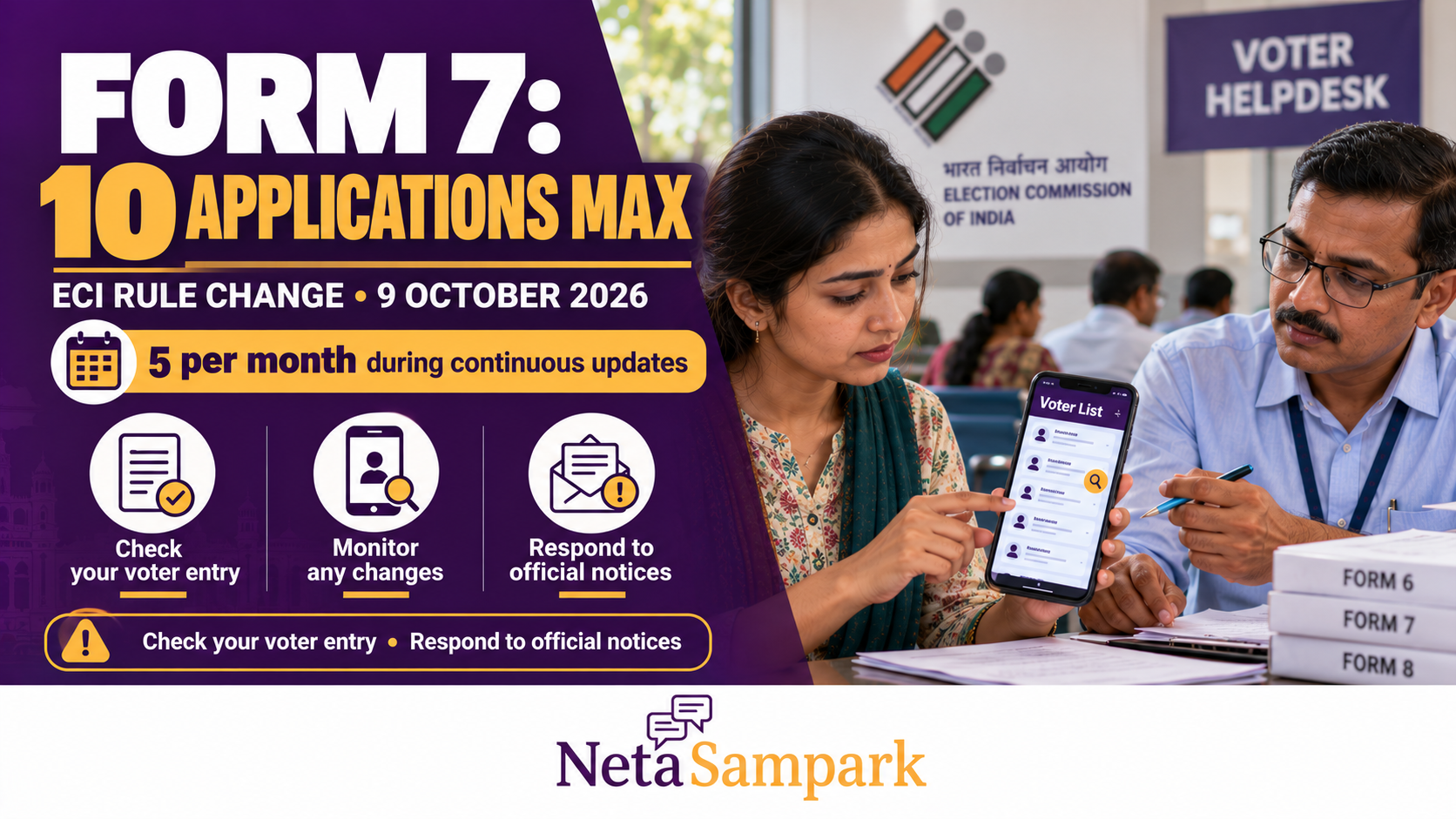
Election Commission Caps Form 7 at 10 per Voter: What Changed on 9 October 2026 and How to Protect Your Name
The Election Commission of India (ECI) has introduced limits on how many Form 7 applications an individual elector can submit to object to names in the electoral roll or request deletion of entries. The instruction, issued on 9 October 2026, sets a maximum of 10 applications during an entire claims-and-objections period and five applications per month during continuous updating. The limits apply to both online and offline submissions. Source: Hindustan Times, 9 October 2026.
The change follows concerns about bulk objections that could inconvenience registered voters and increase the workload of election officials. For ordinary voters, the key takeaway is simple: check your electoral-roll entry, respond promptly if you receive an official notice, and use the Election Commission’s official channels to resolve discrepancies.
Official portal: ECI Voters’ Services Portal
What Changed on 9 October 2026?
The ECI’s revised instruction establishes a limit on the number of Form 7 applications an individual elector can file.
| Filing situation | Maximum Form 7 applications per individual elector |
|---|---|
| During the claims-and-objections period of an electoral-roll revision | 10 for the entire period |
| During continuous updating of the electoral roll | 5 per month |
| Online and offline submissions | Both covered |
Previously, online Form 7 submissions were subject to a limit of six at a time, while bulk physical submissions did not have a similarly defined numerical ceiling. The new instruction establishes limits for both modes of filing. Source: Hindustan Times, updated 10 October 2026.
The Commission has directed Chief Electoral Officers in states and Union territories to communicate the revised instructions to election officials and ensure compliance.
Important: The numerical cap does not mean that a voter’s name is automatically protected from deletion. Nor does it mean that every Form 7 application filed within the limit is valid. Each objection must be considered under the applicable electoral-roll rules.
What Is Form 7 and When Is It Used?
Form 7 is the Election Commission’s prescribed form for objecting to the inclusion of a name in an electoral roll or requesting deletion of an existing entry on specified grounds.
According to the official Form 7 and its guidelines, permitted grounds can include:
- The person is deceased.
- The person is underage.
- The person has permanently shifted or is absent in circumstances covered by the rules.
- The person is already enrolled in the electoral roll.
- The person is not an Indian citizen.
The form also allows an elector to request deletion of their own name on specified grounds.
The applicant must identify the relevant entry and provide the reason for the objection or deletion request. The applicant is responsible for supporting the stated grounds, and the declaration must be truthful.
Read the official documents before filing:
Form 7 is not intended for personal disputes or unsupported allegations. Providing a false statement in the declaration can attract legal consequences under Section 31 of the Representation of the People Act, 1950.
Does Filing Form 7 Automatically Delete Someone’s Name?
No. Filing Form 7 is an objection or request, not a final deletion order.
The revised mechanism reported on 9 October requires the Electoral Registration Officer (ERO) to examine objections, hear the objector, record statements separately for each application and verify the validity of the objection before deciding the case. The person whose entry is challenged must also be given the required opportunity to be heard under the applicable procedure.
The ERO then disposes of the application in accordance with the relevant provisions of the Registration of Electors Rules, 1960. Source: The New Indian Express, 9 October 2026.
This means:
- Someone claiming to have filed Form 7 does not, by itself, prove that your name has been deleted.
- A submitted objection does not establish that the allegation is correct.
- An official notice should not be ignored.
- The final decision must follow the applicable electoral-roll procedure.
How to Protect Your Name on the Voter List
Step 1: Check your electoral-roll entry
Visit the ECI Voters’ Services Portal and use the voter-search service to find your entry.
Check the details displayed, including:
- Your name and spelling
- Your relative’s name, where shown
- Your age or date-of-birth details, where available
- Your constituency and polling-station details
- Your address and other particulars
If your name does not appear in the first search, try another available search method and verify the details with your local election office. A failed search alone does not establish that your name has been deleted.
Step 2: Check the current electoral roll
Do not rely only on possessing a Voter ID or EPIC card. Check the relevant current electoral roll and confirm that your entry appears in the appropriate constituency.
If you cannot locate your name, contact your Booth Level Officer (BLO) or ERO and ask for clarification about your registration status.
Step 3: Respond promptly if you receive a notice
If the election authorities contact you about an objection to your entry or a proposed deletion, take the following steps:
- Read the notice carefully and identify the reason for the objection.
- Note the response deadline, hearing date and the office handling the matter.
- Gather documents that address the specific issue raised.
- Submit your response using the channel specified in the notice.
- Keep copies of your response, supporting documents and acknowledgement.
- Attend the hearing if required. If you cannot attend, contact the issuing office immediately for instructions.
The documents needed will depend on the grounds of the objection. If the notice is unclear, ask the ERO what information or evidence is required.
Step 4: Keep your voter records accessible
Keep the following information ready in case you need to clarify your registration:
- EPIC or Voter ID details
- Your electoral-roll entry, if available
- Any notice received from the election authorities
- Relevant documents supporting your identity, address or other disputed particulars
- Acknowledgements from previous applications or corrections
Not every document is necessary in every case. Follow the requirements stated in your notice or provided by the election office.
Step 5: Contact your BLO or ERO
Your BLO can help with local electoral-roll verification and direct you to the appropriate office. The ERO is responsible for handling electoral-roll applications and objections.
Ask which entry or detail is under review, whether a response is required, and how you can submit supporting information. Keep a record of your communication and any acknowledgement provided.
For official services and state-specific updates, start with the ECI Voters’ Services Portal or the website of your state’s Chief Electoral Officer.
What Should You Do If Your Name Is Missing?
If you cannot find your entry, first establish the reason. It could be a search or spelling mismatch, a change in electoral-roll records, or another issue requiring verification.
Follow these steps:
- Search using the available details and alternative search options.
- Check the relevant electoral roll for your constituency.
- Contact your BLO or ERO to confirm your registration status.
- Ask whether an application, objection or deletion order is associated with your entry.
- Follow the official procedure to restore, register or correct your entry, as appropriate to your circumstances.
Do not assume that Form 7 is the correct form for every problem. The appropriate application depends on whether you are registering for the first time, correcting an existing entry, shifting residence or responding to an objection.
Form 7 vs Form 8: Which One Should You Use?
| Your situation | Relevant form or action |
|---|---|
| You want to object to an entry or request deletion on permitted grounds | Form 7 |
| You need a permitted correction to an existing electoral-roll entry | Form 8 |
| You need to shift your registration or request another service covered by Form 8 | Form 8, subject to the applicable instructions |
| You receive an objection notice concerning your own entry | Respond through the procedure stated in the notice |
The ECI lists Form 7 for deletion or objections and Form 8 for specified corrections and other updates to an elector’s details. Check the official forms dashboard before submitting an application.
Can Someone File Form 7 Against Your Name Without Your Knowledge?
An objection may be filed concerning an existing entry, but the filing itself does not establish that the objection is valid or authorise automatic deletion.
If an election official contacts you:
- Verify the notice and the official’s identity through the relevant election office.
- Ask for the reason for the objection and the response procedure.
- Keep copies of notices and communications.
- Do not share OTPs, bank details or unrelated personal information with an unverified caller.
- Use official government portals and verified contact details.
If you believe your registration is at risk, ask the ERO how to respond and obtain confirmation of the decision. Do not rely solely on forwarded messages or social-media posts about your voter status.
Does the New Form 7 Limit Apply Across India?
The 9 October instruction was reported as being communicated to Chief Electoral Officers across states and Union territories. The numerical limits apply to online and offline Form 7 submissions.
However, the relevant revision schedule, claims-and-objections dates and local procedures can vary. Check your state’s official election notices for information about the roll revision taking place in your area.
The new limit is intended to discourage bulk objections on unsubstantiated grounds. It does not eliminate the need for officials to examine each case under the applicable rules.
Frequently Asked Questions
What is the new Form 7 limit?
An individual elector can file up to 10 Form 7 applications during the entire claims-and-objections period and up to five applications per month during continuous updating of the electoral roll.
Does the limit apply to online and offline applications?
Yes. The ECI’s revised instruction covers both online and offline submissions.
Can my name be deleted just because someone files Form 7?
No. Filing Form 7 does not automatically delete an entry. The objection must be considered under the applicable electoral-roll procedure, including the required verification and opportunity to be heard.
What should I do if I receive a deletion notice?
Read the notice, note the deadline, gather relevant evidence and respond through the specified channel. Contact your BLO or ERO if you need clarification, and retain proof of submission.
Is Form 7 the right form for correcting a spelling mistake?
Generally, Form 8 is used for permitted corrections to an existing electoral-roll entry. Check the current ECI instructions to confirm which service applies to your situation.
Where can I check my voter registration?
Use the ECI Voters’ Services Portal. If you cannot find your entry, contact your local election office rather than assuming that your name has been deleted.
The Bottom Line
The Election Commission’s instruction of 9 October 2026 caps Form 7 applications at 10 per individual elector during a claims-and-objections period and five per month during continuous updating. The limits apply to both online and offline filings.
To protect your voter registration:
- Check your name in the current electoral roll.
- Respond promptly to official notices.
- Submit relevant evidence and retain acknowledgements.
- Contact your BLO or ERO if your status is unclear.
- Use the official ECI Voters’ Services Portal for voter services and forms.
A Form 7 objection is not the same as a final deletion decision. Verify your status through official channels and act promptly if the election authorities contact you.