
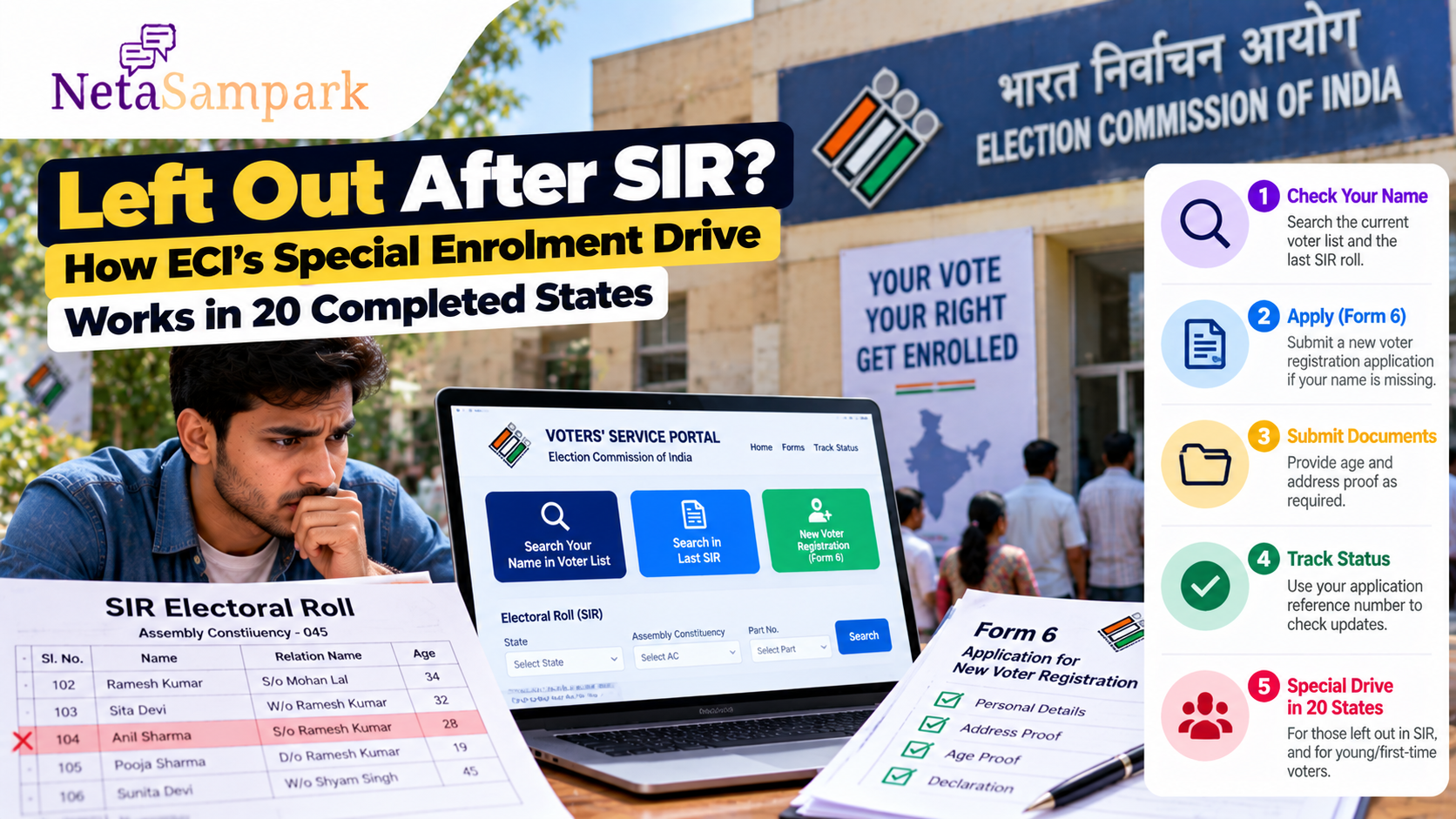
Left Out After SIR? How ECI’s Special Enrolment Drive Works in 20 Completed States
If your name disappeared from the electoral roll during the Special Intensive Revision (SIR), or you became eligible to vote but were not included in the revised roll, the Election Commission of India has now directed a special enrolment drive in the 20 States and Union Territories where SIR has been completed.
The ECI says that people whose names were left out during or after SIR, as well as young and first-time eligible voters, can apply to the concerned Electoral Registration Officer (ERO) through the process of continuous updation. Chief Electoral Officers (CEOs), District Election Officers (DEOs) and EROs have been directed to facilitate the enrolment drive. Press Information Bureau
For voters in these completed-SIR areas, the practical question is simple:
What should you do if your name is missing now?
What Is the New Special Enrolment Drive?
The Election Commission announced that SIR has been completed in 20 States/UTs, including Bihar and West Bengal.
Instead of leaving eligible voters to wait for another revision exercise, the ECI has instructed election officials to actively facilitate inclusion through the existing continuous-updation process. Press Information Bureau
The Commission has also said that young and first-time voters can use this route.
This means the drive is not limited to people who were deleted during SIR.
It also covers eligible people who need to be added to the electoral roll after the revision.
Who Can Use the Drive?
The ECI's direction covers people in completed-SIR States/UTs whose names have:
- Been left out during SIR
- Been left out after SIR
- Not been included despite being eligible
- Newly become eligible to register as voters
- Been missed during the roll revision process
The ECI specifically mentions young/first-time eligible electors alongside voters whose names were left out. Press Information Bureau
The normal eligibility requirements still apply.
You must be an eligible Indian citizen, ordinarily resident in the relevant constituency, and meet the applicable age requirement.
The Main Route: Form 6
For a person seeking inclusion as a new elector, the relevant statutory application is Form 6.
The ECI's current voter portal provides Form 6 for new voter registration and allows applicants to track their application. Voter Service Portal
If your name was left out after SIR, the important point is that you can apply for inclusion through the continuous-updation process rather than assuming that the SIR exercise has permanently closed the door.
What About the Extra SIR Declaration?
This is an important change for people applying after SIR has been completed.
The ECI has clarified that the additional SIR Declaration Form is not required in States/UTs where SIR has already been completed or where SIR has not yet started. The ordinary statutory Form 6 continues to apply outside the SIR phase. Web India News
This matters particularly for people who previously encountered an additional question relating to whether they or their parents/grandparents appeared in an earlier intensive-revision electoral roll.
For a completed-SIR State, the special enrolment drive uses the ordinary Form 6 route.
Don't Confuse Form 6 With Form 8
Use the form according to what you actually need.
| Your situation | Relevant application |
|---|---|
| Name has never been included and you are eligible | Form 6 |
| Name was left out and you need inclusion | Form 6 |
| Existing electoral-roll entry needs correction | Form 8 |
| You have shifted residence | Form 8, subject to the applicable situation |
| You want deletion/objection against an entry | Form 7 |
The ECI's current forms dashboard identifies Form 6 for new voter/elector registration, Form 7 for deletion/objection and Form 8 for shifting, correction, replacement of EPIC and related changes. Voter Service Portal
Step 1: Search the Current Electoral Roll First
Before submitting a fresh Form 6, check whether your name is already present.
The ECI's voter portal provides a Search Your Name in Voter List service. Election Commission of India
Search using:
- EPIC number
- Name
- State
- Constituency
- Other available voter details
If your name appears, don't submit a duplicate Form 6 simply because you could not find it during your first search.
Check the spelling, constituency and polling-part details carefully.
Step 2: Check the Previous SIR Roll
If you believe your name existed before SIR but is missing from the current roll, compare the old and current records.
The ECI has added a dedicated “Search Your Name in Last SIR” facility to its voter portal. Voter Service Portal
You can search using details such as:
- State
- District
- Assembly Constituency
- Polling station
- Part number
- Serial number
- Elector name
- Relative's name
- Age
The ECI notes that spelling can vary between older and current records, so trying reasonable spelling variations may be necessary. Voter Service Portal
This comparison can help you establish that your name was present in an earlier roll even if it is missing now.
Step 3: Check the SIR Electoral Roll PDF
You can also use the ECI portal to access electoral-roll PDFs and SIR-related rolls.
The voter portal provides an Electoral Roll section where users can select the State and revision year and download available rolls. Voter Service Portal
When checking an old or revised roll, record:
- Assembly Constituency
- Part number
- Serial number
- Name
- Relative's name
- Address
- EPIC number, where shown
Take a screenshot or save the relevant PDF page if you find your earlier entry.
Step 4: Apply Through Form 6
If your name is genuinely absent and you are eligible for inclusion, submit Form 6 to the appropriate ERO.
The ECI's Form 6 provides for details including:
- Applicant's name
- Date of birth
- Gender
- Current ordinary residence
- Family member details where applicable
- Age/date-of-birth proof
- Address proof
- Declaration of eligibility
The official Form 6 also provides an acknowledgement number that can be used to track the application. Voter Service Portal
You can submit the application through the ECI's online voter-services system where available, or follow the applicable local process with the ERO/BLO.
What Documents May You Need?
The exact documents depend on your circumstances.
The current Form 6 specifies documents relating to age/date of birth and ordinary residence and allows field verification in situations where the prescribed documentary proof is unavailable. Voter Service Portal
Keep commonly relevant documents ready, such as:
Age/date of birth
Depending on what is applicable:
- Birth certificate
- School/education record
- Passport
- Other documents accepted by the ECI
Address
Depending on what is applicable:
- Utility bill
- Bank/post-office document
- Passport
- Registered rent/lease document
- Other accepted address proof
Check the current Form 6 requirements rather than relying on an old checklist circulating on WhatsApp.
What If You Don't Have the Usual Documents?
The absence of one particular document does not automatically mean that an otherwise eligible person can never be enrolled.
The official Form 6 guidance provides for field verification in certain situations where the applicant does not possess the listed proof, including examples involving eligible homeless citizens without documentary proof of ordinary residence. Voter Service Portal
If your documents are unusual or incomplete, speak to the BLO/ERO rather than submitting incorrect information.
What Happens After You Submit Form 6?
The application goes to the electoral-registration machinery for verification.
Depending on the case, officials may:
- Examine the application.
- Verify residence and eligibility.
- Conduct field verification where required.
- Seek clarification/documents if necessary.
- Decide whether the name should be included.
- Update the electoral roll if approved.
The application acknowledgement/reference number is important because it allows you to track what happens next.
The ECI portal provides a dedicated Track Application Status facility. Election Commission of India
What If Your Name Was Deleted During SIR?
This is where the new special drive is particularly relevant.
You do not have to treat the SIR deletion as the end of the process.
The ECI has specifically directed CEOs, DEOs and EROs to facilitate applications from people whose names were left out during SIR or thereafter. Press Information Bureau
The practical sequence is:
Check current roll
↓
Check previous SIR roll
↓
Identify why your name is missing
↓
Submit Form 6 if you need inclusion
↓
Track the application
↓
Check the updated electoral roll
What If You Received an SIR Notice?
This is a different situation.
If you have received a notice concerning an unmapped entry or logical discrepancy, don't simply submit a fresh Form 6 and ignore the notice.
The ECI has separately directed BLOs to visit the homes of people who received such notices and collect the required documents. The Commission has also said that personal hearings should generally not be necessary except in exceptional circumstances, with online hearings preferred where a hearing is required. Odisha Connect
So:
Notice received → respond to the notice/process.
Name left out and no pending notice → use the continuous-updation/Form 6 route.
The correct route depends on your circumstances.
The Goa Example
The ECI has already cited an example from Goa.
The Chief Electoral Officer of Goa directed BLOs to conduct house-to-house visits to voters who had been left out and collect their forms.
The Commission reported that 81 out of 97 voters in the cited exercise had already filled Form 6 for inclusion. Press Information Bureau
This shows how the special drive can work on the ground:
Identify left-out voters → contact them → collect Form 6 → process inclusion.
Help Desks and Special Camps
The ECI has also directed District Election Officers to establish adequate help desks and special camps for people who may have greater difficulty accessing the process.
The Commission specifically mentioned groups such as:
- People living in night shelters
- Labourers
- Poor and vulnerable citizens
- Homeless persons Akashvani News
If your local district announces a special enrolment camp, it can provide a practical alternative to navigating the online process yourself.
What If You're a First-Time Voter?
The special drive is not only about restoring deleted names.
If you have recently become eligible to vote and your name is not on the electoral roll, you can apply through Form 6.
The ECI expressly includes young/first-time eligible electors in its direction for the special enrolment drive. Press Information Bureau
Before applying, check whether you already have an electoral entry.
A person should not have multiple registrations in different constituencies.
What If Your Name Is Present but Your Address Is Wrong?
Don't use Form 6 merely to correct an existing entry.
The ECI's forms dashboard identifies Form 8 for shifting/correction and related EPIC changes. Voter Service Portal
So first identify the problem:
No name → Form 6
Existing name, incorrect details/address → Form 8
Entry that should be deleted → Form 7
What If You Applied But Your Name Still Doesn't Appear?
Don't submit repeated applications without checking the status of the first one.
Use the acknowledgement/reference number to track the application through the ECI voter-services system. Voter Service Portal
If the application is pending or requires clarification, follow the instructions from the ERO/BLO.
If it is rejected, check the stated reason and the applicable appeal/remedy process rather than simply submitting the same application again.
Keep Evidence of Your Application
For an important voter-registration issue, keep a small record:
☐ Form 6 acknowledgement number
☐ Date of submission
☐ Screenshot of submitted application
☐ Previous SIR roll entry, if available
☐ Current roll search result
☐ Documents submitted
☐ BLO/ERO contact details
☐ Application-status screenshots
This makes follow-up much easier.
Don't Pay Anyone to “Restore” Your Name
Voter enrolment is an official statutory process.
Be cautious if someone claims:
“Your name was deleted, but I can restore it immediately for a fee.”
Use the official ECI portal, BLO, ERO or designated election office.
Never share your OTP with an unofficial agent.
Important: SIR Is Not the Same as a Permanent Bar
A person's absence from a revised electoral roll does not mean the person can never be enrolled again.
The ECI's current direction specifically provides a route for eligible people left out during or after SIR to seek inclusion through continuous updating. Press Information Bureau
The important step is to apply and complete the verification process.
A Simple “Left Out After SIR” Checklist
If your name is missing today:
1. Search the current voter roll
Use the ECI voter portal.
2. Search the last SIR roll
Check whether you were previously enrolled.
3. Save the evidence
Record your old part/serial number and other details if available.
4. Determine the problem
Was your name deleted, never included, or simply recorded incorrectly?
5. Use the correct form
For inclusion, use Form 6.
6. Submit genuine documents
Provide age and residence evidence as applicable.
7. Save your acknowledgement number
You will need it for tracking.
8. Track the application
Check the ECI portal.
9. Check the roll again
Don't assume approval until your name actually appears.
Where to Start Online
The ECI's current voter portal brings together the main services you need:
- Search your name
- Search the last SIR roll
- New voter registration/Form 6
- Track application status
- Download electoral rolls
- Contact voter services
Open the ECI Voters' Services Portal
The ECI also lists 1950 as its toll-free voter-services contact number. Voter Service Portal
The Bottom Line
The SIR process may have ended in your State/UT, but voter enrolment has not ended.
The Election Commission says SIR has been completed in 20 States/UTs and has directed CEOs, DEOs and EROs to run a special drive for people who were left out, including young and first-time eligible voters. Press Information Bureau
For someone whose name is missing, the practical route is:
Search → Compare with the SIR roll → Apply through Form 6 → Track → Verify your name appears.
And in completed-SIR States/UTs, the ECI has clarified that the additional SIR declaration is not required; the ordinary statutory Form 6 route applies for inclusion outside the SIR phase. Web India News